Huawei Mate7 Smartphone
FAQs 5 Applications
Issue 01 (2014-09-04) Huawei
Proprietary and Confidential
Copyright © Huawei Technologies Co., Ltd.
26
The figures are for your reference only. The actual screens may vary.
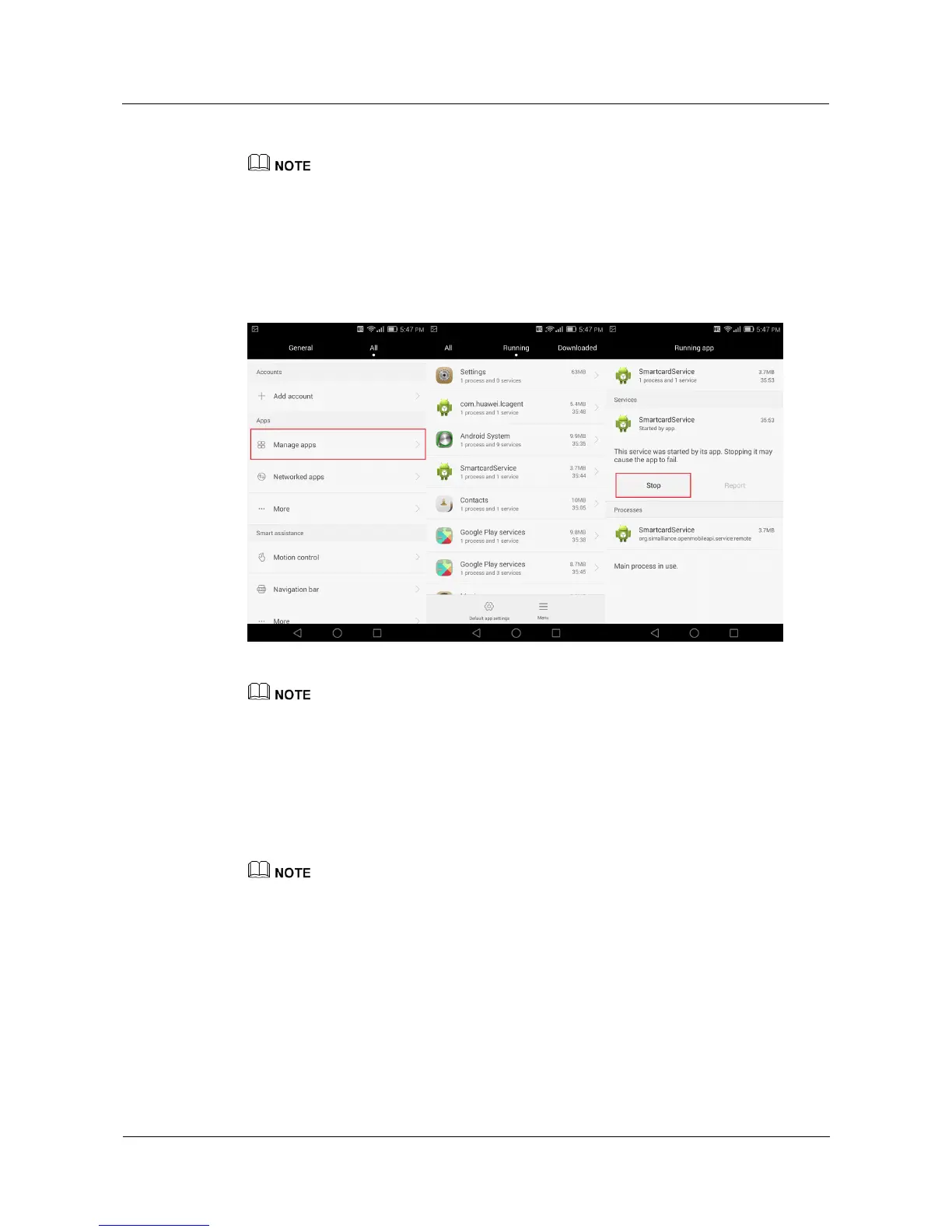
5.6 How do I close background applications?
Go to the Settings screen, and touch Manage apps. Under Running, select the application
you want to close, touch Stop, and follow the onscreen instructions to close the application.
The figures are for your reference only. The actual screens may vary.
5.7 What can I do if the weather information displayed on
my phone is inaccurate?
Go to the weather screen, swipe down to update the weather.
Before you update the weather, make sure your phone has a data connection.
If the problem persists, the application database may not be updated yet. Try again later.



 To Next Page