Huawei Mate7 Smartphone
FAQs 9 Storage and file management
Issue 01 (2014-09-04) Huawei
Proprietary and Confidential
Copyright © Huawei Technologies Co., Ltd.
42
If the problem persists, back up important data and restore your phone to its factory settings.
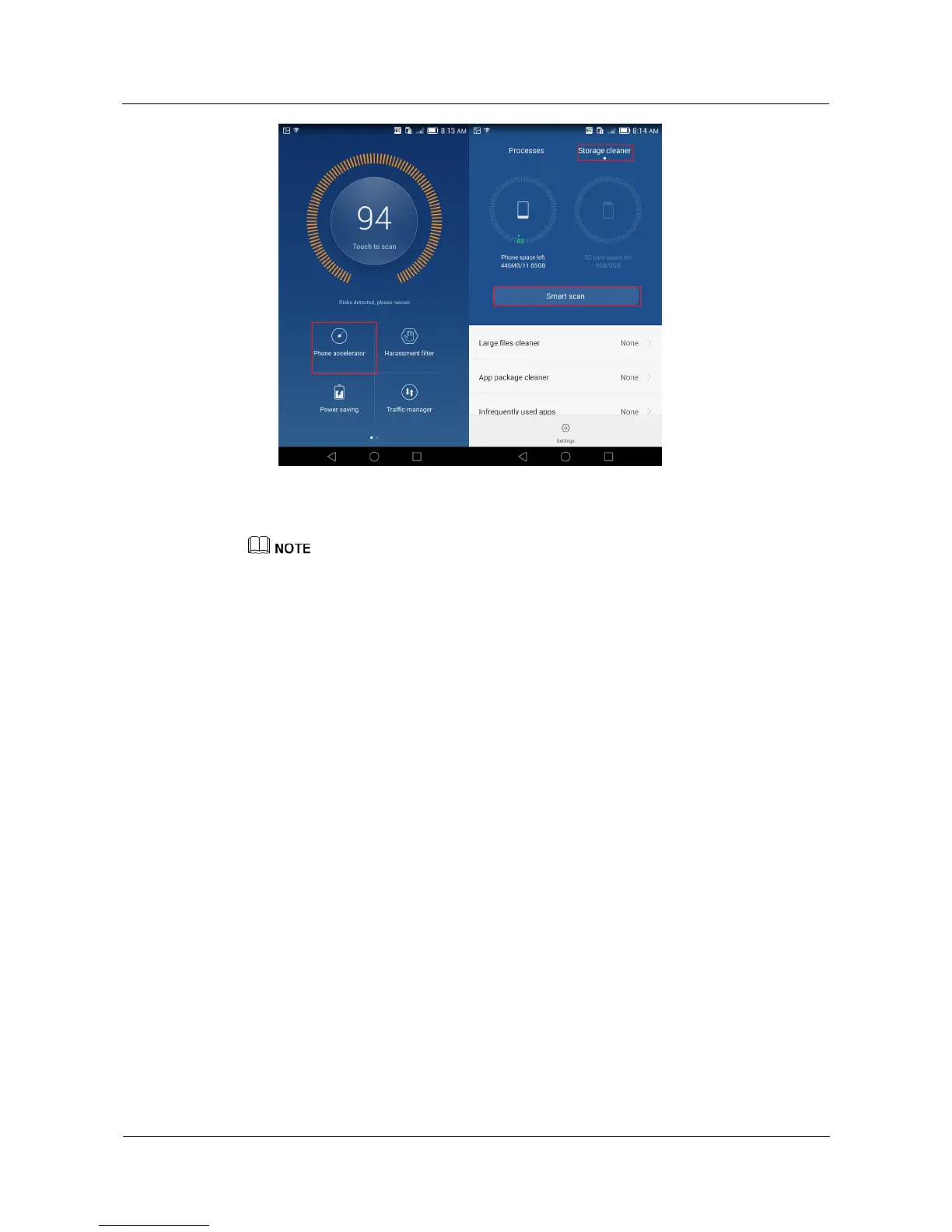
The figures are for your reference only. The actual screens may vary.
9.3 Where are my files saved by default?
Files received through Bluetooth are saved to the bluetooth folder in File Manager.
Photos and videos are saved to the DCIM folder in File Manager.
Screenshots are saved to the Pictures folder in File Manager.
Recordings are saved to the Recordings folder in File Manager.
9.4 What can I do if my phone can't detect the inserted
microSD card?
Make sure the microSD card is properly inserted. For details, see the Quick Start Guide
that comes with your phone.
Make sure your phone supports the microSD card. Your phone supports microSD cards
of 32 GB at most.
Make sure the microSD card is not damaged. You can check whether a microSD card is
damaged by connecting it to a computer through a card reader, or inserting it to another
phone.
If the problem persists, back up important data and restore your phone to its factory settings,
or contact an authorized Huawei service center.



 To Next Page