Huawei Mate7 Smartphone
FAQs 4 Network and data transmission
Issue 01 (2014-09-04) Huawei
Proprietary and Confidential
Copyright © Huawei Technologies Co., Ltd.
14
4 Network and data transmission
4.1 How do I turn on and off a 4G network?
Open the notification panel, touch to quickly turn on and off a 4G network.
4.2 What can I do if my phone can't find a 4G network
after I turned it on?
Make sure you are within the 4G network coverage.
Open the notification panel, touch to quickly turn off the 4G network, and touch
again to turn it back on.
Restart your phone.
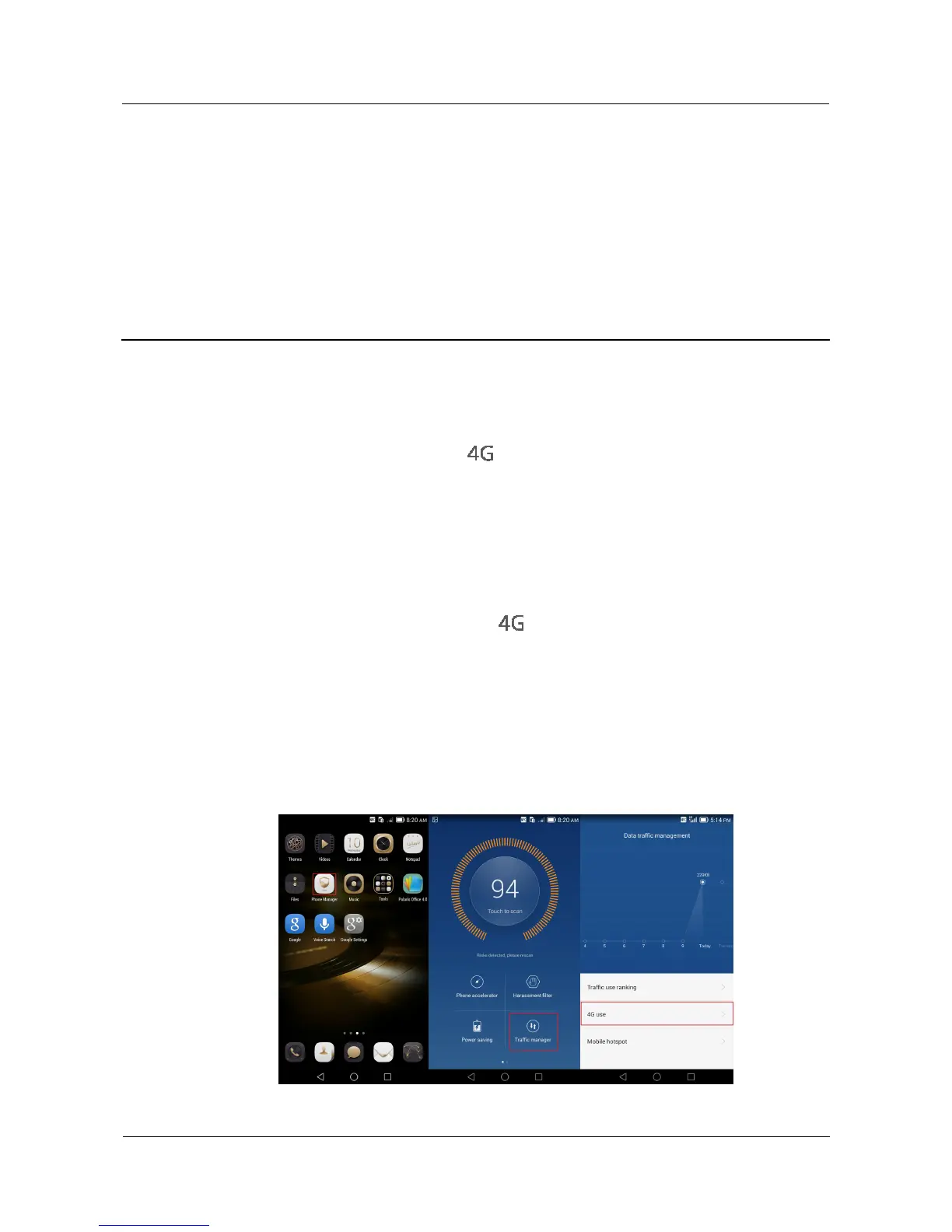
4.3 Where can I view the 4G traffic?
1. On the home screen, touch Phone Manager.
2. Touch Traffic manager > 4G use to view your used 4G traffic.



 To Next Page