Huawei Mate7 Smartphone
FAQs 4 Network and data transmission
Issue 01 (2014-09-04) Huawei
Proprietary and Confidential
Copyright © Huawei Technologies Co., Ltd.
17
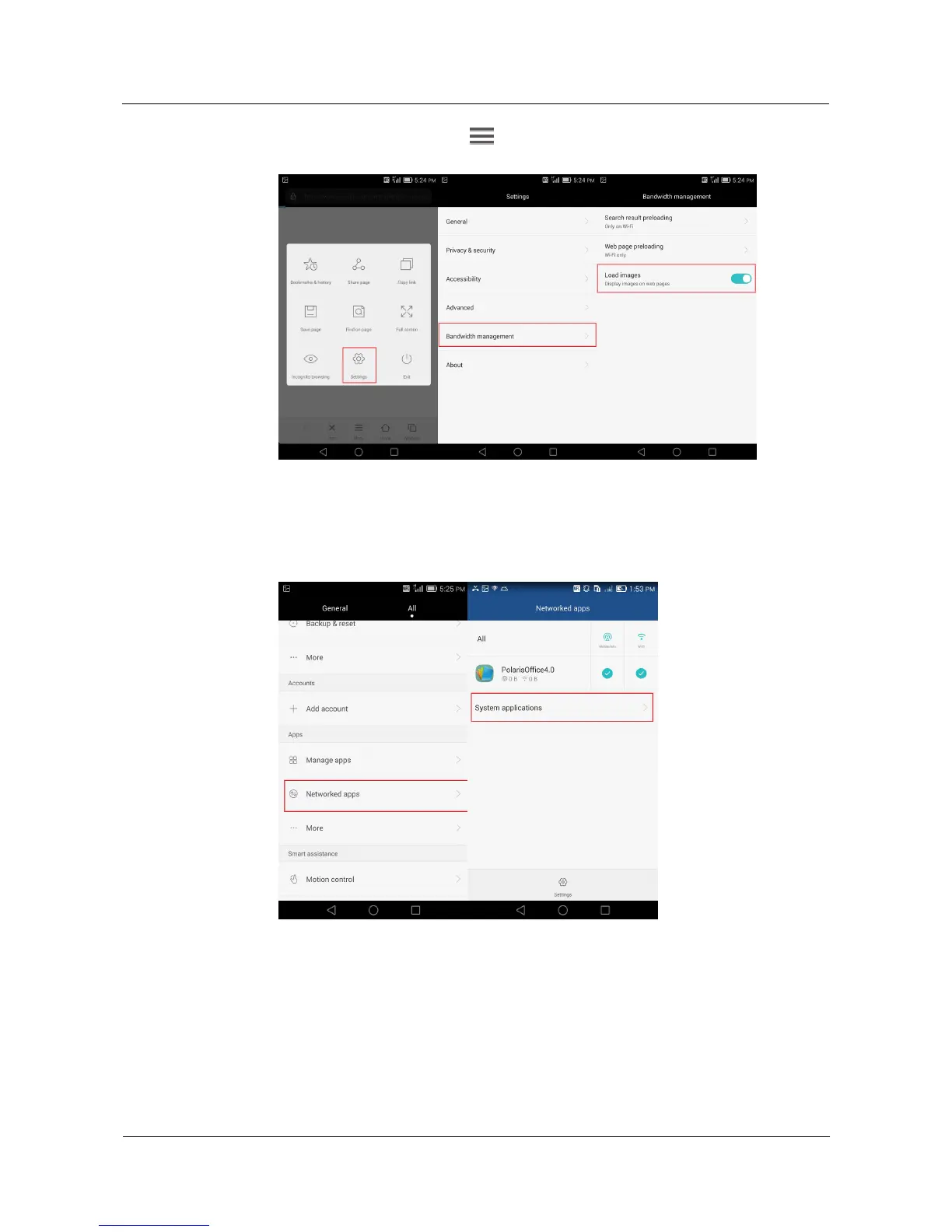
On the browser screen, touch > Settings > Bandwidth management, and clear
the Load images check box.
Prevent applications from accessing the Internet using your mobile data connection.
Go to the Settings screen, touch Networked apps > System applications, and follow
the onscreen instructions to prevent applications from accessing the Internet using your
mobile data connection.



 To Next Page