Managing recordings
Share, rename, and sort recordings.
1 T
ouch
Sound Recorder.
2 Select Recordings.
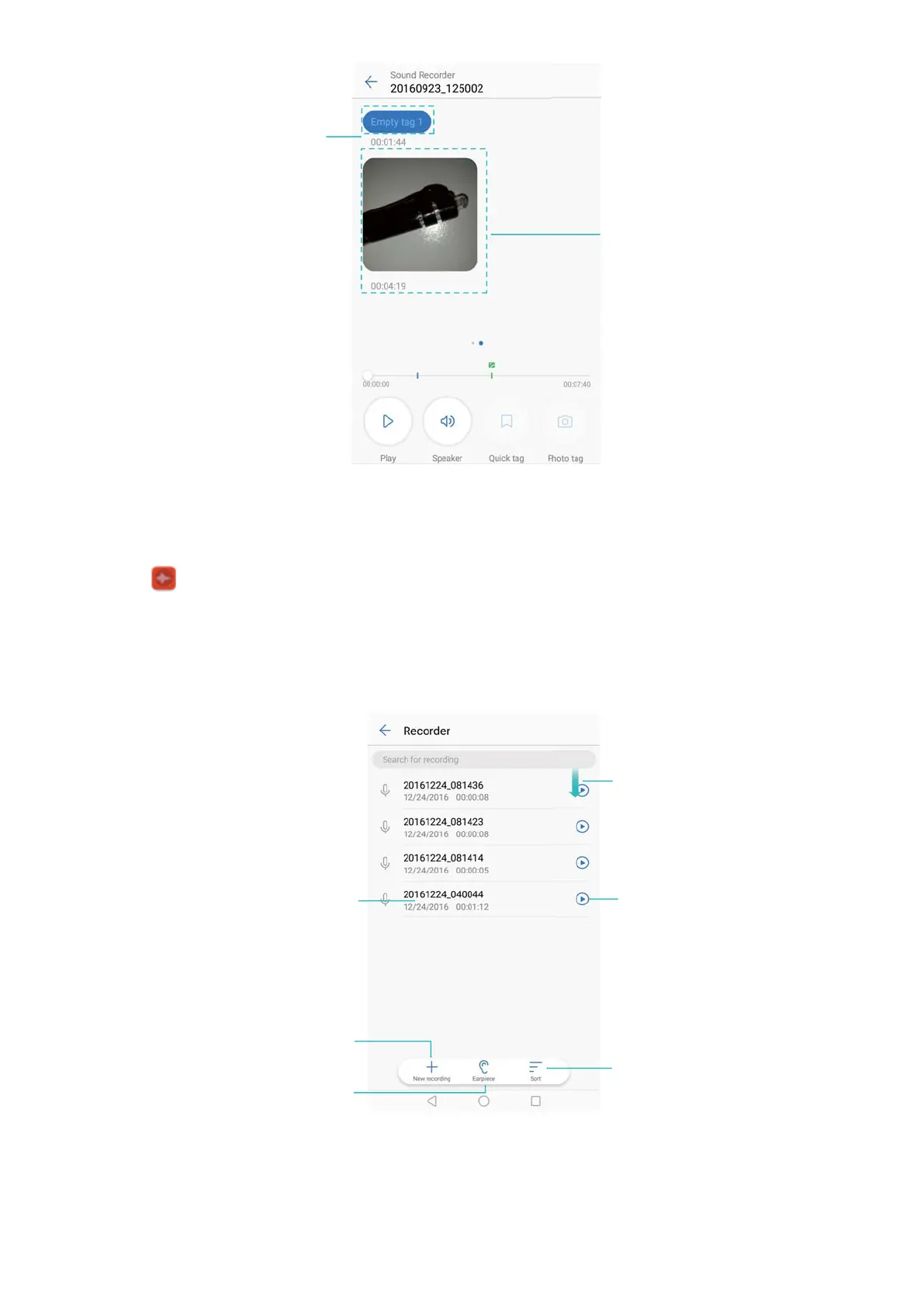
3 On the file management screen, you can sort, share, and rename recordings.
Touch and hold to
manage recordings
Touch to create
new recording
Touch to toggle speaker
and earpiece playback
Swipe down to
open search box
Touch to
play recording
Sort audio recordings
Controlling recordings from the notification panel
When the Recorder app is recording sound in the background, use the controller in the
notification panel to Pause, Resume, or Stop
the recording.
Tools
137



 To Next Page