HUAWEI SE2900 Session Border Controller
Hardware Description
1 Service Processing Device
Huawei Proprietary and Confidential
Copyright © Huawei Technologies Co., Ltd.
To forcibly power off the board, hold down this button
for 6 seconds when the board is in the graceful
power-off state.
The link is faulty or disconnected.
The port is not sending or receiving data.
The port is sending or receiving data.
Logical Structure
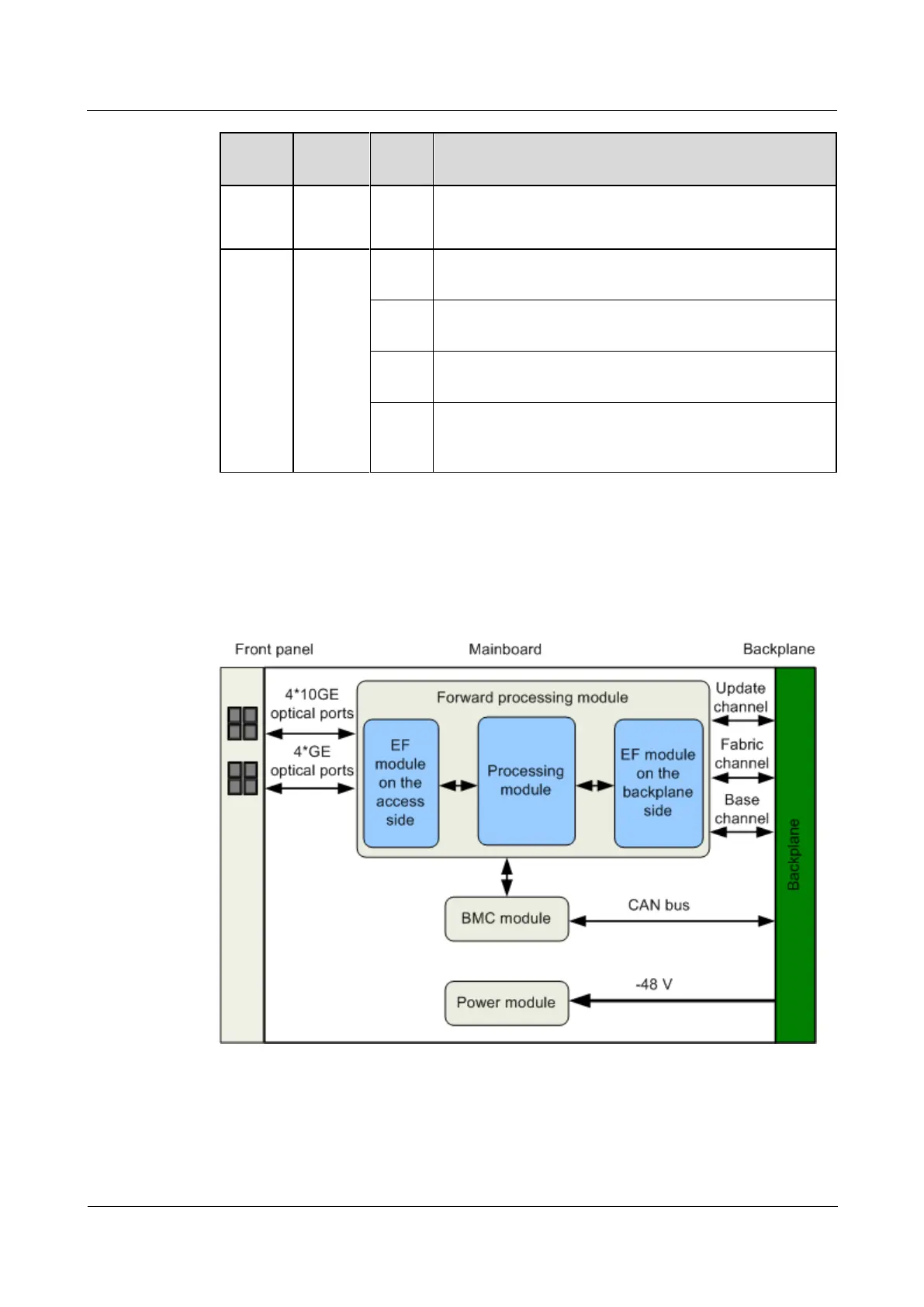
Figure 1-45 shows the logical structure of the board.
Figure 1-45 Logical structure
The modules of the board provide the following functions:
The expedited forwarding (EF) module on the access side provides four SFP+ and four
SFP ports on the panel.



 To Next Page