6-4
The configuration succeeded.
6.2 Setting Up a Connection with a Computer
Step 1 Use a network cable to connect the WS322 to your computer.
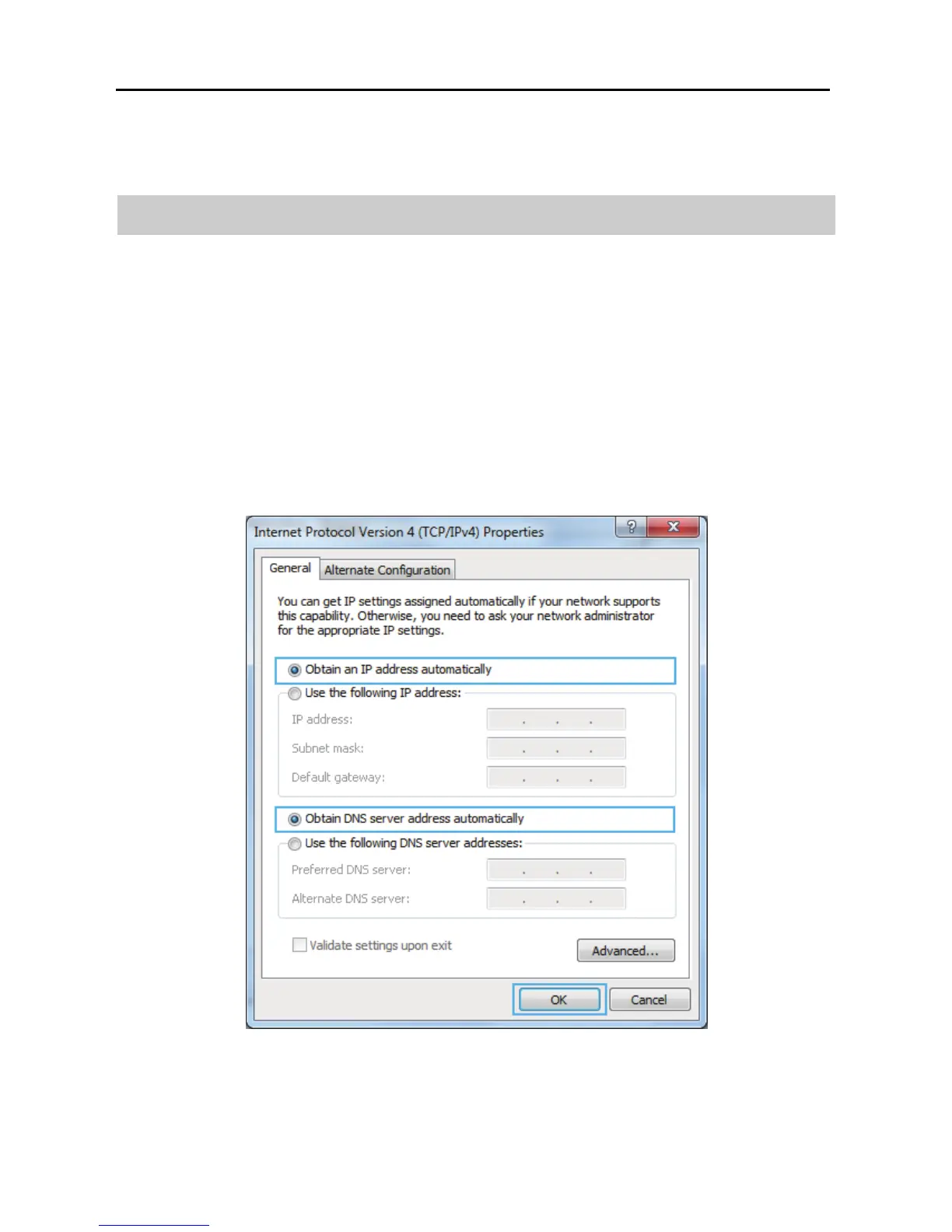
Step 2 Set the computer to automatically obtain an IP address. For details, see
section 2.3 "Setting the Computer IP Address."
On Windows 7
Select Obtain an IP address automatically and Obtain DNS address
automatically. Click OK.



 To Next Page