7-2
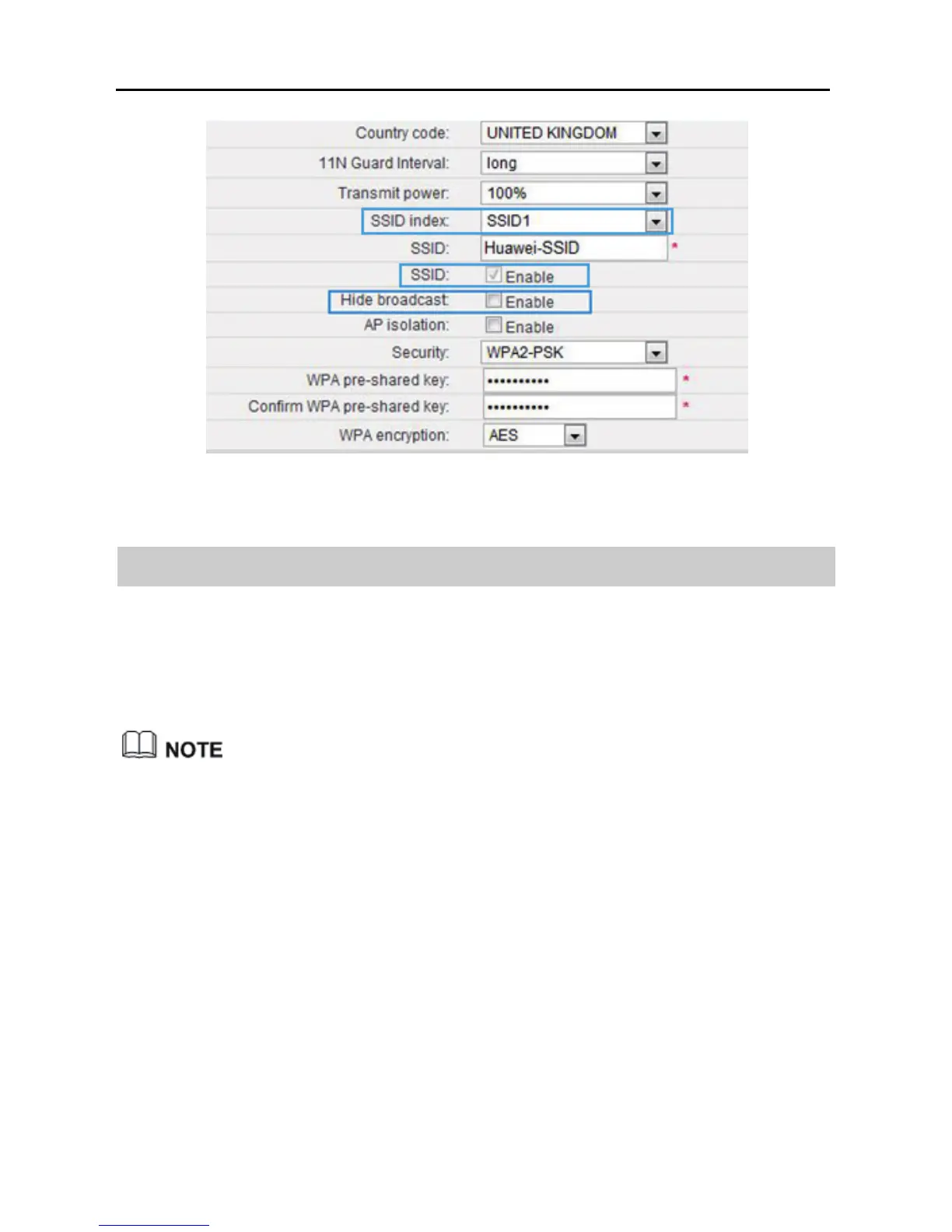
7.2 Changing your WLAN Name and password
WLAN access requires the WLAN name and password. To improve your WLAN
security, regularly change your WLAN name and password.
This function is available in WiFi router and WiFi repeater modes.
In WiFi repeater mode, this function applies to the WS322 maintenance SSID
only.
Step 1 Log in to the web management page.
Step 2 Click Advance Settings.
Step 3 In the navigation tree, choose Basic > WIFI Router (WiFi router mode)
or Basic > Management WIFI (WiFi repeater mode) to display the
WLAN configuration page.
Step 4 In SSID index, select the SSID index you want to modify.
Step 5 In SSID, enter a new WLAN name.



 To Next Page