7-3
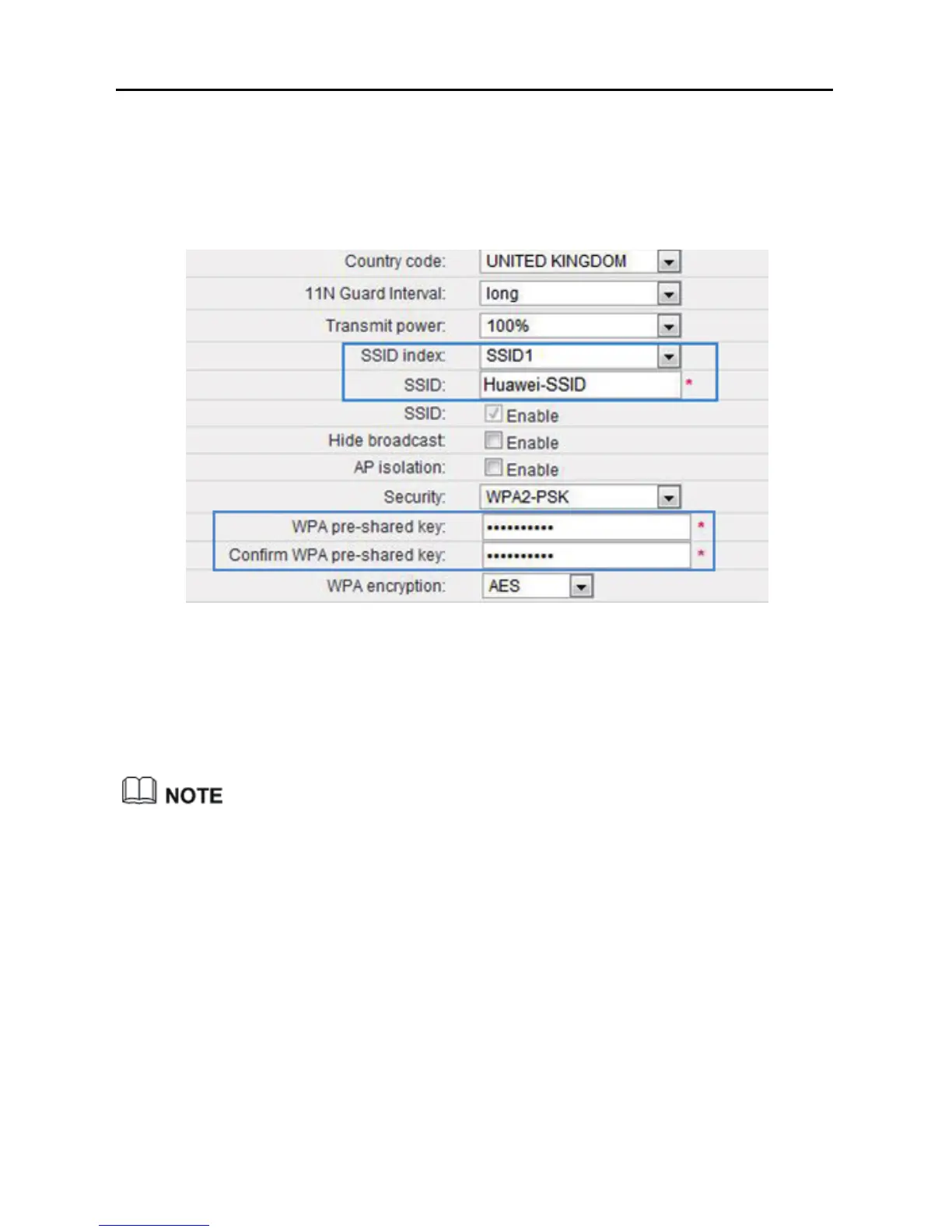
Step 6 In WPA pre-shared key, enter a new WLAN password, and re-enter the
new password to confirm it.
Step 7 Click Submit.
7.2.1 Using High Secure Encryption
This function is available in WiFi router and WiFi repeater modes.
In WiFi repeater mode, this function applies to the WS322 maintenance SSID
only.
Step 1 Log in to the web management page.
Step 2 Click Advance Settings.
Step 3 In the navigation tree, choose Basic > WIFI Router (WiFi router mode)
or Basic > Management WIFI (WiFi repeater mode) to display the
WLAN configuration page.
Step 4 Click WLAN.
Step 5 In Security, select WPA-PSK/WPA2-PSK.



 To Next Page