25
Inputs
Inputs allow for the mapping of connected low voltage devices or outside contact closures to relays or groups. CX Panels
allow for inputs to be dened as any type of device. The input types are assignable to be “Switch,” “Motion,” or “Photocell”.
Any Input, regardless of where it is connected in the panel, can be mapped to any relay or group.
The CX Panel system can have a Master Panel of 8, 16, or 24 Relays used individually or connected to a Secondary panel of
8, 16, or 24 Relays. CX 4 Relay Panels are designed as Stand Alone panels only and cannot be connected to make a system.
Select Inputs – Input Designations and Naming Inputs
Panels contain Inputs that are either an integral part of a CXR Relay card or located on the panel motherboard. The Inputs that
are integral to the CXR Relay cards are indicated in the input selection screen as “MIXX” for Master Panels and 4-Relay Stand
Alone panels OR “SIXX” for Secondary Panels. The “XX” indicates the relay number. The relay number is screen printed on
the motherboard adjacent to the relay card connector. The Inputs that are located on the panel motherboard are indicated on
the input selection screen as “MAXX” for Master Panels and 4-Relay Stand Alone panels OR “SAXX” for Secondary Panels.
The “X” indicates the auxiliary input number. These inputs have “AUX INPUT X” screen printed adjacent to them on the
motherboard.
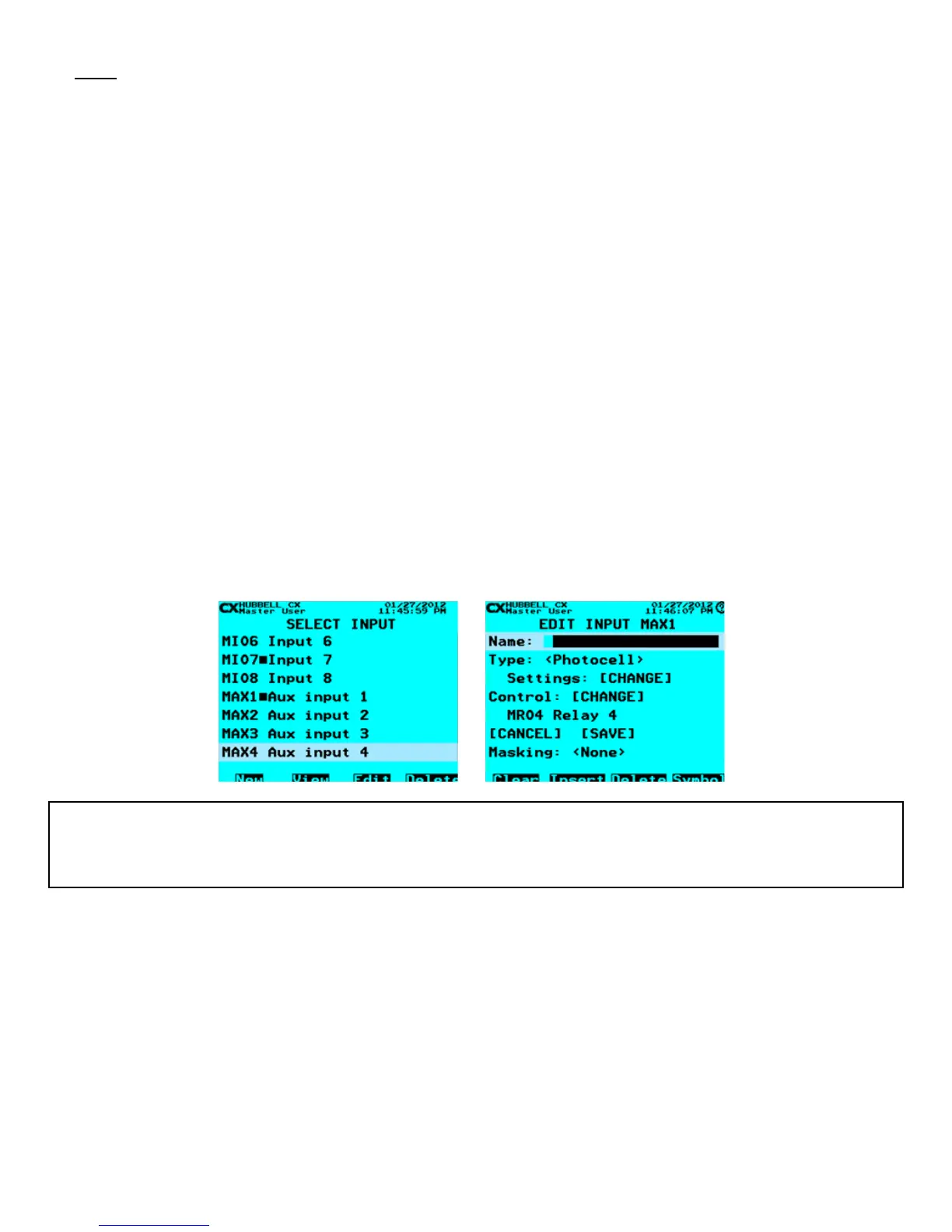
1. From the Main Menu, select Inputs. Then press the ENTER key.
2. Select Input – Scroll to an Input to program. Select any of the Inputs available based on the *Panels in the CX Panel
system. NOTE that the all Inputs that are connected to the system will be present and visible by continuously scrolling up
and down, When highlighted, press the ENTER key or the F1 key to select an Input.
3. Name Input – Use the Function keys and the alphanumeric keypad to edit the Input name. Refer to “Function Keys”
section at the beginning of the Programming Section of this manual
NOTE that the solid box between the Input number and the Input name indicates that the Input has been programmed. The F1
“New” key will open the next available un-used Input. The F4 “Delete” key will delete all programming for the highlighted Input.
CX Programming TIP:
It is very important to create names for all inputs so that users in the future can better understand the programming and function of the system. For
Inputs the type of device, location, or function are useful possibilities. The F2 Function Key allows the user to view the relay or group that is mapped
to the input.



 To Next Page