PSP8620311
Rev. E
19
6 — Control Programming
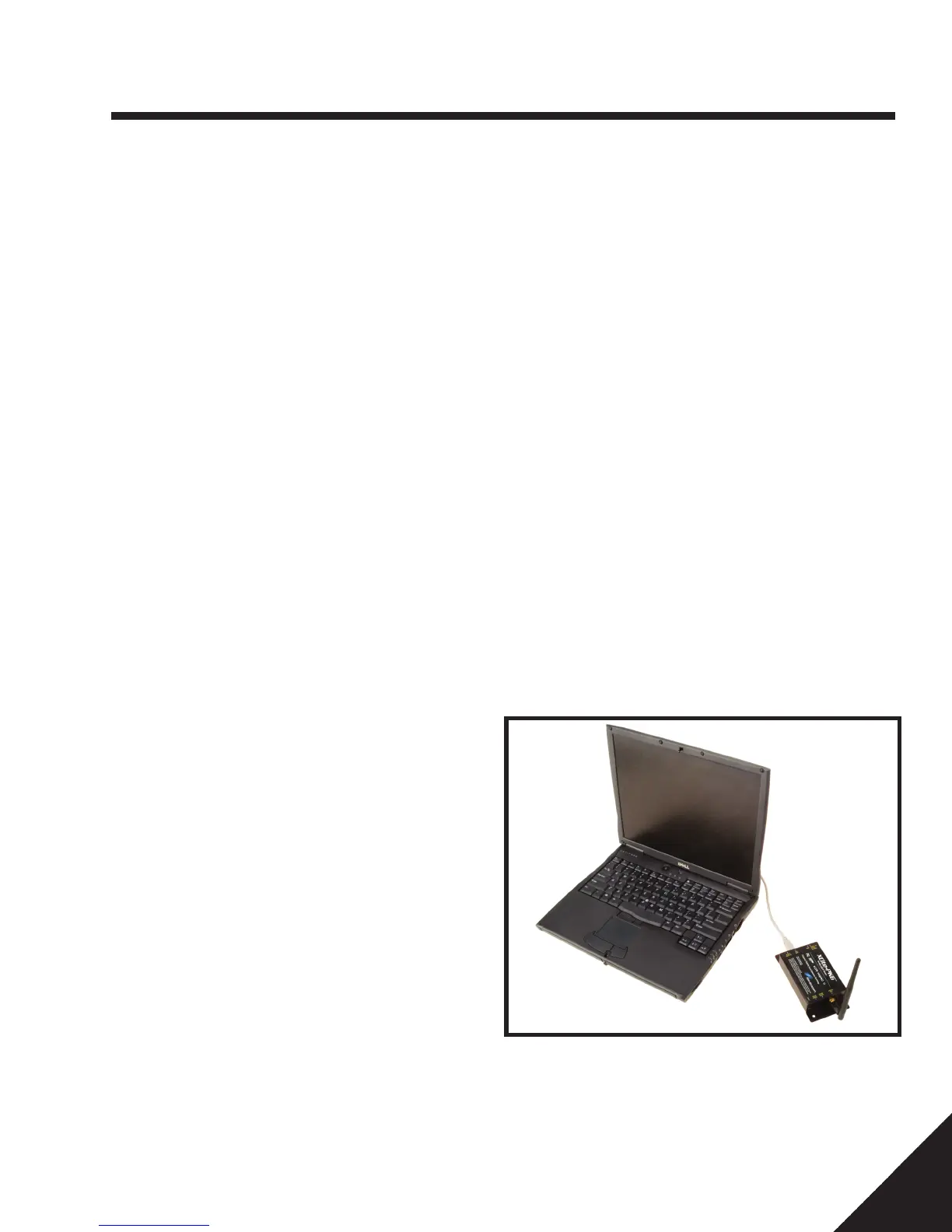
Figure 6-1 Connecting Local Radio
Overview
The VERSA-TECH
®
Recloser can be fitted with an
optional radio which will allow settings, diagnostics and
scratchpad to be viewed remotely while the unit is in
service. The radio will also allow settings, timestamp and
scratchpad to be changed while the recloser remains in
service. The remote radio options are Digi/XBee 900MHz,
SiFLEX 900MHz, or Wireless (WiFi) 2.4GHz. The remote
radio is adapted to the serial port on the recloser. In
order to accomplish communication with the Digi/XBee or
SiFLEX remote radios, a separate Digi/XBee or SiFLEX
local radio is needed. The local radio is a USB powered
radio that is attached to the laptop or other personal
computer running the Versa-Tech Programmer User
Interface. Communication with the WiFi remote radio is
accomplished through the Wireless Network on the laptop
or personal computer.
Customer Supplied Requirements
Personal computer with Microsoft
®
Windows
®
XP,
Windows
®
7 32/64 bit or Windows
®
8 operating system,
a USB to RS-232 serial cable if a direct connection is
desired, PC wireless card for connection through the WiFi
remote radio, local Digi/XBee radio with USB Type B serial
cable for connection through the Digi/XBee remote radio,
or local SiFLEX radio with USB Type B serial cable for
connection through the SiFLEX remote radio.
Software Installation
Recloser programming software must be installed on the
computer proir to use. Installation software is provided
with each recloser on a Hubbell USB drive or is available
on the Hubbell Power Systems website.
Connecting Recloser to PC
The customer supplied DB9 Male/Female serial cable is
used to directly connect the recloser to a PC (hardwired).
Wireless communications can be established utilizing the
appropriate 900MHz remote/local radio combination or
the PC wireless networks/WiFi remote radio combination.
To Establish Communications
If external local radios are required, they must be connected before
launching the programming software. If a WiFi remote radio is
utilized, connection to the wireless network card on the PC must
be established prior to launching the programming software. Once
the programming software is launched, click "Refresh List" on the
User Interface to scan for the reclosers within the range and "Auto
Connect" to connect to the selected detected devices. See Control,
Programming > Connection Section 6 of this manual.
Connecting Local Radio
The local radio is controlled and powered by connecting a USB cable
between the module and a personal computer as shown in Figure
6-1. Communication with the local radio is accomplished through
the recloser programmer software (see section 6) provided with the
recloser.
Connecting WiFi
The Versa-Tech Recloser uses a 2.4GHz RN171 remote radio to
communicate over WiFi (without the need for a local radio). Wireless
communication is established to the Versa-Tech I (FW 3.xx or 4.xx)
and Versa-Tech LT through the internal wireless card on a PC and
the Versa-Tech Programmer software (UI version 4.50.15 or higher).
Wireless communication with a Versa-Tech I with firmware version
4.xx and Versa-Tech LT can be also be established using the Versa-
Tech Recloser Programmer Version 3.1 iPad app. The WiFi radio has
the capability to communicate up to 100 feet from the recloser.


 To Next Page