14
Rev 1.0 9/21
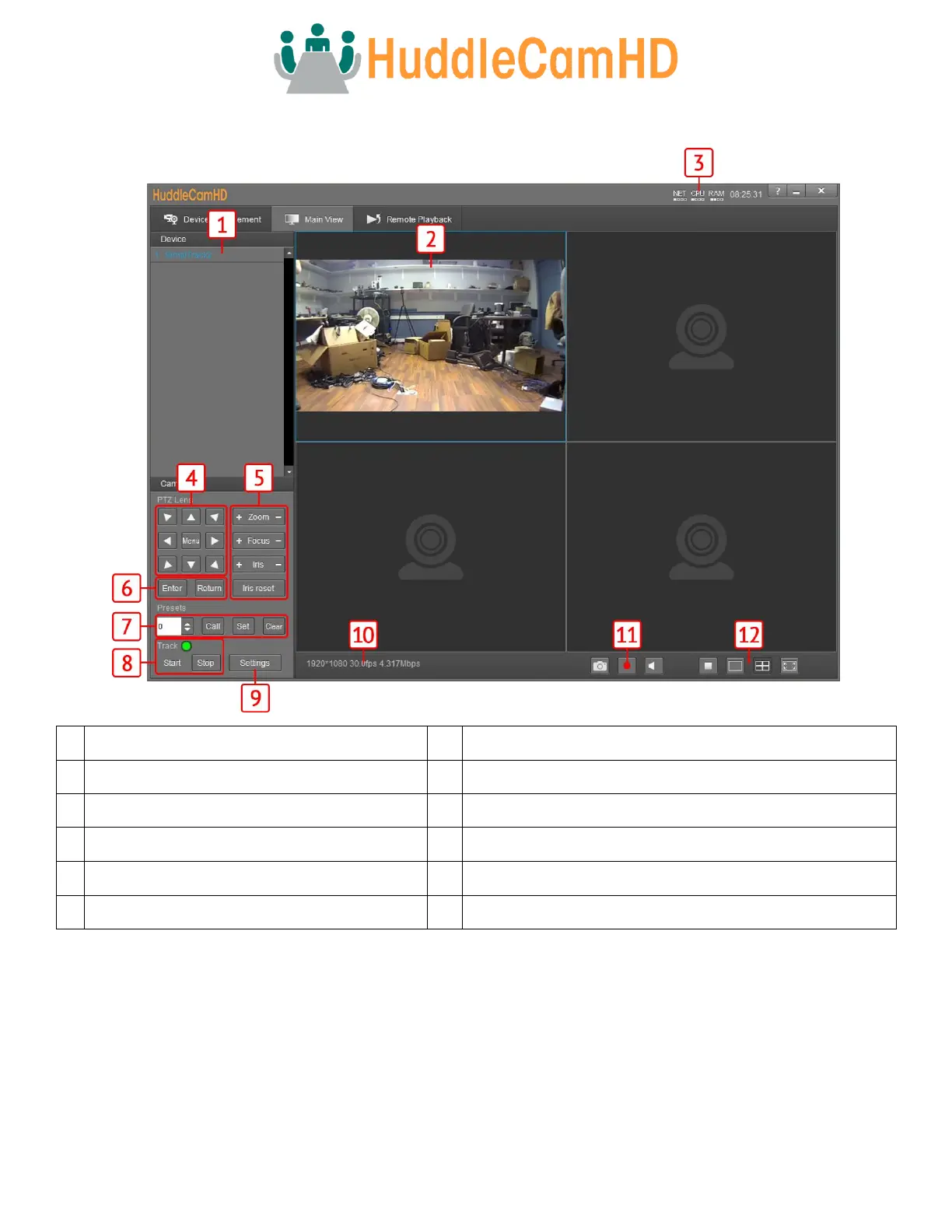
Main View Interface
Cameras connected to Device Management
Enable / Disable tracking & Tracking Status
Pan, Tilt, & OSD Menu control
Connected camera resolution & frame rate
Snapshot, Enable / Disable recording, & Enable / Disable audio
Stop video, full screen, & gallery view
Controlling the Camera
The Main View can connect and control up to 4 cameras simultaneously. Right-click a camera from the Device Management
section and select the RTSP feed you wish to view. From there, you have full control over Pan, Tilt, Zoom, Focus, Iris, Presets, the
On Screen Display Menu & Tracking Settings. To further cater the camera to your environment, click the Settings button.



 To Next Page