19
Rev 1.0 9/21
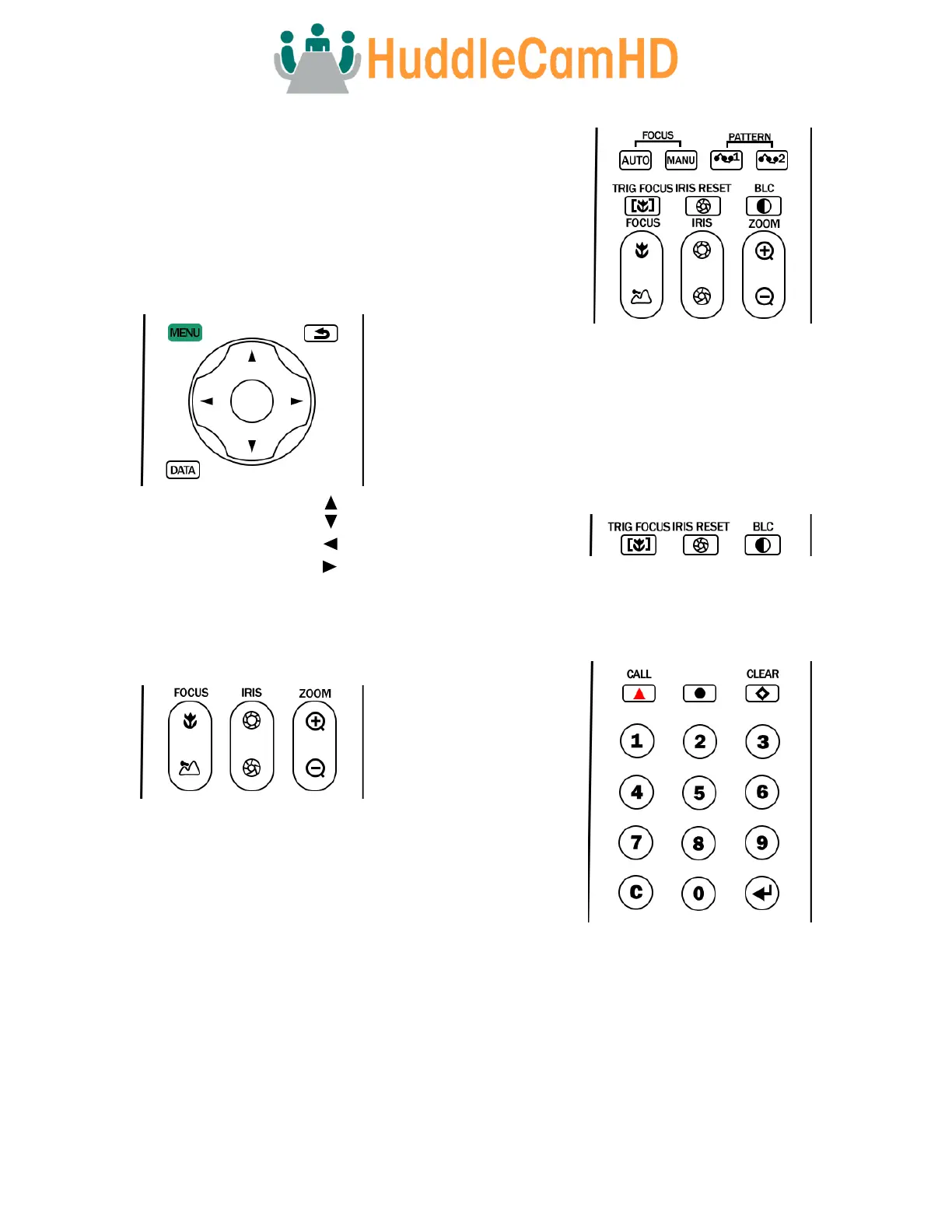
IR Remote Controller Guide
To perform a command on the IR remote, press and release
the button. A special note will be given when you can press
and hold the button.
To perform a shortcut, press the buttons in a sequence
when a right-angle bracket is shown (>).
1. Pan & Tilt Control
Tilt Up: Press [ ]
Tilt Down: Press [ ]
Pan Left: Press [ ]
Pan Right: Press [ ]
Press and hold the Up / Down / Left / Right buttons to
continue panning or tilting. The camera stops as soon as
the button is released, or the limit is reached.
2. Zoom Control
Zoom In: Press [+] Fast or Slow
Zoom Out: Press [-] Fast or Slow
Press and hold the “-“ or “+” button to continue zooming in
or out. The zooming stops as soon as the button is released,
or the limit is reached.
3. Focus Control
Auto Focus Mode: Press [AUTO]
Manual Focus Mode: Press [MANU]
Focus Near: Press [NEAR]
Focus Far: Press [FAR]
Press and hold the “Near“ or “Far” button to continue
focusing in or out. The focusing stops as soon as the button
is released, or the limit is reached.
4. AF Trigger, Iris Reset, & Backlight Comp Controls
Trigger AF on Zoom: Press [TRIG FOCUS]
Reset Iris: Press [IRIS RESET]
Backlight Compensation: Press [BACKLIGHT]
5. Presets – Setting, Calling, and Clearing
Set Preset: Press preset number > [SET]
Call Preset: Press preset number > [CALL]
Clear Preset: Press preset number > [CLEAR]
Cancel Preset: Press [C]
Note: No action will be executed when calling a preset that has
not yet been saved.



 To Next Page