36
Rev 1.0 9/21
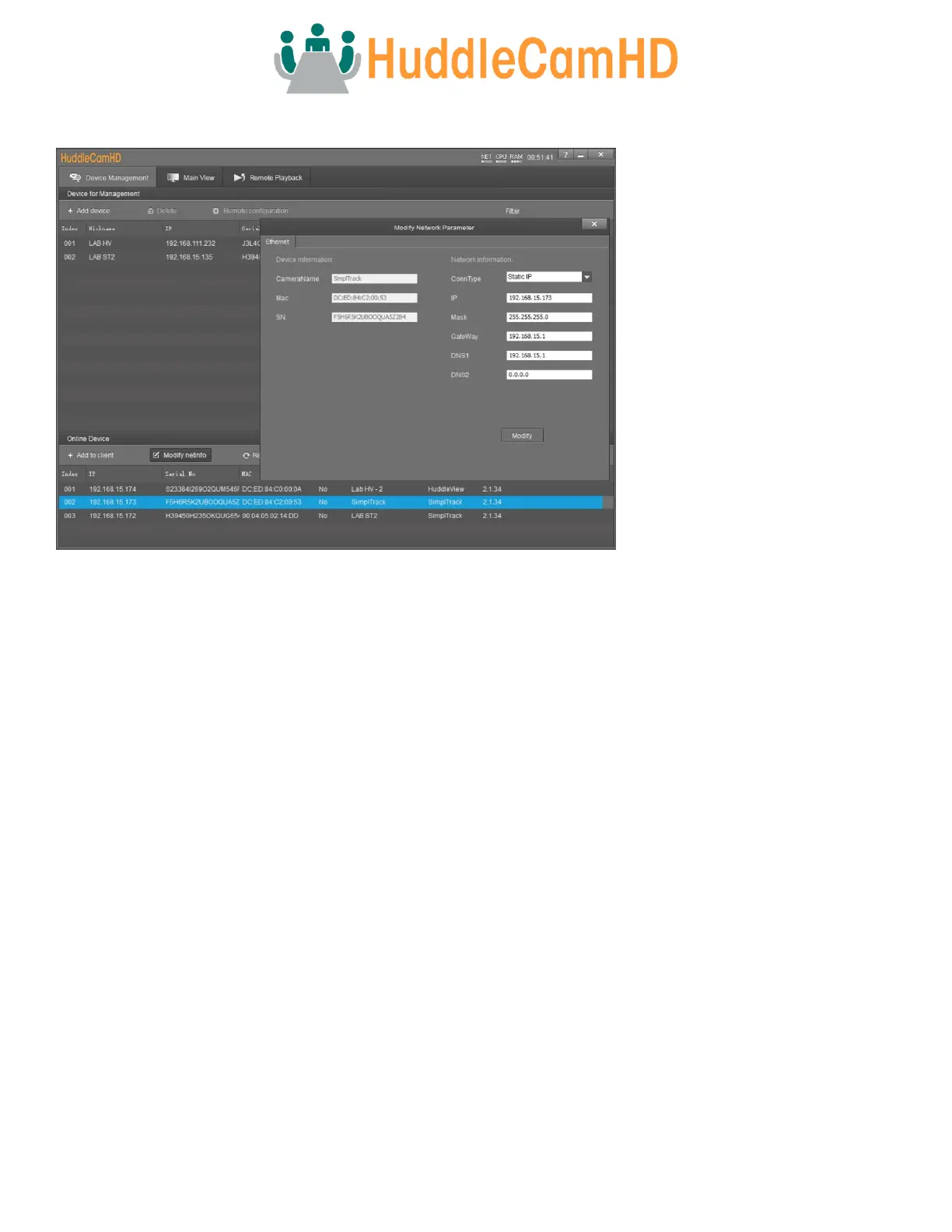
Modify Netinfo
Click the “Start Search” button from the Online Device section. This will search for all HuddleView, SimplTrack2, and SimplTrack
Lite cameras on your network range. If you do not see your camera, you will need to change your computer’s IP address to
match the network range of the camera.
The camera’s fallback IP address is 192.168.1.180, making the network range 192.168.1. Alternatively, you can use an IR
remote shortcut to change the IP address to 192.168.100.8(0~9), making the network range 192.168.100. Change your
computer’s IP address to match the network range of the camera to begin discovering the camera.



 To Next Page