24
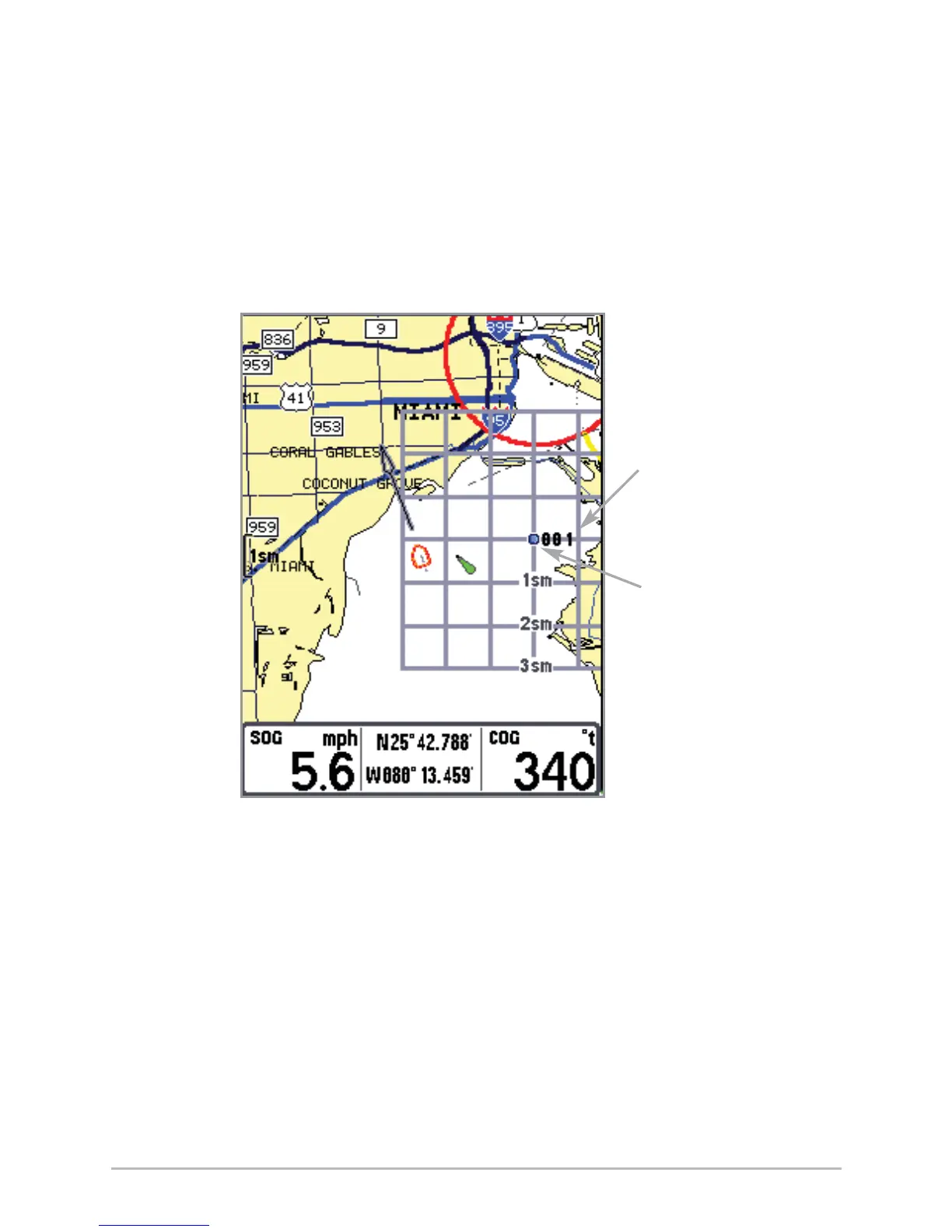
Add or Remove a Trolling Grid: From the Waypoints submenu, select Grid and
press the RIGHT Cursor key to display a list of waypoints. Select the waypoint
to which you want to add the grid. The trolling grid will appear on all of the
navigation views, and can be used as a guide when trolling around a waypoint.
The grid can be rotated to any desired heading using Grid Rotation from the
Navigation Main menu. To remove the trolling grid, choose Remove Grid from
the Navigation X-Press™ menu.
Chart View with Grid
Waypoint
Trolling
Grid
Waypoint














 To Next Page