106
Surface Clutter
(Advanced)
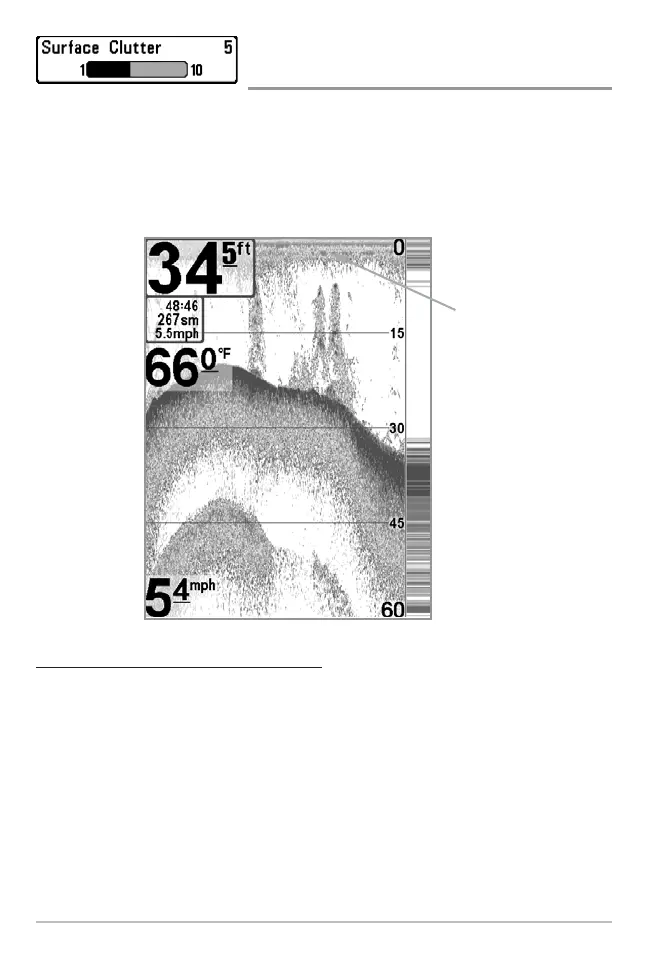
Surface Clutter adjusts the filter that removes surface clutter noise caused by
algae and aeration. The lower the setting, the less surface clutter will be
displayed. The Surface Clutter menu choice is available when User Mode is set
to Advanced (see Setup Menu Tab: User Mode).
T
o change the Surface Clutter setting:
1. Make sure you are in Advanced User Mode, then highlight Surface
Clutter on the Sonar main menu.
2. Use the LEFT or RIGHT 4-WAY Cursor Control keys to change the
Surface Clutter setting. (Low = 1 to High = 10, Default = 5)
Surface
Clutter
Surface Clutter















 To Next Page