– 19 –
4
VIDEO INSTRUCTION
y
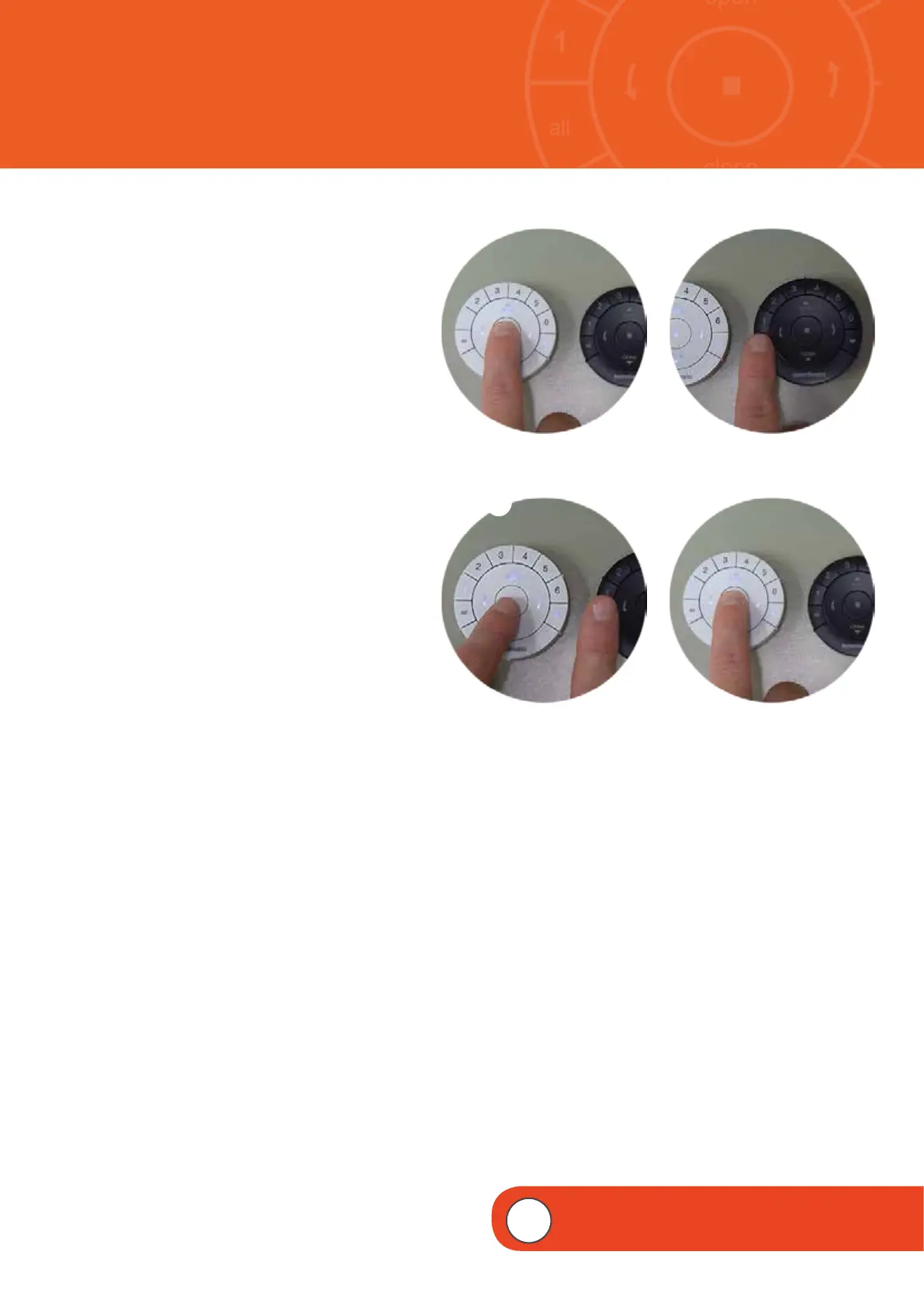
PRESS and HOLD (Stop) on the source
remote, until the indicator lights begin
to blink.
NOTE: This puts the source remote in
Programming Mode. Indicator lights on
the source remote will continue to blink
for 20 seconds following each set of
commands. This allows the source remotes
programming information to be duplicated
and transferred to additional target remotes,
if desired.
Complete steps 8 and 9 at the same time.
u
PRESS and HOLD ALL on the target
remote.
i
Then PRESS and RELEASE
(Stop) on
the source remote.
NOTE: The Group numbers (1-6) on the
target remote will flash twice. This indicates
that the source remotes Group programming
information has been duplicated and now
transferred to the target remote. Both
remotes are now identical.
o
RELEASE ALL on the target remote.
1)
PRESS and HOLD
(Stop) on the source
remote until the indication lights blinking.
y
i
u
o
1)
Source
Source
Source
Target
Target


 To Next Page
 Loading...