– 35 –
4
VIDEO INSTRUCTION
(When Not Part of the Shade Edit Process)
q
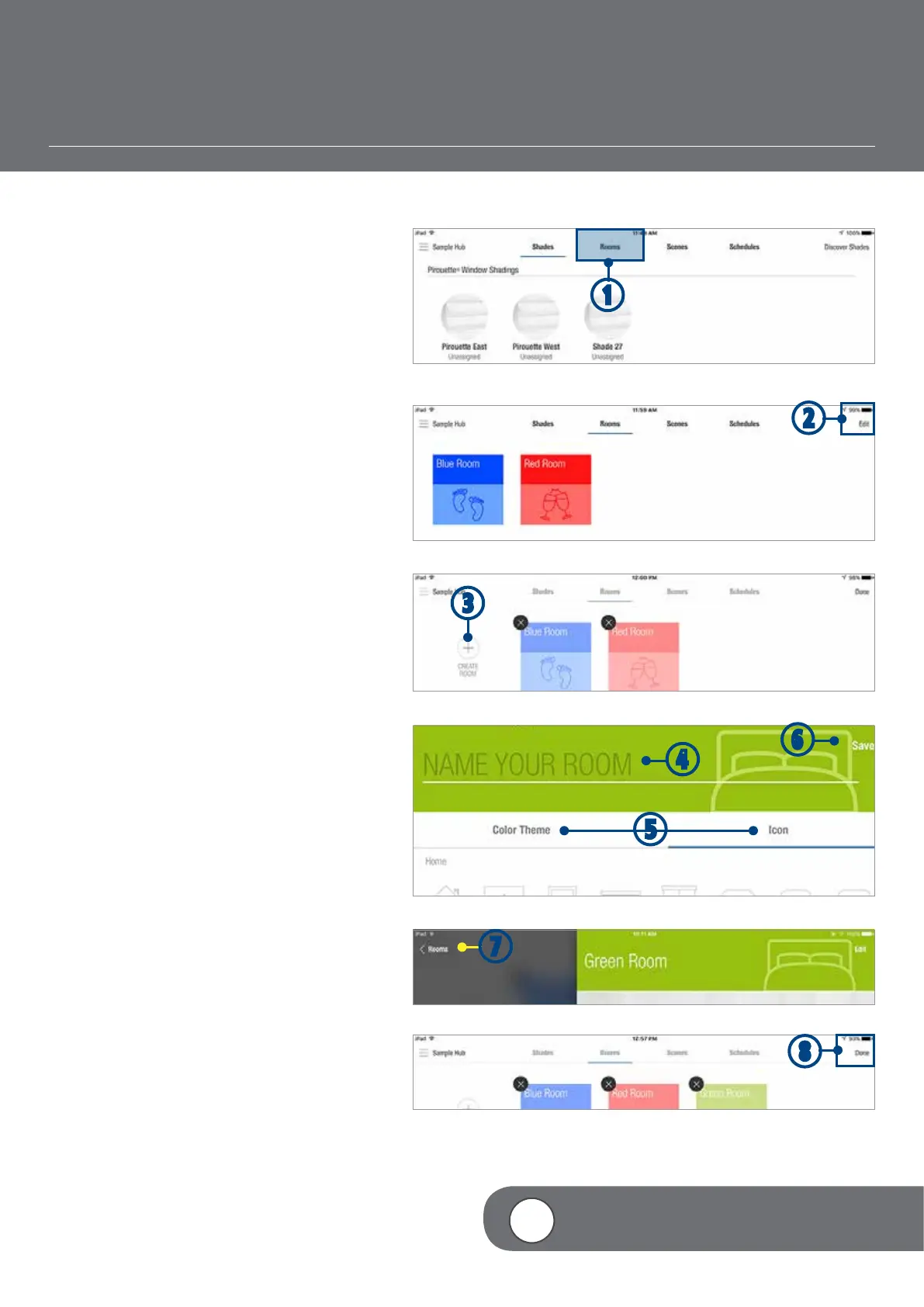
TAP the Rooms tab.
w
TAP “Edit”.
e
TAP + (Create Room).
r
TYPE a custom Room name.
NOTE: If the keyboard does not
automatically appear, you will need to TAP in
the “Name Your Room” field.
t
TAP “Color Theme” and/or “Icon” to select
your preferred color theme and icon.
y
TAP “Save” to accept the changes.
u
TAP < Rooms to return to the Rooms
screen.
i
TAP “Done”.
q
w
u
CREATE A ROOM
e
y
t
r
i


 To Next Page
 Loading...