– 23 –
INSERTING THE REMOTE MODULE INTO THE PEBBLE
®
4
VIDEO INSTRUCTION
Replacing batteries in the PowerView Pebble
Remote will not cause the loss of any shade
programming, including Groups and Favourites.
The PowerView Pebble Remote uses two
CR 2032 batteries.
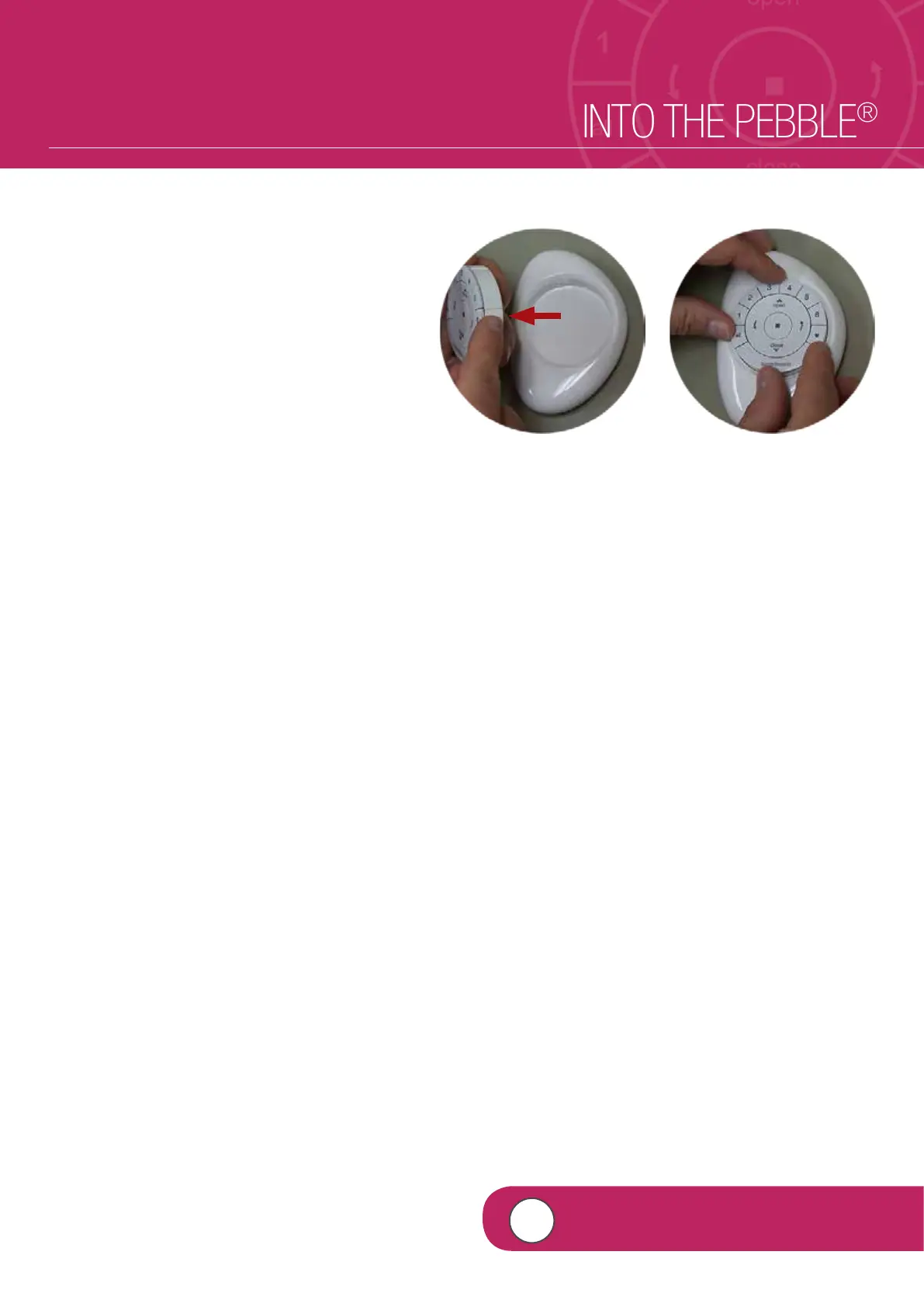
q LINE UP the raised notches of the
PowerView remote module with the
indentations in the Pebble.
NOTE: The Hunter Douglas logo should be
right side up. It should rest just above the
recessed indentation on the inner ring of the
Pebble. This recessed indentation will be
used to remove the remote module from
the Pebble.
w INSERT the PowerView remote module by
gently PRESSING DOWN on the remote
module until it rests securely and snuggly in
the Pebble.
q w


 To Next Page
 Loading...