– 9 –
REMOVING A SHADE FROM A GROUP
Shades can be removed from a group, if desired.
q
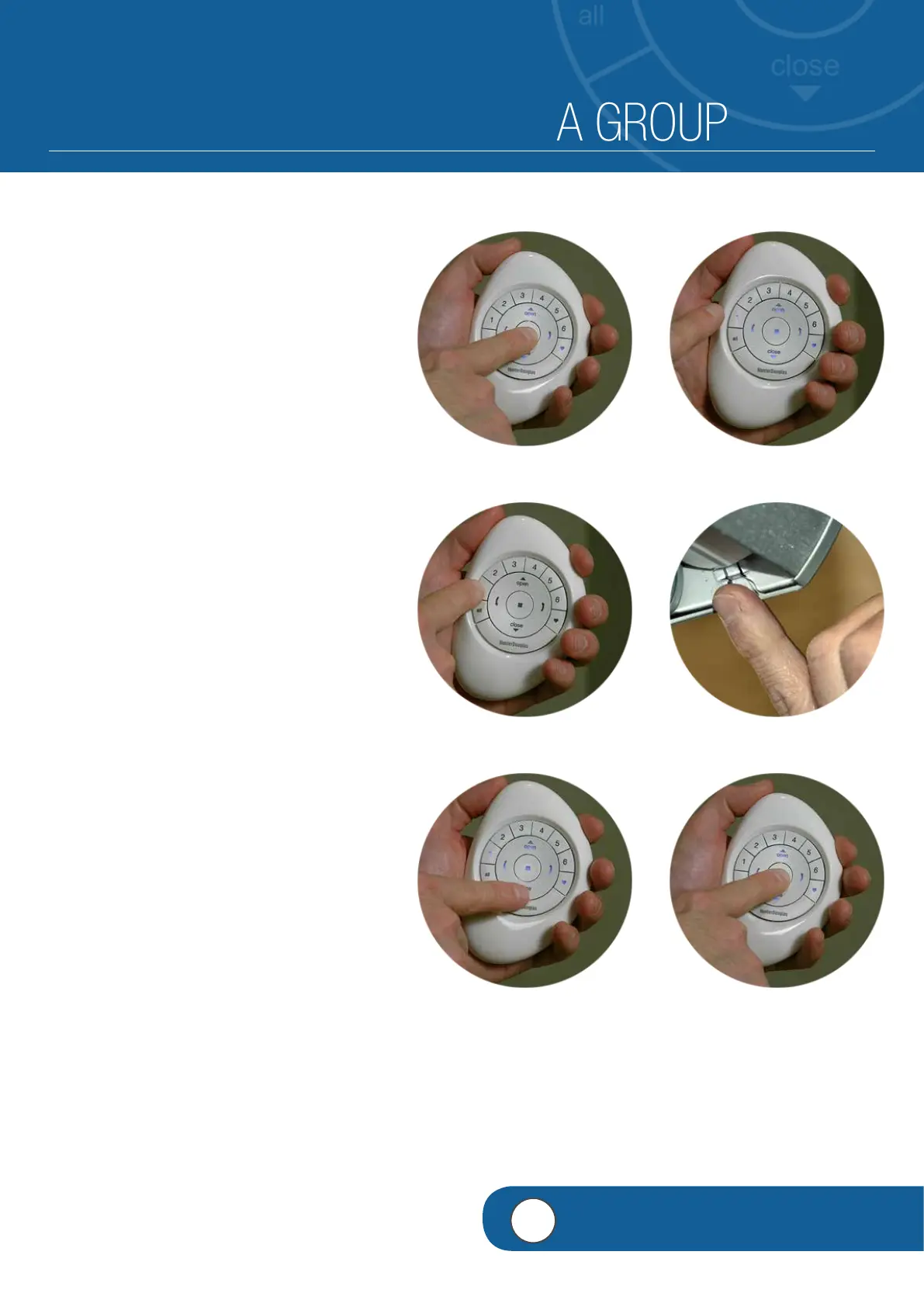
PRESS and HOLD (Stop) until indicator
lights blink on the PowerView™ Pebble
®
Remote.
w
RELEASE (Stop).
e
PRESS and RELEASE the desired Group
number (1-6) on the remote.
The selected group number will blink.
NOTE: Steps 4-6 must be completed within
5 seconds.
r
PRESS and HOLD the manual control
button on the headrail.
t
Then PRESS and RELEASE
6
(Close) on
the remote.
The shade will jog to indicate it has been
removed from the selected Group.
y
RELEASE the manual control button.
NOTE: To remove additional shades from
the same Group, repeat steps 4-6 for each
shade.
u
PRESS and HOLD (Stop) on the remote
until the indicator lights stop blinking.
q
e
w
r
yt
4
VIDEO INSTRUCTION

 To Next Page
 Loading...