INSTALLATION
11
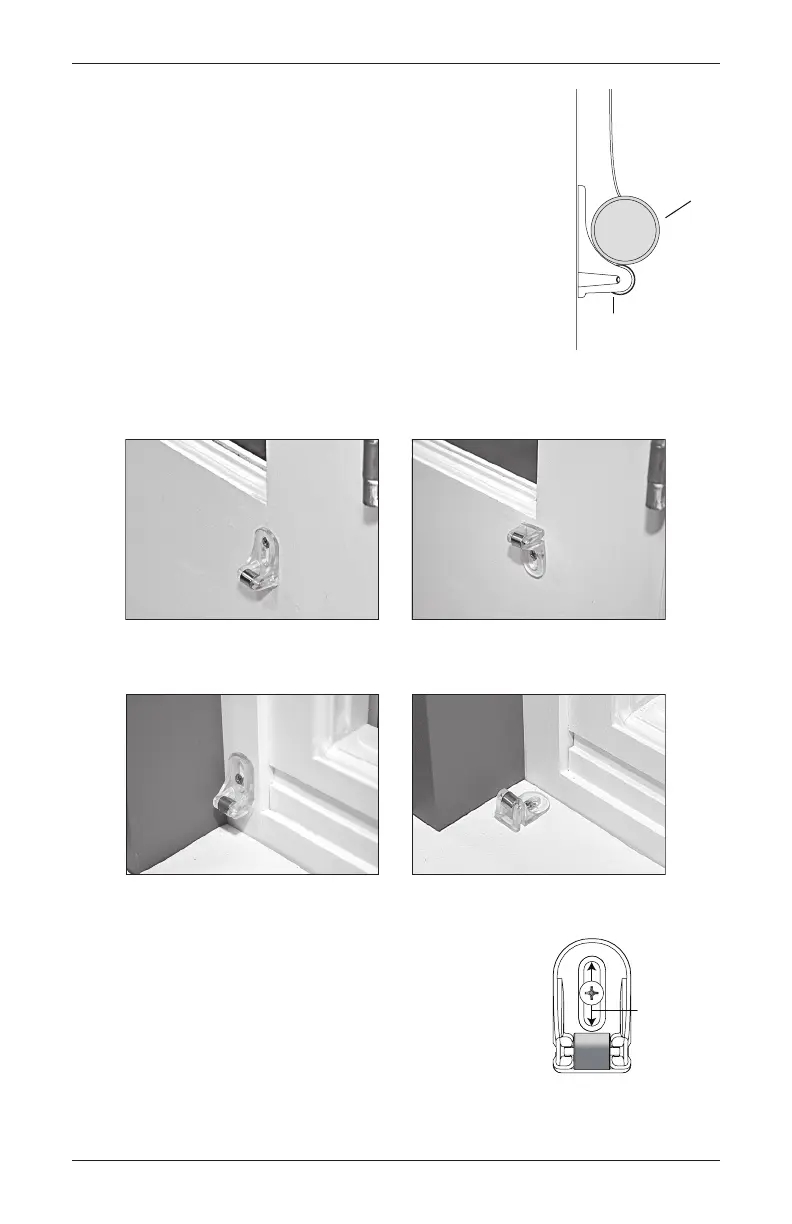
Attach the Magnetic Hold-Down Brackets (Optional)
■ Lower the shade.
■ Place the magnetic hold-down bracket onto the bottom rail just
inside the end cap, oriented as shown.
■ Hold the bracket while opening and closing the shade slightly
(it may be necessary to have someone assist you). Adjust the
bracket to the best overall position.
■ Mark the screw location using the mounting options below.
➤ The screw should be placed in the middle of the channel.
This will allow for adjustment.
■ Drill the screw holes using a
3
/
32
" drill bit.
■ Attach the hold-down brackets to the mounting surface using
the screws provided.
■ If necessary, adjust the bracket location in the channel for best
operation.
Hold-Down
Bracket
Rail
Preferred Alternate
Preferred Alternate
Adjust the
channel.









 To Next Page