ColorFlex EZ User’s Manual Version 2.2
27
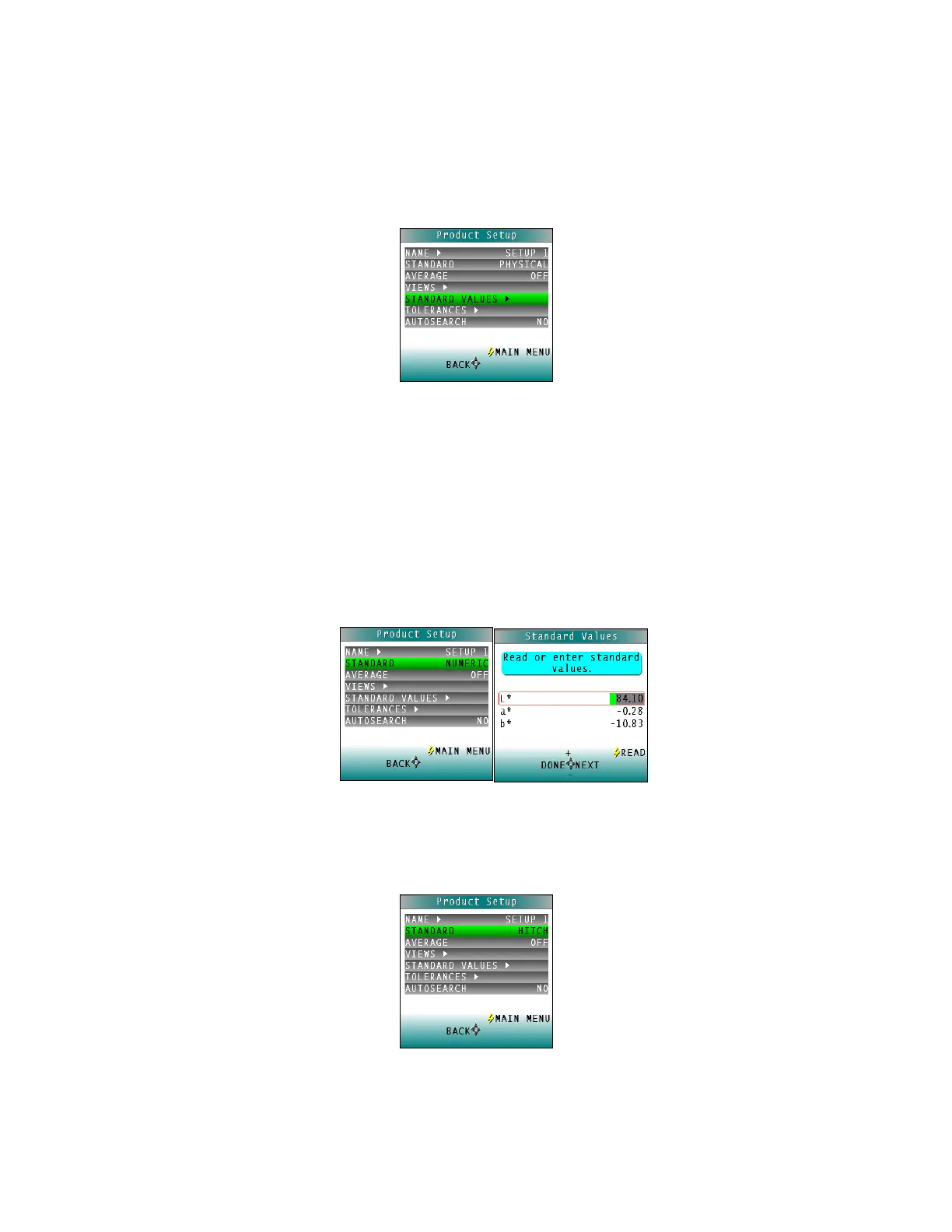
Standard Values
The Standard Values parameter is only relevant when the Standard Type is physical, numeric, or
hitch. When Standard Values is highlighted, press the RIGHT arrow button to move to the
STANDARD VALUES configuration screen.
Figure 38. Standard Values
• For a PHYSICAL standard, place the standard at the sample port and press the GO
button (Read) to read the standard and place its measurement values (in the
selected color scale) in the product setup. Then press the LEFT arrow button (Done)
to return to the product setup configuration screen.
• For a NUMERIC standard, change the highlighted digit of the selected color scale
value using the UP and DOWN arrow buttons. When the desired digit is shown,
press NEXT to move to the next digit. When all digits are set as desired, press DONE
to return to the product setup configuration screen.
Figure 39. Enter a Numeric Standard
• For a HITCH standard, place the hitch standard (with known values from a reference
instrument) at the sample port and press the GO button (Read) to read the standard
and place its measurement values (in the selected color scale) in the product setup.
Figure 40. Hitch Standard



 To Next Page