Digital Refractor CDR-9000 87
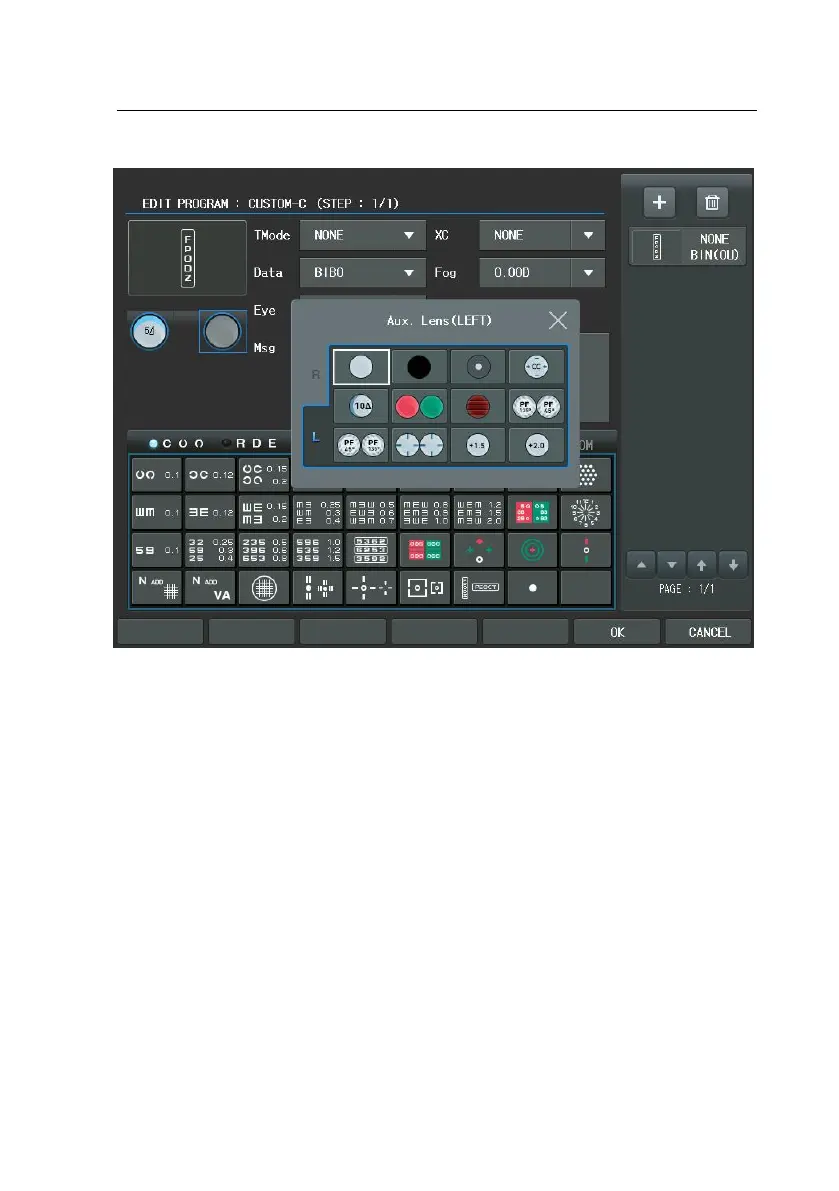
The next hint is how to apply the mask shifting button is pressed after spreadin
g VA chart, right/left and up/down movements can be done naturally for the m
ask setting. The last hint is the various shortcuts. For example, if user wants to
assign the left eye to the Eye item, just press the [L] button instead of turning t
he dial. Similarly press the [R] or the [OU] button to assign value at a time. Als
o, if the user want assign SPH to the Data Element item, press the [S] button. T
he same is true for the [C], [ADD], [VA], [BIBO] and [BDBU] buttons to assign va
lues at a time, For Cross Cylinder, values can be assigned at a time using [1]/[2]
buttons.
At first glance, program editing appears to be very difficult, but if you try to m
ake use of it several times, you can find this job very easy.


 To Next Page