EasyManua.ls Logo

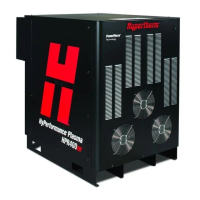
Hypertherm HyPerformance Plasma HPR260 - User Manual

Hypertherm HyPerformance Plasma HPR260
251 pages
Print Icon
To Next Page IconTo Next Page
Loading...
HyPerformance
®
Plasma HPR260
®
Manual gas
Instruction manual
804940 – Revision 4

Table of Contents

Questions and Answers

  • A
    Angela Murphy MDAug 17, 2025
    Why Hypertherm Cutter lost current?
    • C
      Carmen PenaAug 17, 2025
      If your Hypertherm Cutter is losing current, first check that the consumable parts are in good condition and that the cut-flow gas settings are correct. Also, verify the pierce delay time. Ensure the arc doesn't lose contact with the plate during cutting, which can occur during hole or scrap cutting. For further investigation, consider performing a chopper test (see the Maintenance section).
  • U
    uturnerAug 20, 2025
    What to do if Hypertherm HyPerformance Plasma HPR260 Cutter has no arc transfer?
    • M
      Mary DaltonAug 20, 2025
      If you're experiencing 'No arc transfer' with your Hypertherm Cutter, first ensure that you're using the correct pierce height. Also, check that your preflow and cut-flow settings are accurate. Inspect the work lead for any damage or loose connections. Finally, perform a current test as described in the Maintenance section.
  • J
    Julie LeAug 22, 2025
    How to fix gas system error on Hypertherm Cutter?
    • W
      Walter PayneAug 22, 2025
      If your Hypertherm Cutter (Auto Gas Only) is showing a 'Gas system error', verify that cable number 5 (the power supply-to-gas console control cable) is undamaged and correctly connected to PCB3 and the rear of the gas console. Also, verify that cable number 6 (the power supply-to-gas console power cable) is undamaged and properly connected inside the power supply and to the rear of the gas console. Check that D1 (+5 VDC) and D2 (+3.3 VDC) are illuminated on PCB2 inside the gas console, indicating power to PCB2. If power is present at PCB2 and PCB3 and both gas console cables are in good condition, then PCB2 or PCB3 may have failed; use the CAN tester to determine which board needs replacement.
  • A
    aaron55Aug 25, 2025
    What does precharge time-out mean on Hypertherm HyPerformance Plasma HPR260?
    • K
      Karen OwensAug 26, 2025
      If your Hypertherm Cutter (Auto Gas Only) is experiencing a 'Precharge time-out', it indicates a potential gas restriction in the leads. Check the plasma and shield hoses for any obstructions.
  • D
    David PerkinsAug 28, 2025
    What to do if Hypertherm HyPerformance Plasma HPR260 Cutter lost transfer?
    • T
      Timothy KellerAug 28, 2025
      If your Hypertherm Cutter experiences lost transfer, start by checking the condition of the consumable parts and ensuring your cut-flow gas settings are correct. Verify the pierce delay time. Make sure the arc maintains contact with the plate during cutting, especially with hole or scrap cutting. Inspect the work lead for any damage or loose connections. You might also try connecting the work lead directly to the plate. For further diagnostics, a chopper test can be performed (refer to the Maintenance section).
  • E
    Elaine MayerAug 31, 2025
    What to do if Hypertherm HyPerformance Plasma HPR260 start lost?
    • D
      Daniel MorganAug 31, 2025
      If your Hypertherm Cutter experiences a start lost issue, and you're using a mechanical relay to provide the HPR with a start signal, the relay might be bouncing upon activation or have faulty contacts; consider replacing it. Inspect the interface cable for damage, faulty crimps, or poor electrical connections. If the interface cable is in good condition and a relay isn't driving the start input, the CNC might be dropping the start signal before a steady-state arc is established.
  • K
    Kristen RichardsSep 2, 2025
    How to fix Hypertherm HyPerformance Plasma HPR260 Cutter lost phase?
    • M
      millerlindaSep 2, 2025
      If your Hypertherm Cutter shows a 'Lost phase' error, begin by verifying the phase-to-phase voltage to the power supply. Then, disconnect power, remove the cover on the contactor, and inspect the contacts for excessive wear. Check the power cord, contactor, and input to the chopper for loose connections. Inspect the phase loss fuses on the Power Distribution board; replace the board if the fuses are blown. You can also perform a phase loss test (see the Maintenance section).
  • S
    Sean MartinSep 5, 2025
    Why Hypertherm Cutter shows low plasma gas pressure?
    • W
      William WarrenSep 5, 2025
      If your Hypertherm Cutter displays a 'Low plasma gas pressure' warning, start by inspecting the gas supply pressure and the remaining gas volume in the supply tanks. Verify the gas regulator settings on the gas console against the parameters in the cut charts. Refer to the Installation section for instructions on setting the supply regulators and perform gas leak tests as described in the Maintenance section.
  • J
    Jason MonroeSep 8, 2025
    Why Hypertherm HyPerformance Plasma HPR260 Cutter shows hold timeout?
    • J
      Jimmy OconnorSep 8, 2025
      If your Hypertherm Cutter displays a 'Hold timeout' message, start by checking the interface cable for damage, as the hold wires may be short-circuiting inside. Consider that the CNC is maintaining this input, possibly waiting for an IHS complete input from another torch. If the CNC interface cable is good and it's a 1-torch system, try changing PCB3.
  • B
    brian71Sep 12, 2025
    How to fix low nitrogen gas pressure on Hypertherm HyPerformance Plasma HPR260 Cutter?
    • J
      Jerome McclainSep 12, 2025
      If your Hypertherm Cutter is showing 'Low nitrogen (N2) gas pressure', first ensure that the nitrogen supply is turned on and inspect the gas supply pressure and volume of gas remaining in the supply tanks. Also, verify that the gas regulator is set to 8.27 bar (120 psi). Refer to the Installation section for instructions on setting the supply regulators.

Summary

SAFETY

Recognize safety information

Understand potential hazards and follow instructions to avoid them.

Follow safety instructions

Read and adhere to all safety messages in the manual and on the machine.

Cutting can cause fire or explosion

Take precautions to prevent fires and explosions during cutting operations.

Electric shock can kill

Follow safety procedures to prevent fatal electric shock hazards.

Toxic fumes can cause injury or death

Minimize exposure to toxic fumes and ensure adequate ventilation.

Arc rays can burn eyes and skin

Use proper eye and skin protection to avoid burns from arc rays.

Grounding safety

Ensure proper grounding of the system and workpiece for safety.

SPECIFICATIONS

System gas requirements

Specifies required gas quality, pressure, and flow rates for different metals.

Power supply

Details on the electrical specifications and components of the power supply.

INSTALLATION

Installation requirements

Conformance to national/local electrical and plumbing codes.

Recommended grounding and shielding practices

Procedures to protect the system from RFI and EMI noise.

Steps to take

Detailed steps for proper system grounding and cable routing.

OPERATION

Consumable selection

Guide to selecting correct consumable parts for different materials and amperages.

How to optimize cut quality

Tips and procedures for achieving square, straight, smooth, and dross-free cuts.

MAINTENANCE

Error codes

Information on how error codes are displayed and where to find troubleshooting steps.

Coolant flow troubleshooting chart

A flowchart to diagnose and resolve coolant flow issues.

Gas leak tests

Procedures for performing automatic leak tests on the gas system.

WIRING DIAGRAMS

Appendix C BEVEL CUTTING

Cut charts

Lists initial pierce heights and delay times for bevel cutting.

Hypertherm HyPerformance Plasma HPR260 Specifications

General IconGeneral
Cutting Capacity Mild Steel38 mm
Output Current30-260 A
Input Voltage200-600 V, 3-PH
Gas SupplyOxygen, Air, Nitrogen
Duty Cycle260 A at 100%

Related product manuals