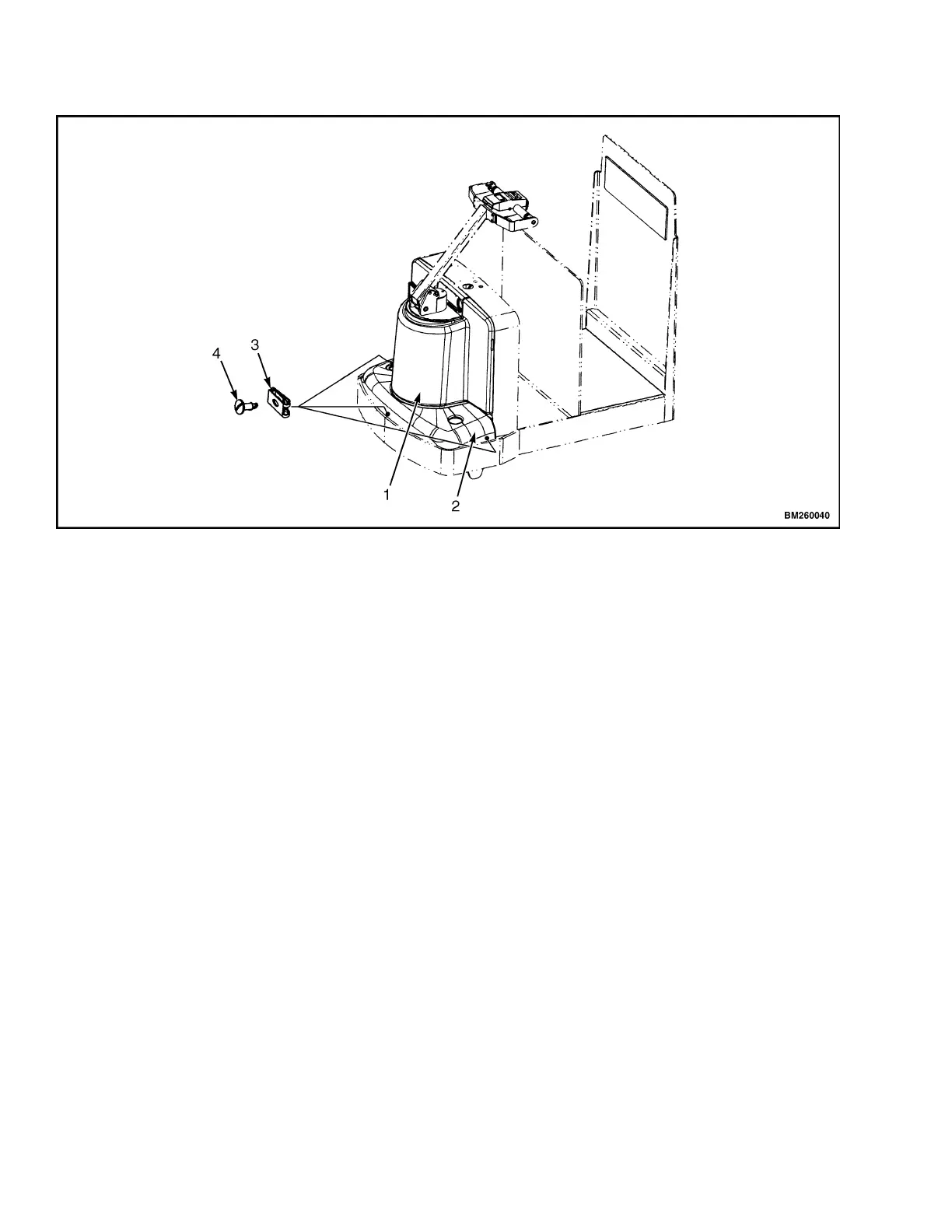
Drive Unit Compartment Covers 1900 SRM 964
1. UPPER CO
VER
2. LOWER COVER
3. CLIP NUT
4. SCREW
Figure 6. Drive Unit Compartment Covers (C60Z, C80Z, C60Z
AC
, and C80Z
AC
)
B60Z, B80Z, B60Z
AC
,B80Z
AC
,W60Z,W65Z,
AND W80Z
The drive unit compartment is concealed behind a
molded cover which fits securely around the drive
unit and steer support to the frame. The floormat
fits snugly in the operator platform after the drive
unit cover is installed.
Remove
1. Move the lift truck to a safe and level area.
2. Lower the forks completely to relieve pressure
from the hydraulic system.
3. Turn the key switch to the OFF position and dis-
connect battery.
4. Block load wheels to prevent lift truck from mov-
ing. Refer to the section Periodic Maintenance
8000 SRM 919 or Periodic Maintenance 8000
SRM 1298 - How to Put A Lift Truck on Blocks.
5. Lift the corners of the floormat and pull it out
away from the drive unit. See Figure 7.
6. Reach under the side of the drive unit cover near
thebottomandfindthegripslot. SeeFigure8.
With both hands, pull up and away from the
truck until the bottom of the cover kicks out
from the retaining clips. Repeat this for the
othersideofthecover.Workaroundtheedgeof
the cover until free from the truck.
8


 To Next Page