1900 SRM 964 Drive Unit Compartment Covers
Install
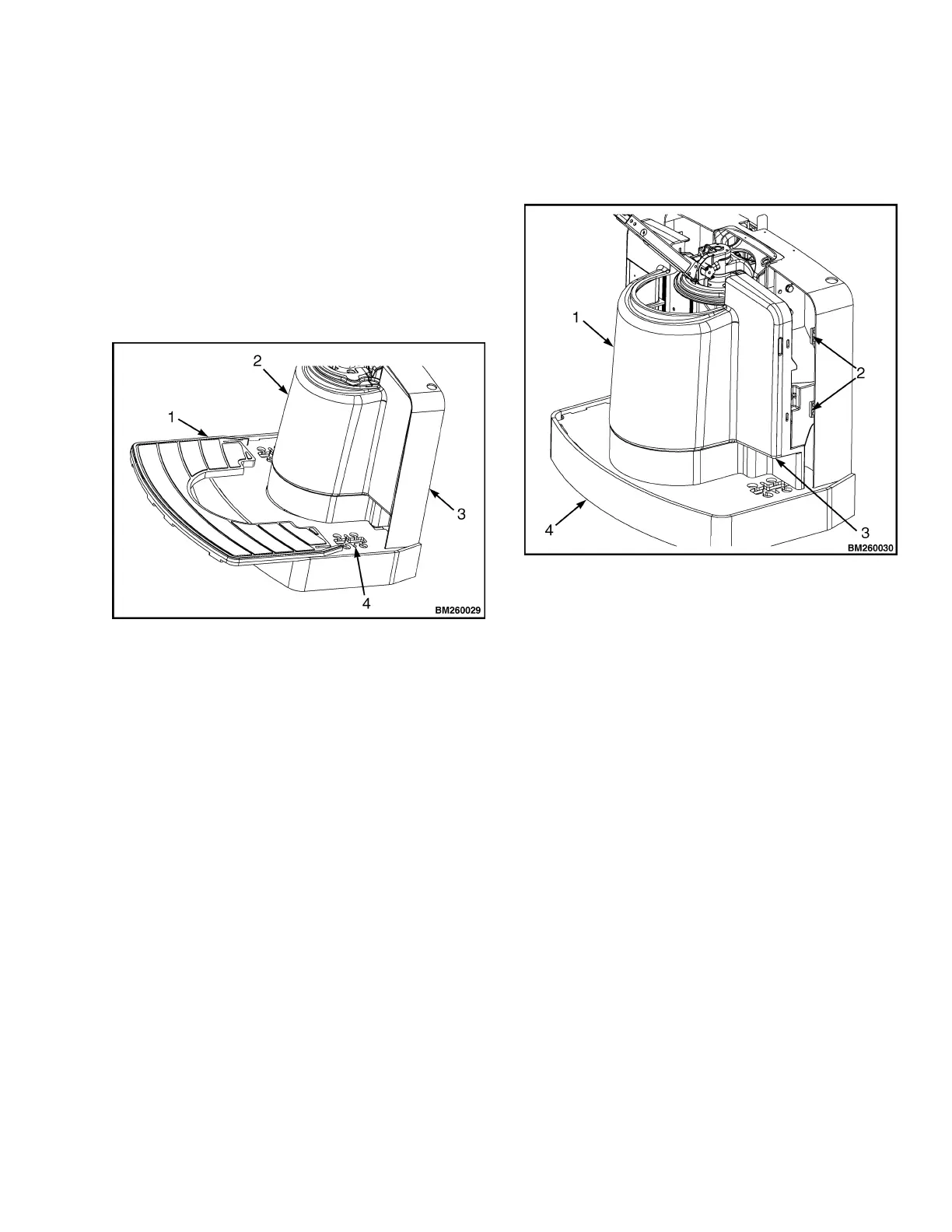
1. Make sure the floormat is pulled away from the
drive unit. Place the bottom of the drive unit
cover onto the operator platform and position the
lower edges partially into the lower retaining
clips.
2. Push the top of the cover partially into the upper
retaining clips. DO NOT push either edge of the
cover in completely before starting all edges into
the proper place.
1. FLOORMAT
2. DRIVE UNIT COMPARTMENT COVER
3. FRAME
4. CASTER MOUNTING ACCESS
Figure 7. Floormat (B60Z, B80Z, B60Z
AC
,
B80Z
AC
, W60Z, W65Z, and W80Z)
3. When the cover is aligned and started properly,
press the cover completely into the retaining
clips and place the floormat into the operator
platform around the cover.
1. DRIVE UNIT COMPARTMENT COVER
2. RETAINER TABS
3. GRIP SLOT
4. FRAME
Figure 8. Drive Unit Compartment Cover
9


 To Next Page