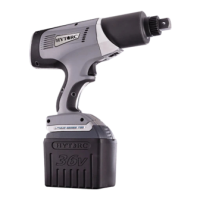
LITHIUM SERIES® Electric Torque Tool (BTM-DOC Models) Operations Manual
25
ADMIN MENU
The ADMIN menu contains less seldom used features or those typically only
configured by an administrator or supervisor.
• The green bar highlights the current position
• Press left button f to scroll down, right button to scroll up
• Press the center button i to select and display a sub-menu
NOTE: The CALIBRATE GUN and FORMAT NVRAM options are not intended for field
use, these are only accessed by HYTORC authorized service personnel.
(Continued on following page)
The user is prompted
to select either
SYSTEM or GENERAL
access level.
The SYSTEM level is
only used by certified
personnel for
calibrating the tool.
The GENERAL level
password is assigned
by an administrator
to provide security for
setting torque limits,
setting the clock and
putting the tool in
lockout mode.
System level user must first enter the old 4 digit
unlock code (default 0000) for access and then
enter a new unlock code for system access.
NOTE: When System password is entered the
General password is cleared to 0000.
General administrator must first enter the old
4-digit unlock code (default 0000) for access
and then enter a new unlock code for system
access.

 To Next Page
 Loading...