User Controls
38
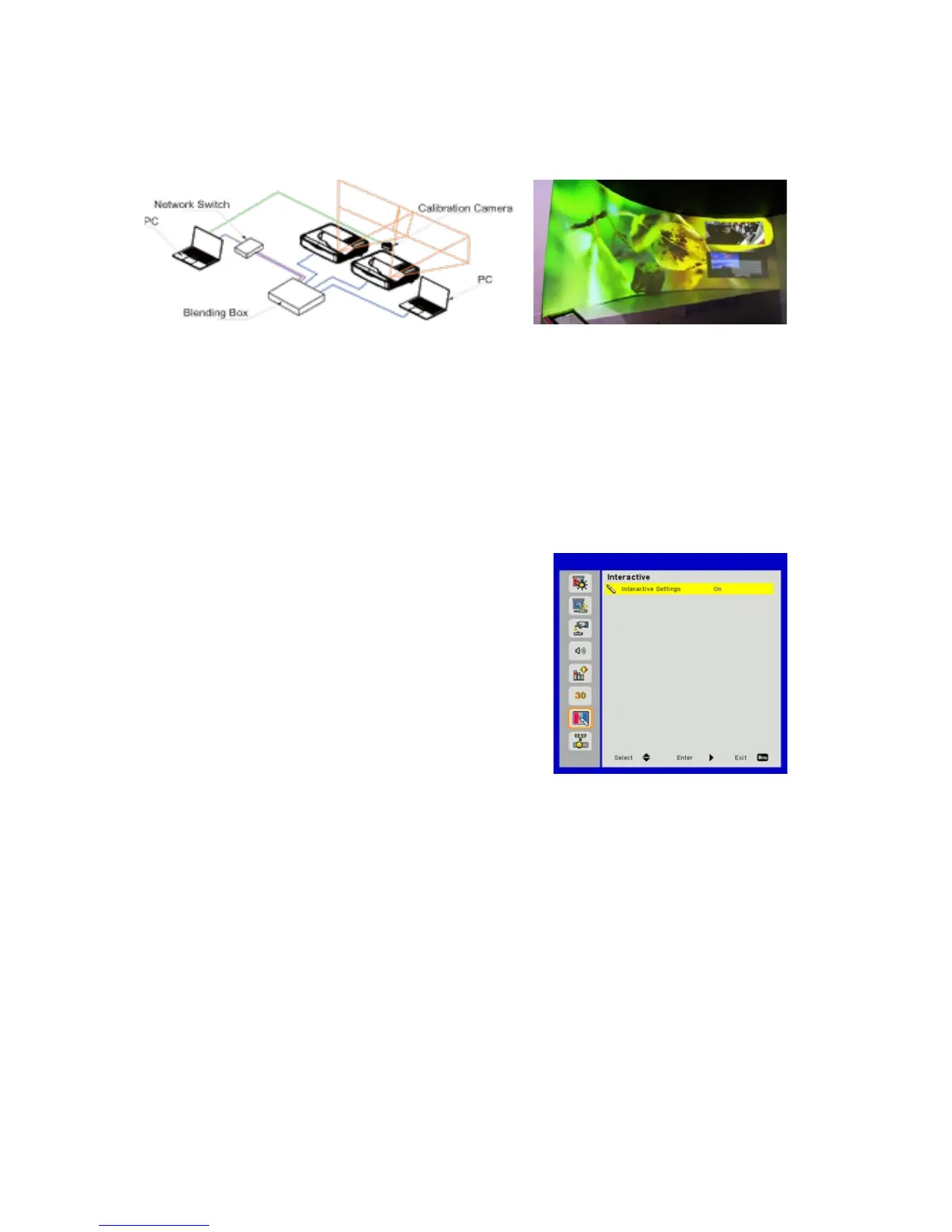
BLENDING APPLICATION
Example of system architecture
Meeting Room
• Laptop, Switch and Camera is for image calibration only
• Laptop Source: Image source
• Blending Box
• Multiple projectors (here two)
• For more details, please check the blending HW/SW specifications
J) Interactive
Interactive Settings
• Choose “On” to enable Interactive function.
• Choose “Off” to disable Interactive function.
Use the Mini USB cable to connect PC/laptop and projector. Connect before using the interactive
function. After you complete the Interactive Settings in OSD, use the Mini USB cable to connect a
NB/desktop to the projector.
IR Pen
• Usage Notice
Please follow all warnings, precautions and maintenance as recommended in this user’s manual.
• Precautions
IR camera on the projector receives infrared signal illuminated from IR pen. To operate normally:
o IR camera should face the projected image on the wall.
o Remove any obstacle between the IR camera and the projected image.
o Do not place other infrared communication devices, lighting equipment, residential heating
equipment, etc. nearby.


 To Next Page