3.7 Control and functions of Input and output signals of Modes other than Remote I/O Mode
161
(22) Acceleration/deceleration mode (MOD1, MOD0) PLC Output Signal
Operation
Mode
Positioner 1 Simple Direct Direct numeric
specification
Direct numeric
specification 2
Positioner 2 Positioner 3
{ : Equipped
×
: Not equipped
× × ×
{
× ×
This signal is used to select the acceleration/deceleration pattern characteristics. Select one of
them before the actuator movement command.
MOD1 MOD0 Pattern name Remarks
OFF OFF Trapezoid Pattern Set in delivery
OFF ON S-shaped Motion
ON OFF First-Order Lag Filter
ON ON Unavailable
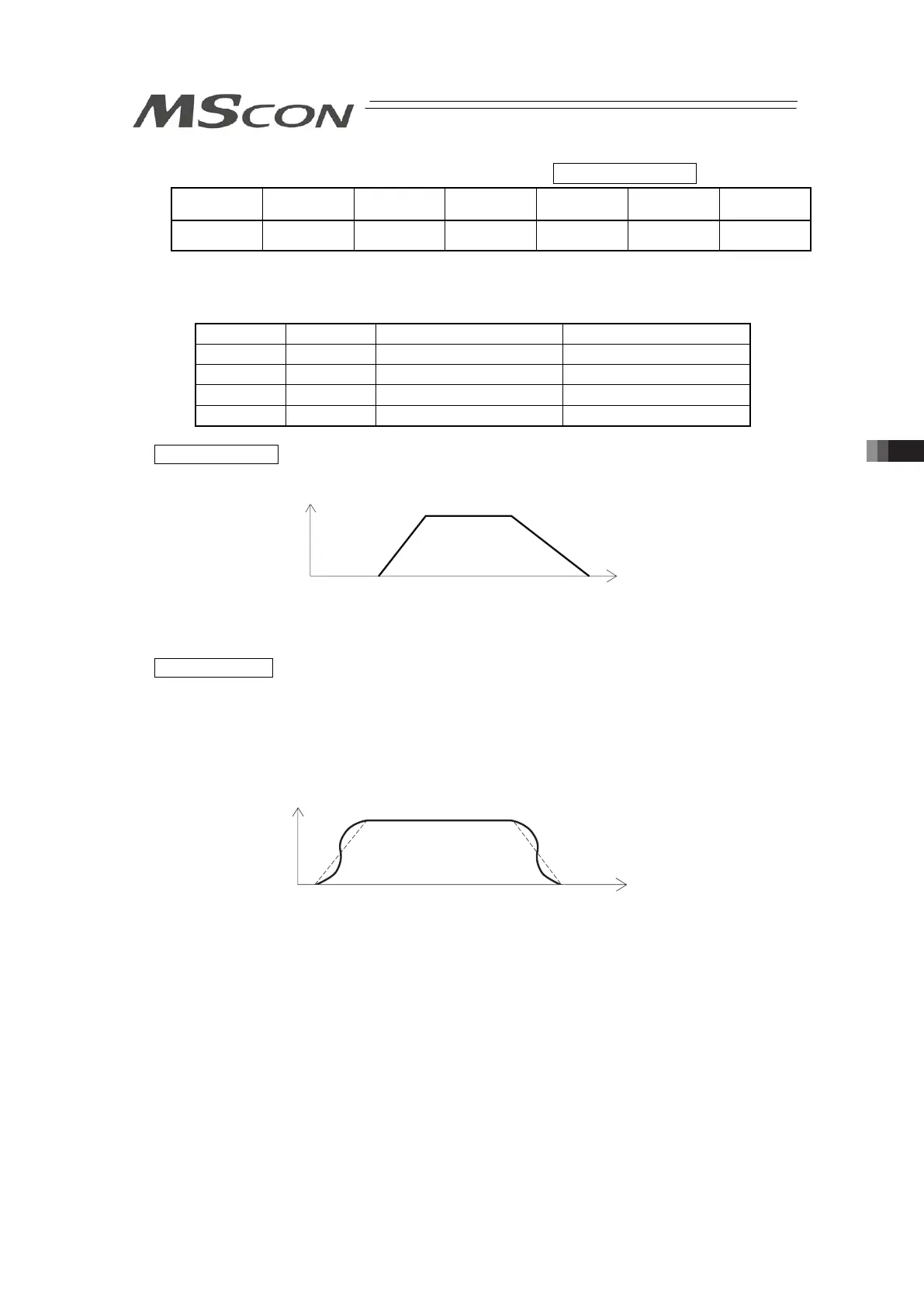
Trapezoid Pattern
Velocity
Acceleration Deceleration
Time
(Note) The Acceleration and Deceleration are set in the “Acceleration” and “Deceleration” data
boxes on the position data.
S-shaped Motion
The S-shaped curve is described where at first in the acceleration, the line is gentle, but along
the way, it suddenly becomes steep.
Use it in such application that setting the acceleration/deceleration rate high is desiredbecause
high takt time is required, but in the movement start or immediately before stop, low
acceleration/deceleration rate is favorable.
Velocity
Time
(Note) The S-shaped motion degree is set using the parameter No.56 “S-Shaped Motion Ratio
Setting”. The setting unit is % and setting range is from “0” to “100”.
(The above figure shows the image graph with the Parameter No.56 set to “100”.)
When it is set to “0”, the S-shaped motion is disabled.
However, the setting is not reflected on the jog operation or inching operation performed
using the personal computer or teaching pendant.



 To Next Page