3.9 About Gateway Parameter Setting Tool
218
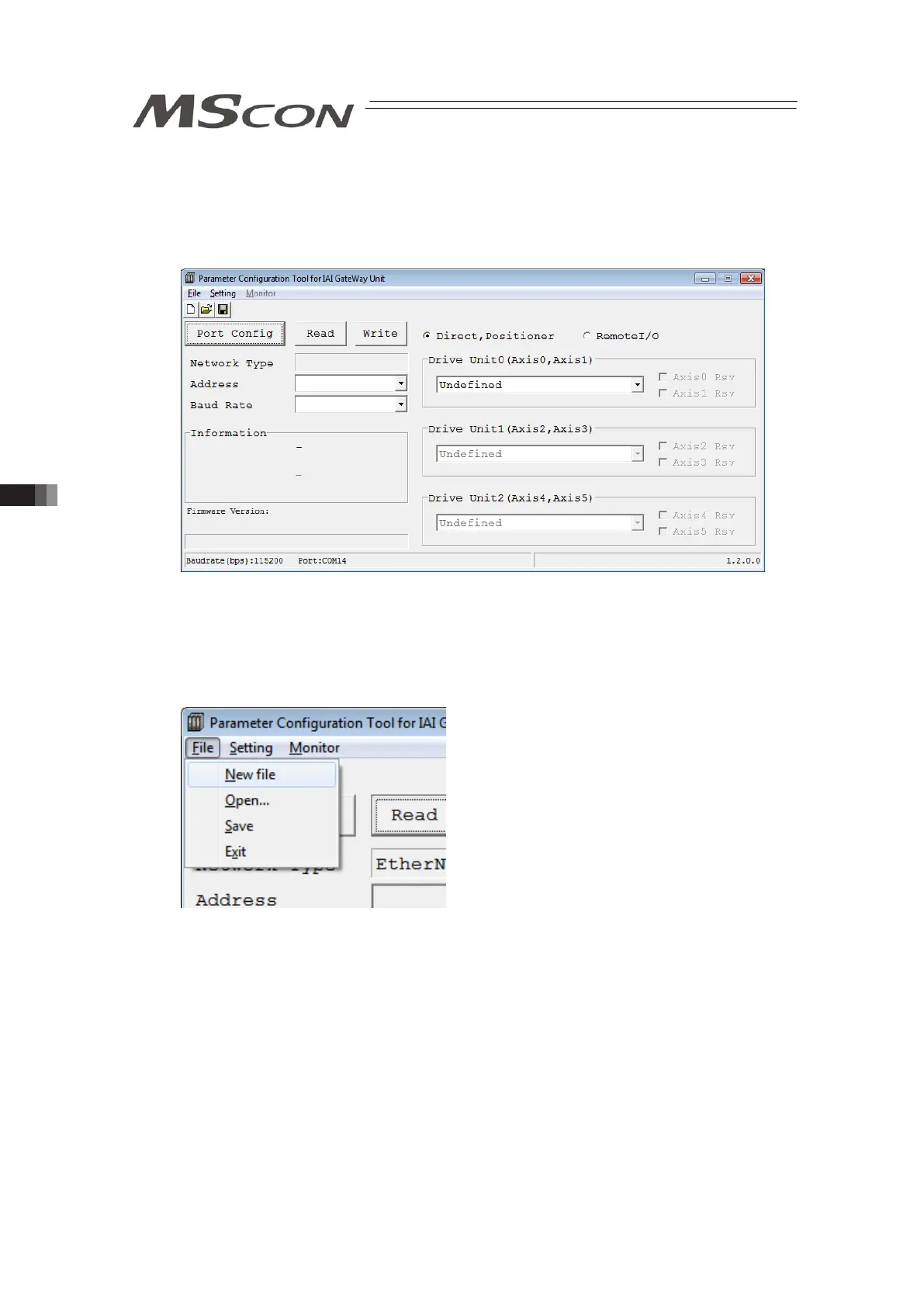
3) The main window opens. The main window opens even when MSCON could not be detected.
Click on the “Read” button in this window and the parameters start to be read from MSCON.
Parameter transfer starts if the “Write” button is clicked. However, note that the transfer
cannot be made if there is a blank like Address and Communication Speed in the figure
below.
Main windows (Initial condition)
3.9.2 Explanation of each Menu
(Note) If MSCOM is not detected, there will be some items that cannot be displayed or selected.
1) File Menu
In the main window, click on the file menu on the top left corner and the menu list pops up as
shown in the figure above.
• New file : Create new network parameters and operation mode parameters.
• Open : Open the saved parameter files to show on the main window.
• Save : Save the parameter remained in the tool as a file.
• Exit : Close the tool.



 To Next Page