3.9 About Gateway Parameter Setting Tool
219
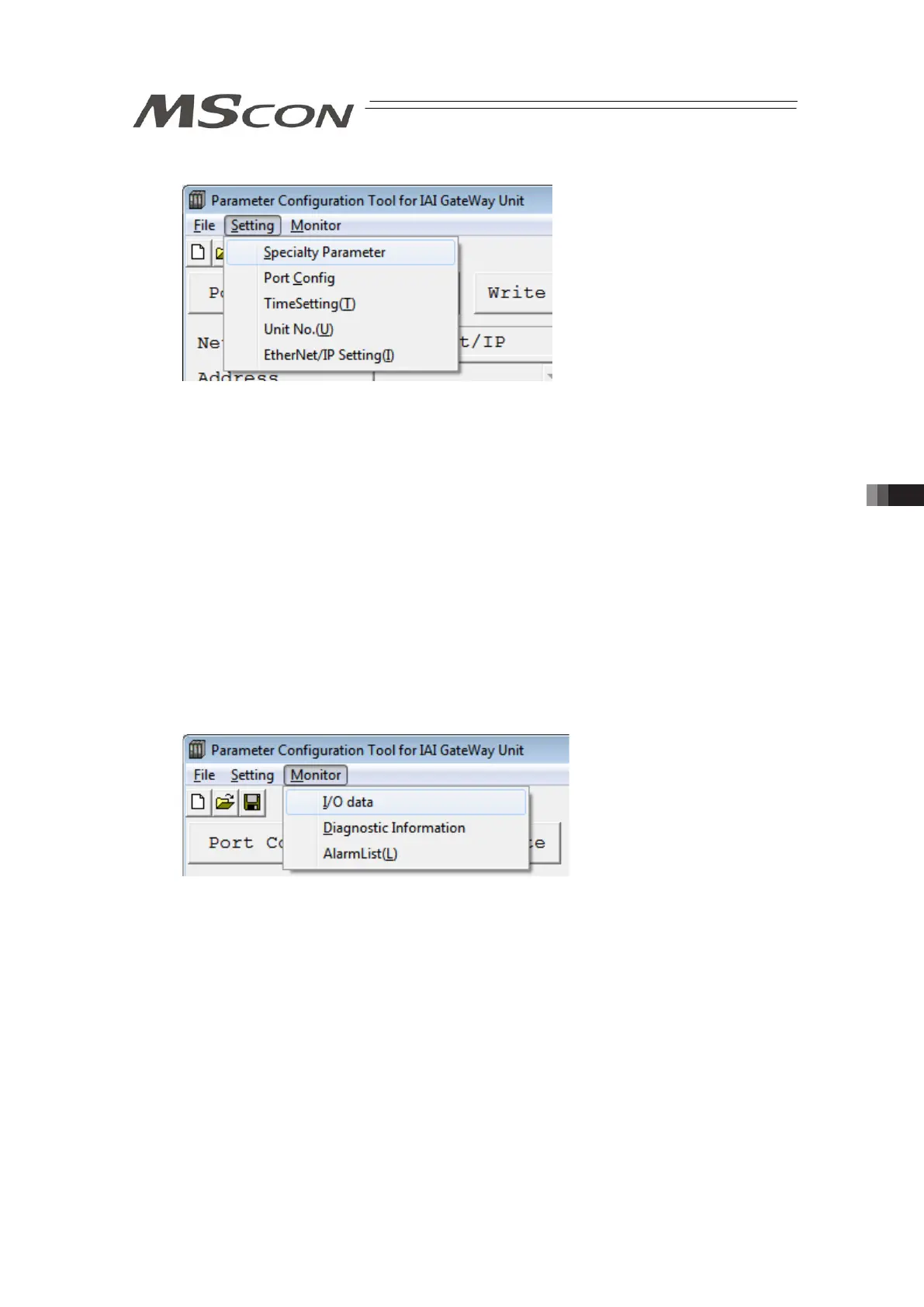
2) Setting Menu
Click on the “Setting” menu on the top left corner in the main window and the setting menu list
pops up.
• Specialty Parameter : Set the parameters related to the process of Gateway area in
MSCON.
[Refer to 3.9.3 1), 2) and 3) GW Parameter */GW Mode Select.]
• Port Config : Set the communication speed between the tool and PC and COM port
number.
• Time Setting : Set the clock retained in MSCON.
[Refer to 3.2.3 4) Clock Setting.]
• Unit No. : Set the unit number of MSCON and top axis number in that unit.
[Refer to 3.2.3 5) Unit Number.]
• EtherNet/IP Setting : For EtherNet/IP type, this menu is displayed.
Set IP address etc.
[Refer to 3.9.3 6) EtherNet/IP Setting]
3) Monitor menu
Click on the [Monitor] menu on the top left corner in the main window and the monitor menu list
pops up.
(Note): “Monitor” cannot be selected before reading a parameter.
• I/O data : Show the details of the host PLC and MSCON data.
[Refer to 3.2.3 6) I/O data.]
• Diagnosis Information : Show the number of ERRT and ERRC occurrence, emergency
stops and scan time.
[Refer to 3.2.3 7) Diagnosis information.]
• Alarm List(L) : Read and show the alarm list retained in MSCON.
[Refer to 3.2.3 8) Alarm list.]



 To Next Page