67
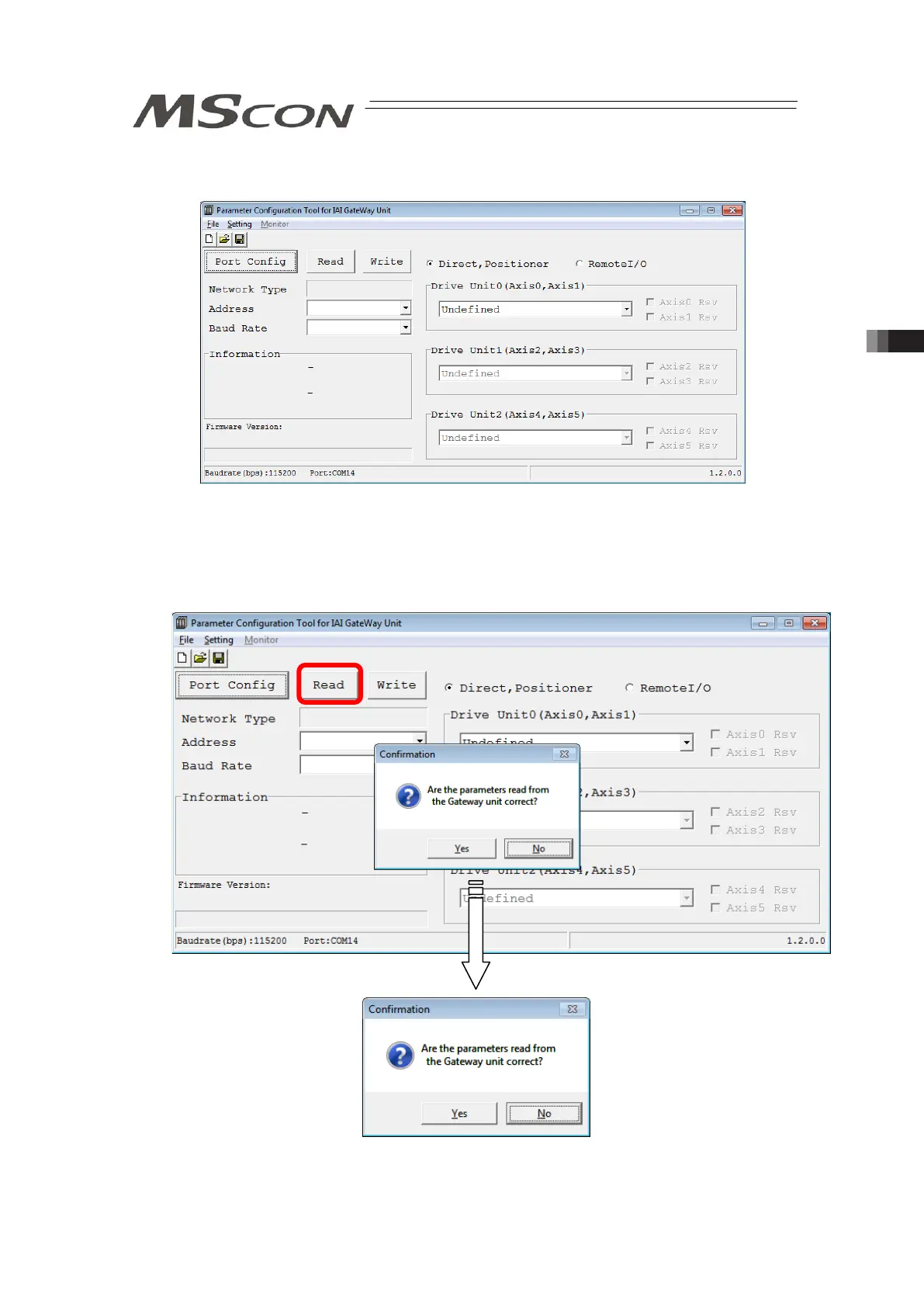
[Step 4] The main window opens. The main window opens even when MSCON could not be
detected.
Main windows (Initial condition)
[Step 5] Reading is started from MSCON to PC. Click on the Read button and a confirmation
window appears. Click on the “Yes” button.
If the writing is finished in normal condition, writing complete window appears. Click
OK.



 To Next Page