68
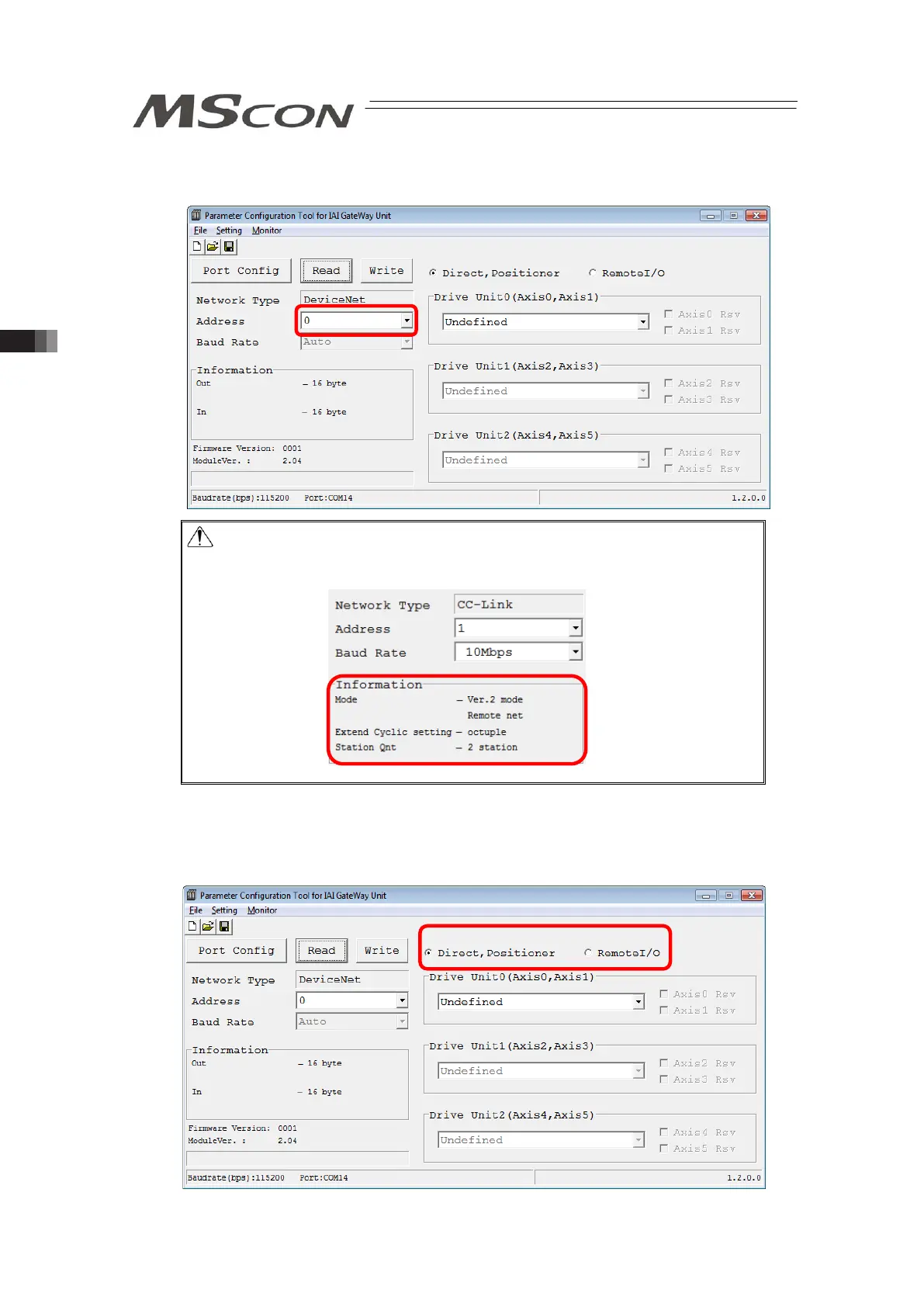
[Step 6] The parameters input to MSCON are listed as shown below. Indicate the Field Network
node addresses in Address.
Caution
In the following slave, set the value the number of occupied station is
added to the current station number.
[Step 7] Select whether to use Remote I/O Mode or any other mode (such as Positioner Mode).
When Remote I/O Mode is selected, any other mode except for Remote I/O Mode
cannot be selected for all the axes on MSCON.



 To Next Page