4. Appendix
189
4.1.4 Setting the PLC (2) [Network Configurator]
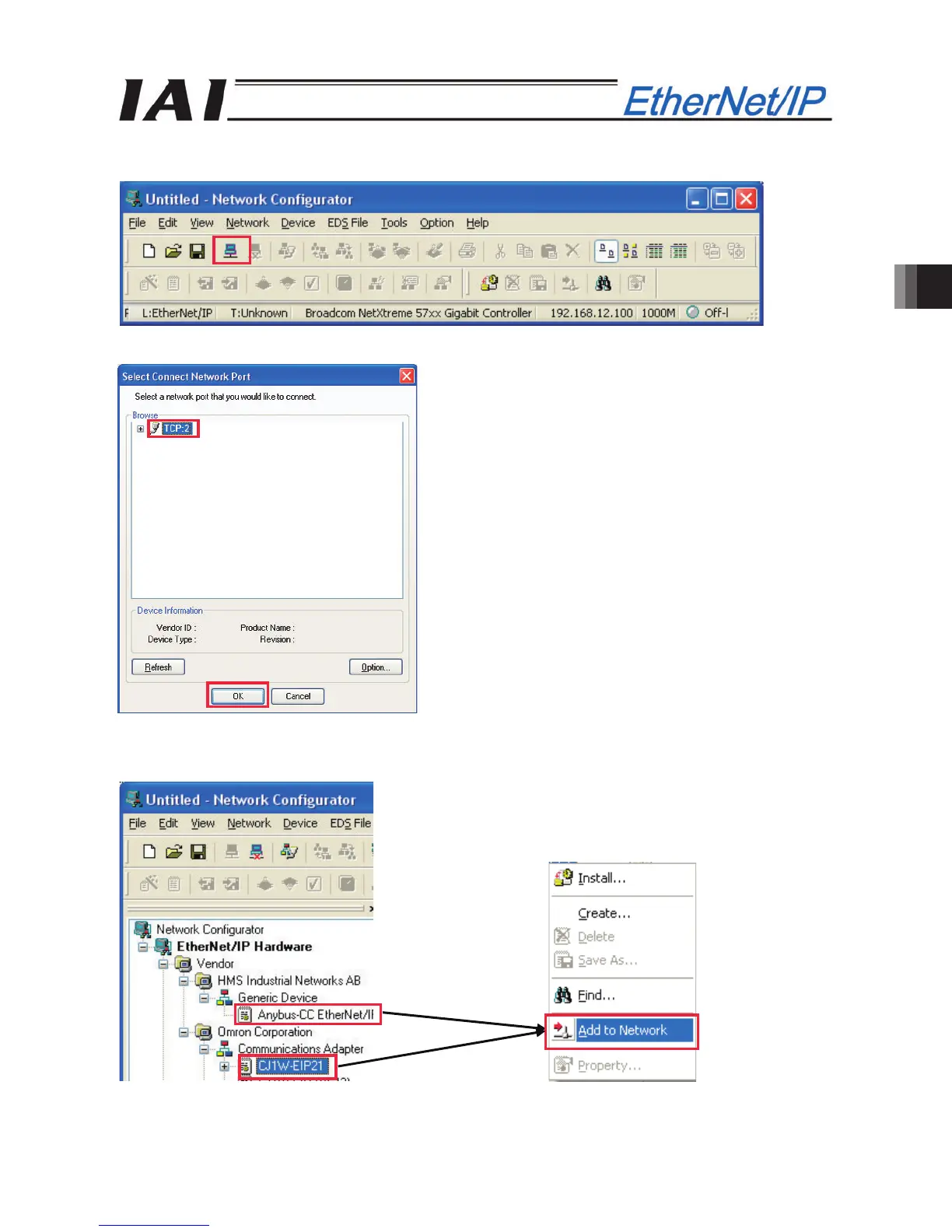
[1] Start Network Configurator and click the [Connect] button on the toolbar to connect to the PLC.
[2] In the “Select Connection Network Port” dialog box, select “TCP:2” and click the [OK] button.
[3] Right-click “CJ2M-EIP21” (OMRON PLC) and “Anybus-CC EtherNet/IP” (Controller) in the hardware list,
and select [Add to Network] in the pop-up menu for each device.



 To Next Page