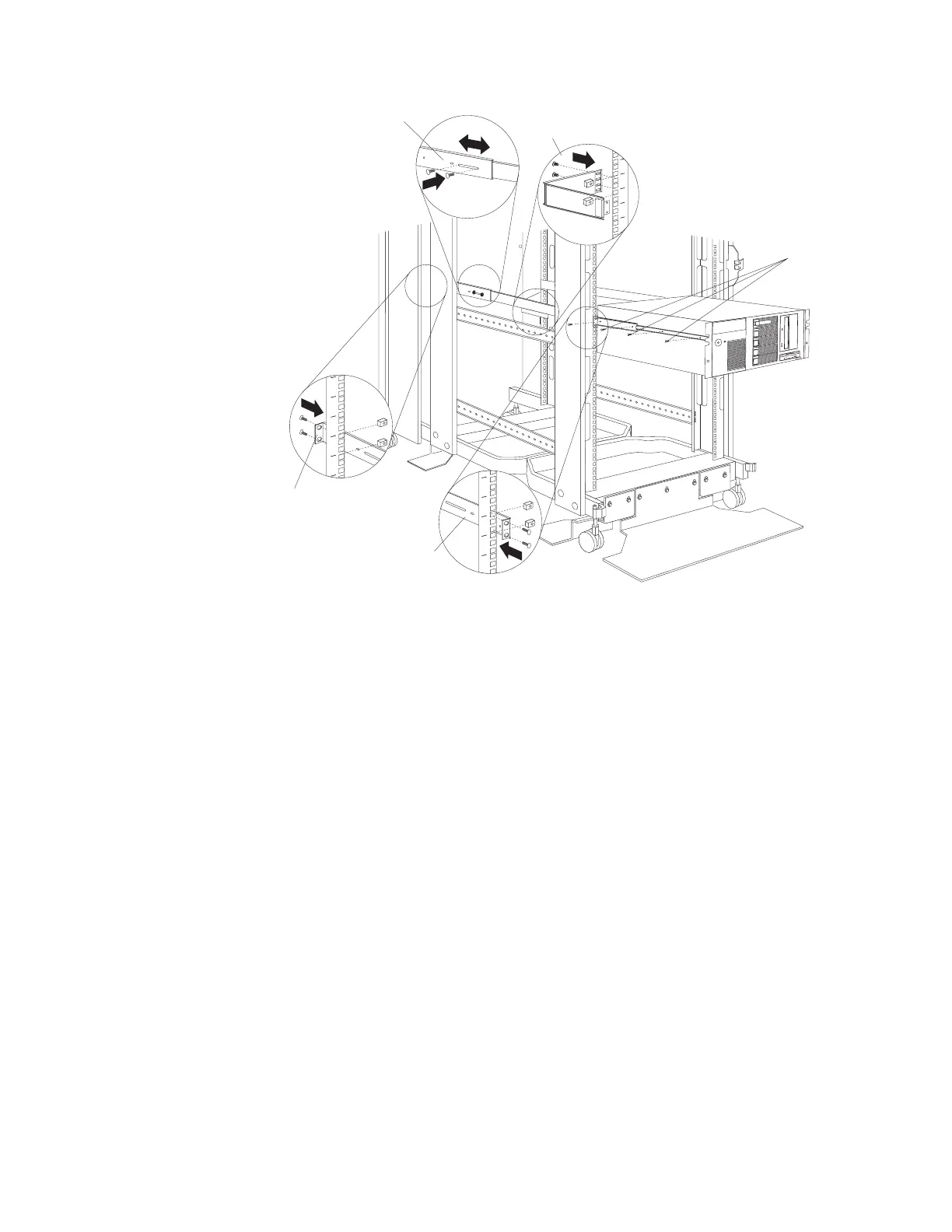
1. See the server documentation for detailed installation information.
2. Use the template and rack mounting instructions that come with your server to
determine where to install cage nuts.
3. Install the slide rails and cable-management arm that come with your server,
using the provided screws and cage nuts.
Note: If required, adjust the length of the rails to fit the depth of your rack
cabinet.
4. Lift the server and place it on the extended rails; then, attach the server to the
slide rails with the provided screws.
5. See your server documentation for information on how to connect cables.
Server screws
Rail adjustment
Cable-management arm
Front of rail
Rear of rail
Figure 32. Installing a small server
Installing Optional Devices 113





 To Next Page