16
4
REPEATER OPERATION
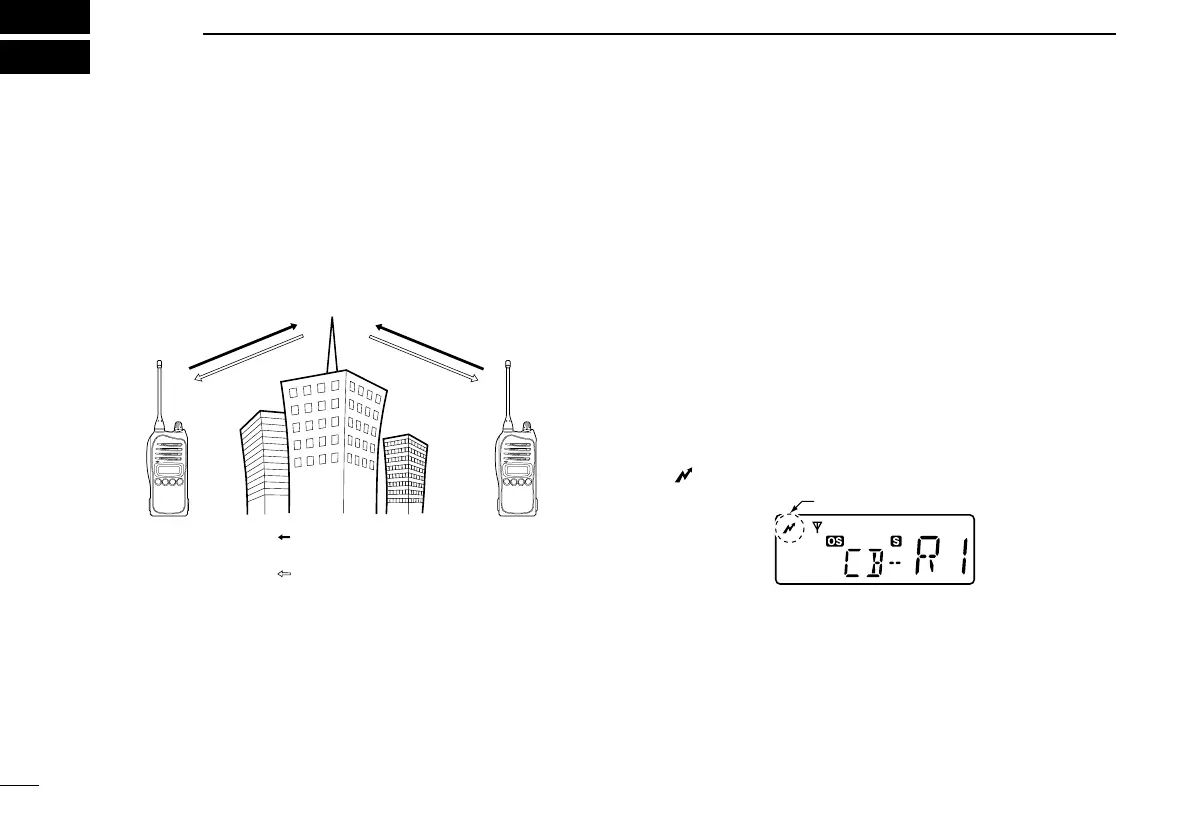
■ Repeater operation
Repeaters allow you to extend the operational range of your
radio.
Normally, a repeater has independent frequencies for receive
and transmit.
■ Accessing a repeater
A repeater amplifies received signals and re-transmits them
on a different frequency, allowing you to communicate over
greater distances with improved reliability. When using a
repeater, the repeater output channel (‘CB-R1’ to ‘CB-R8’)
must be selected.
You can search the accessible repeater in your local area
using the Repeater search scan function (p. 21).
q Select the desired repeater output channel (‘CB-R1’ to
‘CB-R8’). (p. 11)
w While pushing and holding [PTT], speak into the micro-
phone at your normal voice level.
• “” appears.
e Release [PTT] to receive.



 To Next Page