15
3
BATTERY CHARGING
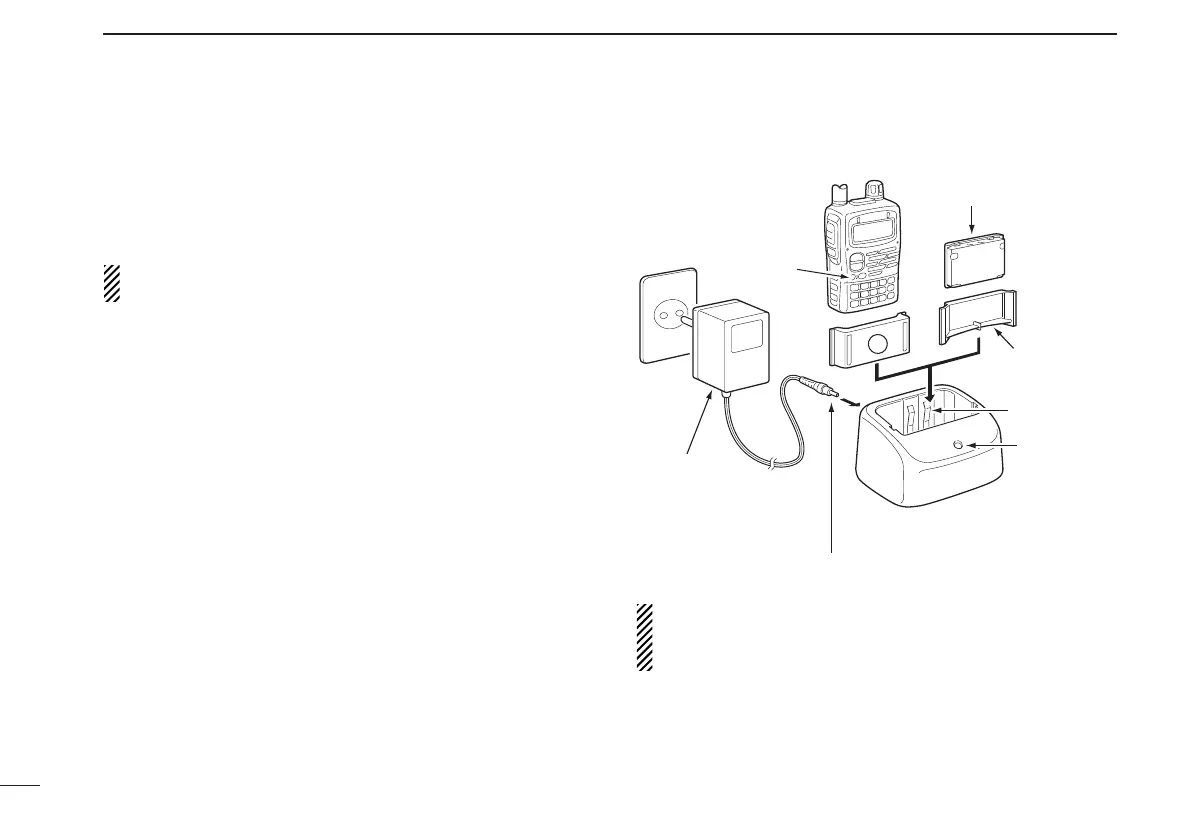
■ Rapid charging
The optional BC-139 provides rapid charging of the battery
pack.
• Charging period: 2.5 hours (w/BP-217)
CAUTION: To avoid damage to the transceiver, turn it OFF
while charging.
• Recommended temperature range for charging:
0°C to +35°C; +32°F to +95°F
• NEVER connect 2 chargers to the [AC ADAPTER] and
[DC13.5V] jacks of BC-139.
• Use the supplied BC-123E for the BC-139 desktop charger.
Connect BC-123E to the [AC ADAPTER] jack.
• NEVER use another manufactures’ charger.
• An optional cable CP-19R (for 12 V cigarette lighter socket)
can be used instead of the supplied AC adapter. Connect
one of these to the [DC11V] jack in this case.
If the charge indicator blinks orange, there may be a prob-
lem with the battery pack (or charger). Re-insert the bat-
tery pack or contact your dealer.
orientation.



 To Next Page