18
4
BASIC OPERATION
■ Tuning step
When using the tuning dial to change
the frequency, or when a scan function
is activated, the frequency changes in
increments determined by the set tun-
ing step. Tuning steps can be selected
for each band. This transceiver has 13
tuning steps as follows:
•5 kHz • 6.25 kHz •8.33* kHz
• 9* kHz • 10 kHz • 12.5 kHz
• 15 kHz • 20 kHz • 25 kHz
• 30 kHz • 50 kHz • 100 kHz
• 200 kHz
*Depends on version.
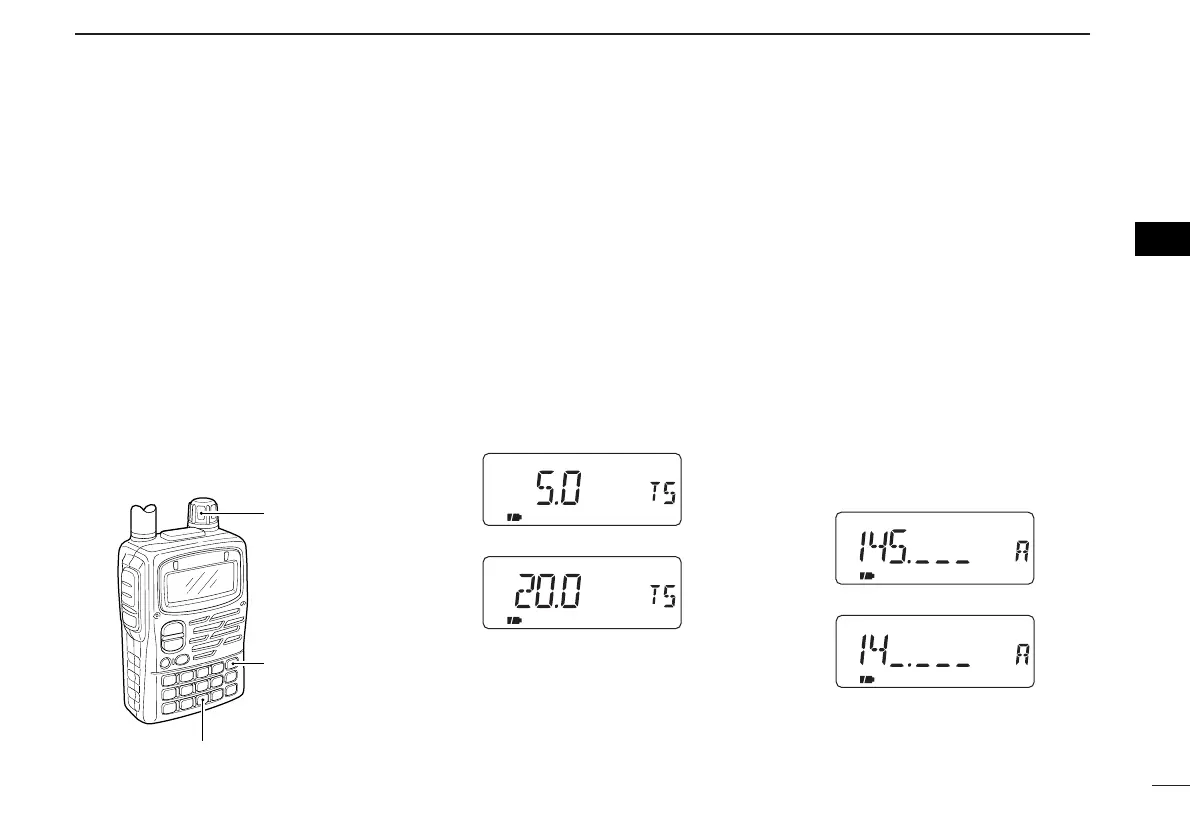
DSetting the tuning step
q Push [9 TS] for 1 sec. to enter tuning
step set mode.
• “TS” appears.
w Rotate [DIAL] to select the desired
tuning step.
• Rotating the tuning dial while pushing [9
TS] also selects the tuning step.
•Tuning step can be set in VFO and
memory modes.
e Push [9 TS] or [VFO] to exit.
DMHz tuning step
This is useful to change the frequency
rapidly.
q Select VFO mode with [VFO].
w Push [VFO MHz] for 1 sec. to select
1 MHz tuning step.
e Push [VFO MHz] for 1 sec. again to
select 10 MHz tuning step, if re-
quired.
r Rotate [DIAL] to select the desired
MHz frequency.
t Push [VFO] to exit MHz tuning step.



 To Next Page