32
4
BASIC OPERATION
■ Split operation
Split frequency operation allows you to transmit and receive
on two different frequencies in the same band. The split fre-
quency operation is performed using 2 frequencies, one in
VFO A and one in B.
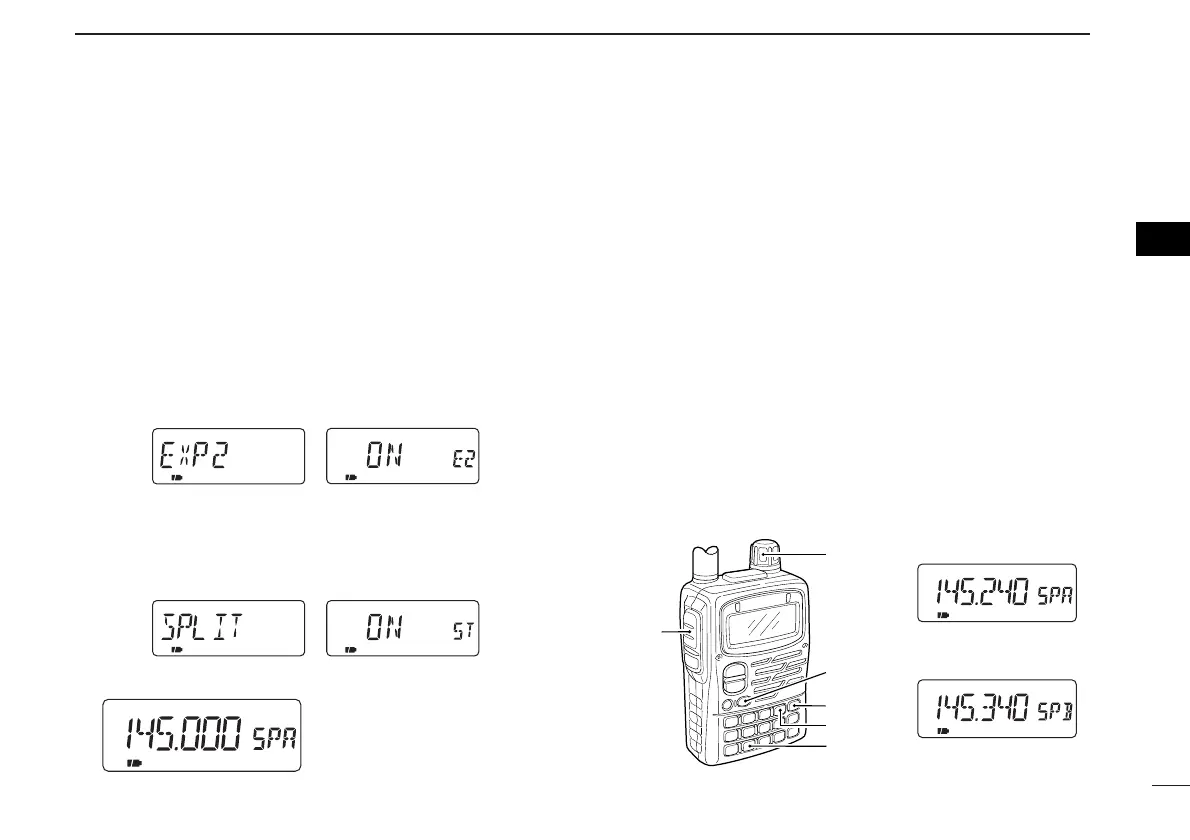
DSetting split frequency operation
q Push [8 SET] for 1 sec. to enter set mode.
w Rotate [DIAL] until “EXP2” appears.
e Push [8 SET] to select expanded set mode 2.
r Rotate [DIAL] to turn the expanded set mode 2 ON.
t Push [8 SET] to exit expanded set mode 2.
y Rotate [DIAL] until “SPLIT” appears.
u Push [8 SET] to select split function.
i Rotate [DIAL] to select split function ON or OFF.
o Push [VFO] to exit set mode.
•“SPA” or “SPB” appears and
the split frequency operation is
activated.
DSplit frequency operation example
[EXAMPLE]: VFO A FM 145.240 MHz
VFO B FM 145.340 MHz
q Push [VFO] several times to select VFO A.
• Pushing [VFO] toggles VFO A and B.
w Push [BAND] several times to select the 144 MHz band.
e Push [MODE] several times to select FM mode.
r Set the operating frequency to 145.240 MHz with the tun-
ing dial.
t Push [VFO] to select VFO B.
y Push [BAND] several times to select the 144 MHz band.
u Push [MODE] several times to select FM mode.
i Set the operating frequency to 145.340 MHz.
o Push [PTT] to start the split frequency operation.



 To Next Page