37
5
MEMORY/CALL CHANNELS
Program the desired frequency into a memory channel, call
channel or scan edge channel as follows.
The memory channels are shared with all bands. Memory
channels 003–499 are blank (non-programmed) channels as
a factory setting.
DProgramming a memory channel
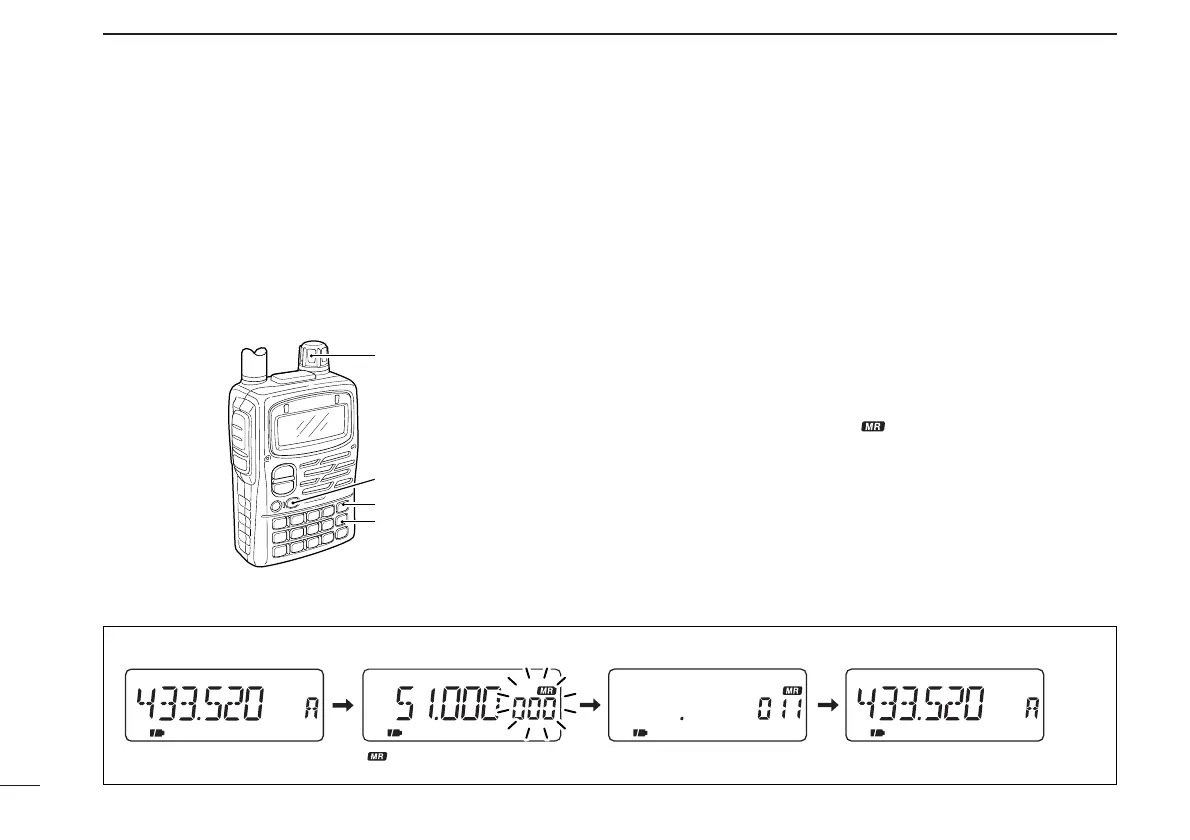
[EXAMPLE]: 433.520 MHz into Mch 11
q Select VFO mode with [VFO].
w Set the desired frequency:
➥ Select the desired band with [BAND].
➥ Set the frequency using [DIAL].
➥ Set other data (e.g. offset frequency, duplex direction,
subaudible tone frequency, etc.), if required.
e Push [MR S.MW] for 1 sec. to indicate memory channels.
• Memory channel indicator “ ” and channel readout blinks.
• Do not hold [MR S.MW] for more than 2 sec., otherwise the pre-
viously selected memory channel contents will be overwritten.
r Rotate [DIAL] to select the desired channel.
• Call channels (C0–C4), VFO (VF) and scan edge channels
(0A/0B–24A/24B), as well as regular memory channels, can be
programmed in this way.
t Push [MR S.MW] for 1 sec. to program.



 To Next Page