EasyManua.ls Logo

Icom IC-G80 - User Manual

Icom IC-G80
48 pages
Print Icon
To Next Page IconTo Next Page
Loading...
INSTRUCTION MANUAL
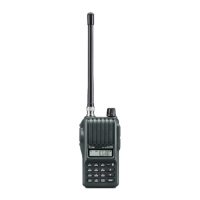
VHF TRANSCEIVER
iG80

Questions and Answers

  • B
    Brenda WhiteheadJul 31, 2025
    What to do if transmitting is impossible on my Icom IC-G80 Transceiver?
    • B
      Bailey KnappJul 31, 2025
      If transmitting is impossible on your Icom Transceiver, it could be due to a few reasons. First, check if the battery is exhausted and charge or replace it if needed. Second, TX permission may be inhibited on the channel; in this case, ask your dealer to set the TX Inhibit function to OFF. Finally, the Lockout function might be activated, so ensure it is turned OFF.
  • J
    john09Aug 5, 2025
    Why my Icom IC-G80 does not turn on?
    • J
      jeremymurrayAug 5, 2025
      Your Icom Transceiver might not be turning on due to several reasons: the battery could be exhausted, in which case you should charge or replace it. Alternatively, the battery polarity may be reversed, so check the battery polarity. It is also possible that there's a loose connection of the battery pack or case, so try cleaning the battery terminals.
  • R
    Richard TuckerAug 9, 2025
    How to fix no sound from the speaker of Icom IC-G80?
    • E
      Erica LeAug 10, 2025
      If no sound is coming from the speaker of your Icom Transceiver, first, make sure the volume level isn't too low by rotating the [VOL] knob to adjust it. Also, check if an external speaker or a cloning cable is connected to the [SP] jack, and disconnect them to see if that resolves the issue.
  • L
    Lori SmithAug 14, 2025
    Why can't I transmit using the VOX function on my Icom Transceiver?
    • P
      Patricia BaileyAug 14, 2025
      If you're unable to transmit using the VOX function on your Icom Transceiver, it could be due to a few reasons: the VOX gain might be set to OFF or too low, so adjust it to a suitable level. Also, the microphone gain could be too low, so increase it. Finally, TX permission may be inhibited on the channel, so ask your dealer to set the TX Inhibit function to OFF.
  • J
    Jose FoxAug 20, 2025
    What to do if the display is erroneous on Icom IC-G80?
    • Z
      zstoutAug 20, 2025
      If the display on your Icom Transceiver is erroneous, external factors may have caused a fault. Try removing and re-attaching the battery pack or case.
  • M
    Maria LynchAug 25, 2025
    Why some operations are impossible on Icom Transceiver?
    • K
      Kelly MuellerAug 26, 2025
      If some operations or modifications of Set mode items are impossible on your Icom Transceiver, it might be in the simple mode. Turn OFF the Simple Mode function.

Summary

Battery Charging

Ni-MH Battery Safety and Charging

Safety precautions and charging procedures for the BP-264 Ni-MH battery pack.

Li-Ion Battery Safety and Charging

Safety precautions and charging procedures for the BP-265 Li-Ion battery pack.

Battery Charger Types and Usage

Details on using BC-191, BC-192, BC-193, and BC-197 chargers with compatible batteries.

Basic Operation

Powering the Transceiver On and Off

How to turn the transceiver power on and off using the power key.

Channel Selection Methods

Ways to select operating channels via keypad entry or up/down keys.

Receiving Signals

Steps for receiving signals, including setting volume and squelch levels.

Transmitting Signals

Procedures for transmitting, including power selection and microphone usage.

Repeater Operation

Using Repeaters for Communication

Explanation of how repeaters facilitate communication over longer distances.

Subaudible Tone Encoder Settings

Setting subaudible tones required for accessing repeaters.

Scan Operation

Tone Squelch and Pocket Beep

Tone and DTCS Squelch Operation

Using CTCSS or DTCS codes to open squelch only for specific signals.

Setting CTCSS;DTCS Codes

Configuring CTCSS tones or DTCS codes for squelch and encoding.

DTMF Memory

Programming DTMF Codes

How to input and store DTMF code sequences for autopatching and control.

Transmitting DTMF Codes

Methods for transmitting DTMF codes via memory channels or manual entry.

Set Modes

VOX Gain Adjustment

Adjusting VOX sensitivity for optimal voice-activated transmission.

Time-out Timer Function

Cuts off transmission after a set period of continuous transmission.

Battery Protection Feature

Automatically turns off the transceiver when battery voltage drops.

Trouble Shooting

Common Transceiver Issues and Solutions

Lists common problems like no sound or failed transmission and their solutions.

Options

VOX Function Setup

Enabling and configuring the VOX function for hands-free voice-activated transmission.

Icom IC-G80 Specifications

General IconGeneral
TypeHandheld Transceiver
Frequency Range136-174 MHz
Channel Capacity200 Channels
ModeFM
Channels200
Operating Voltage7.2 V
Channel Spacing25/12.5 kHz

Related product manuals