23
5
MEMORY OPERATION
■ Memory bank selection
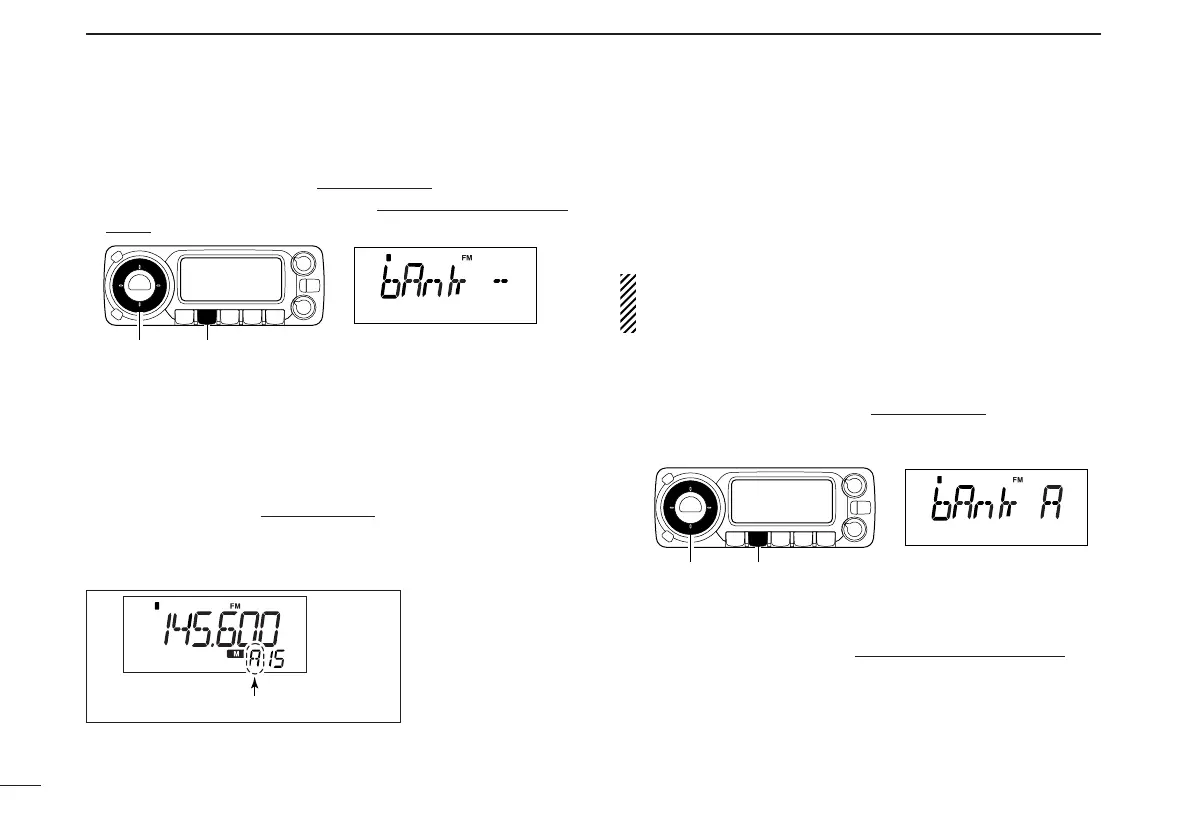
qPush [MR•SKIP] to select memory mode.
wPush [MR•SKIP] again to enter memory type selection
mode.
eRotate [DIAL] to select the desired bank (A to H, J to R, T,
U, W or Y).
• Only programmed banks are displayed.
rPush any switch to set the bank indication.
• Bank’s indicator appears at top of the memory channel.
tRotate [DIAL] to select the contents in the bank.
yTo return to regular memory mode
, repeat steps w–r and
select “bAnk --” at step e.
• Memory bank indication
■ Transferring bank contents
[
The bank contents of programmed memory channels can be
cleared or transferred to another bank.
INFORMATION: Even if the memory bank contents are
cleared, the memory channel contents still remain pro-
grammed.
qSelect the desired bank contents to be transferred or
erased from the bank.
➥ Push [MR•SKIP] to select memory mode
.
➥ Push [MR•SKIP] again then rotate [DIAL] to select the
desired memory bank.
➥ Push any switch to select the bank then rotate [DIAL] to
select the desired contents.
wPush [S.MW•MW] to enter select memory write mode
.
•“!” indicator and the memory channel number blink.



 To Next Page