29
6
SCAN OPERATION
The scan resume condition can be selected as timer or pause
scan. The selected resume condition is also used for priority
watch. ((p. 30))
q Push [SET•LOCK] to enter set mode
.
w Push [SET•LOCK] or [S.MW•MW] several times until
“SCt” or “SCP” appears.
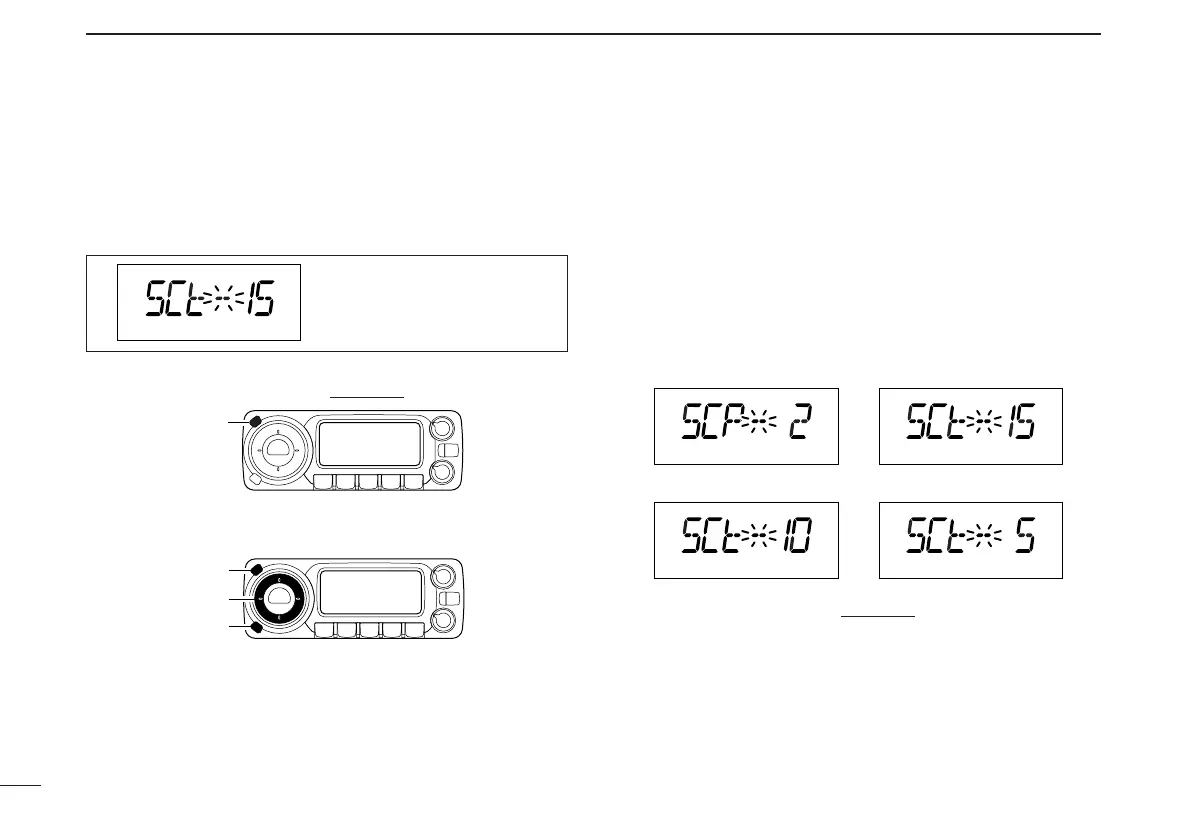
e Rotate [DIAL] to set the desired timer:
• “SCP-2” : Scan pauses until the signal disappears and then re-
sumes 2 sec. later.
• “SCt-15” : Scan pauses 15 sec. while receiving a signal.
• “SCt-10” : Scan pauses 10 sec. while receiving a signal.
• “SCt-5” : Scan pauses 5 sec. while receiving a signal.
r Push [TS•MODE] to exit set mode.
scan will resume 15 sec. after
it stops.



 To Next Page