17
4
BASIC OPERATION
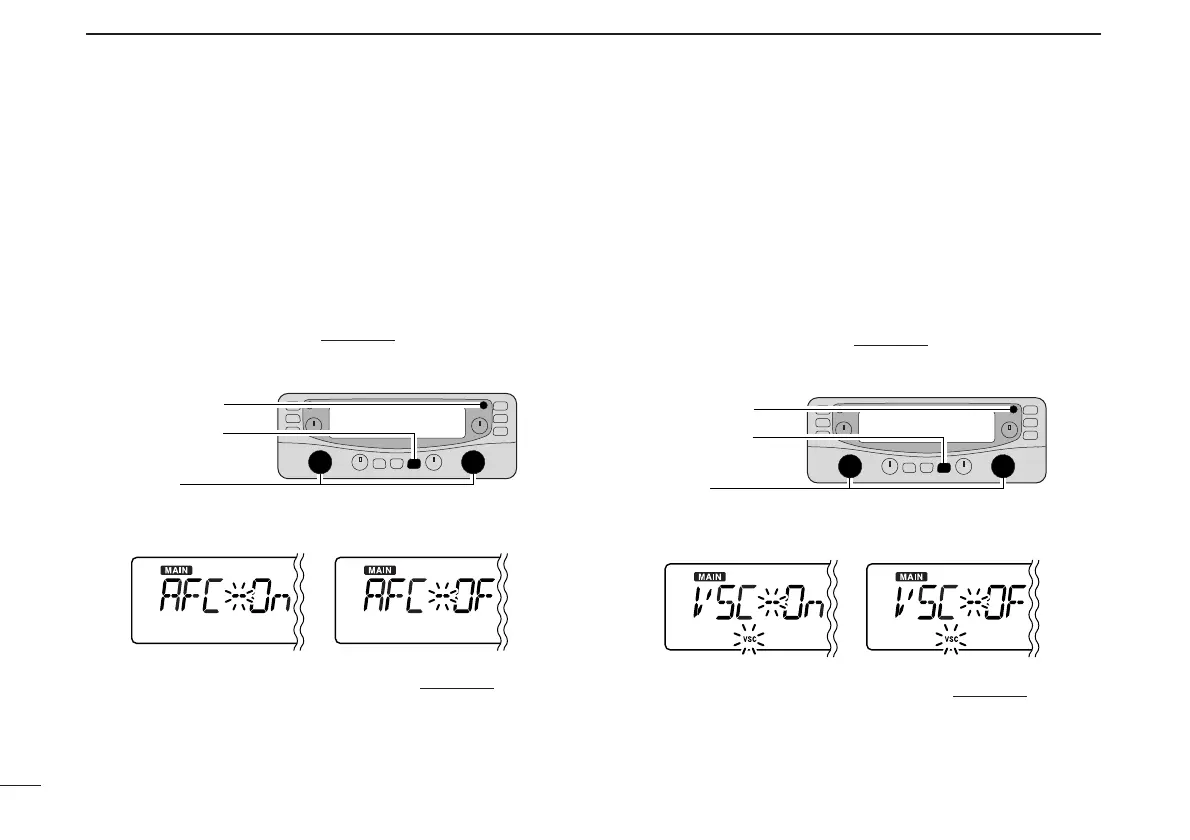
■ AFC function [
The AFC (Automatic Frequency Control) function tunes the
displayed frequency automatically when an off-center fre-
quency is received. It activates in FM mode and only when
the selected IF filter is 6 kHz or 15 kHz.
q Push the desired band’s [MAIN] to select the main band.
w Select FM mode.
e Push [SET•SKIP] to enter set mode
.
r Push [SET•SKIP] or [ATT•PRIO] several times until “AFC”
appears.
t Rotate the main band’s [DIAL] to toggle the AFC function
ON and OFF.
y Push any key for the main band to exit set mode
.
■ VSC function [
The VSC (Voice Squelch Control) function opens the squelch
only when receiving a modulated signal. This function is very
useful while scanning, the VSC pauses only when modulated
signals are received. Scanning continues when unmodulated
or beat signals are received.
q Push the desired band’s [MAIN] to select the main band.
w Push [SET•SKIP] to enter set mode
.
e Push [SET•SKIP] or [ATT•PRIO] several times until “VSC”
appears.
r Rotate the main band’s [DIAL] to toggle the VSC function
ON and OFF.
t Push any key for the main band to exit set mode
.



 To Next Page