63
10
SET MODE
DD
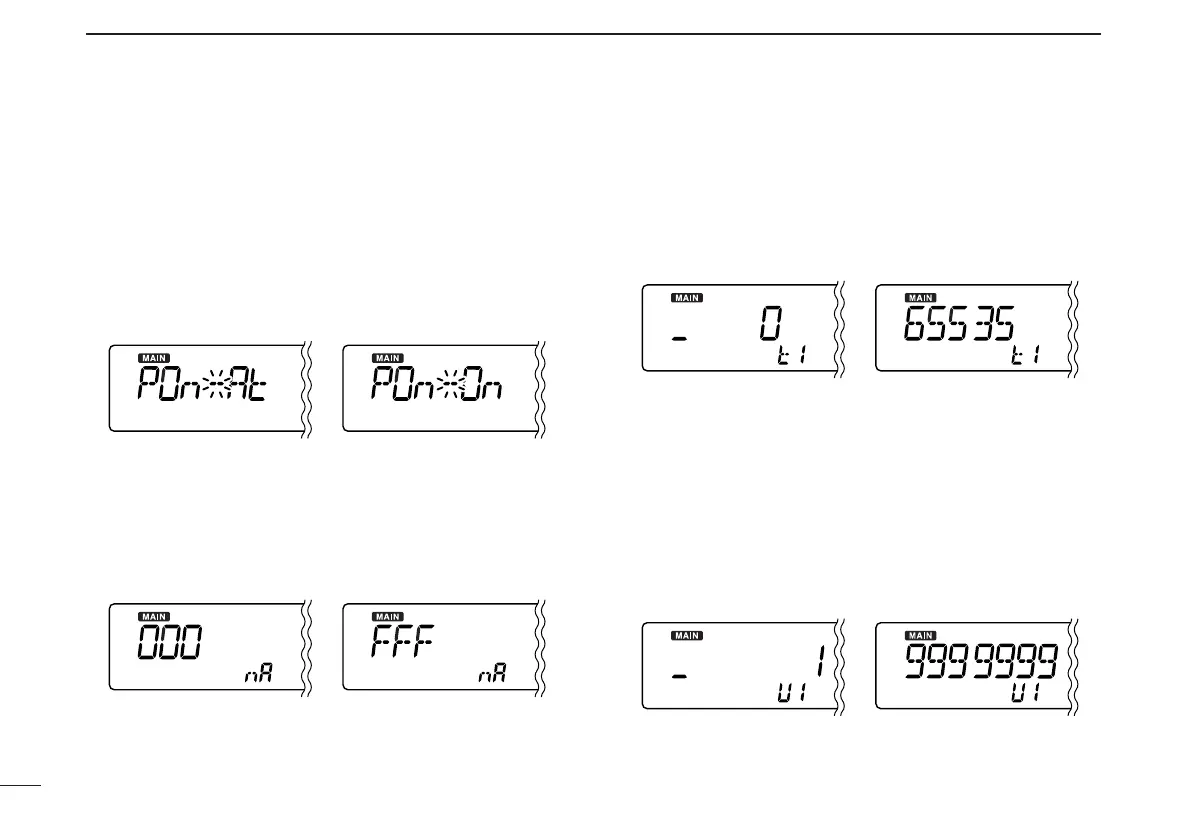
P25 unit power setting
Selects the P25 unit (UT-122) power setting from Auto and
ON.
☞This item appears when optional UT-122 is installed
and Optional items setting (p. 58) is ON.
•At: P25 unit is turned ON automatically when digital
mode is selected. (default)
•On: P25 unit is turned ON when the receiver is pow-
ered ON.
DD
NAC code setting
Sets the desired NAC code for P25 digital (NAC) squelch op-
eration. NAC code is selectable from 0–FFF. (default: 000)
☞This item appears when optional UT-122 is installed
and Optional items setting (p. 58) is ON.
• Push [MODE•SCAN] (or [MONI•T/T-SCAN]) to move the cursor.
• Rotate main band’s [DIAL] to select the desired code.
DD
TGID code setting
Sets the desired TGID code for P25 digital (Selective)
squelch operation. TGID code is selectable from 0–65535.
(default: 0)
☞This item appears when optional UT-122 is installed
and Optional items setting (p. 58) is ON.
• Push [MODE•SCAN] (or [MONI•T/T-SCAN]) to move the cursor.
• Rotate main band’s [DIAL] to select the desired code.
DD
Unit ID code setting
Sets the desired Unit ID code for P25 digital (Selective)
squelch operation. Unit ID code is selectable from
1–9999999. (default: 1)
☞This item appears when optional UT-122 is installed
and Optional items setting (p. 58) is ON.
• Push [MODE•SCAN] (or [MONI•T/T-SCAN]) to move the cursor.
• Rotate main band’s [DIAL] to select the desired code.



 To Next Page