BASIC OPERATION
3
14
1
7
4
10
15
18
2
8
13
5
11
16
3
9
14
6
12
17
BASIC MANUAL
■ Selecting the Frequency Selecting mode
D VFO mode
Rotate [DIAL] to set an operating frequency.
D
Memory mode
Select a Memory channel where an operating frequency and other parameters are saved.
L In the Memory mode, and the Memory Channel number are displayed.
D Call Channel mode
Select a Call Channel to recall your most often used frequencies quickly.
D
Weather Channel mode (For only the ID-50A)
Weather Channels are used for monitoring Weather Channels from the National
Oceanographic and Atmospheric Administration (NOAA) broadcasts.
1. Select a mode.
L Information
• Push [V/MHz] to select the VFO mode.
• In the VFO mode, push [V/MHz] to select the 1 MHz tuning step.
• Push [MR] to select the Memory mode.
• Hold down [CALL] for 1 second to select the Call Channel mode.
• For only the ID-50A, push [MR] in the Memory mode to select the Weather Channel
mode.
2. Rotate [DIAL] to select an operating frequency or a channel.
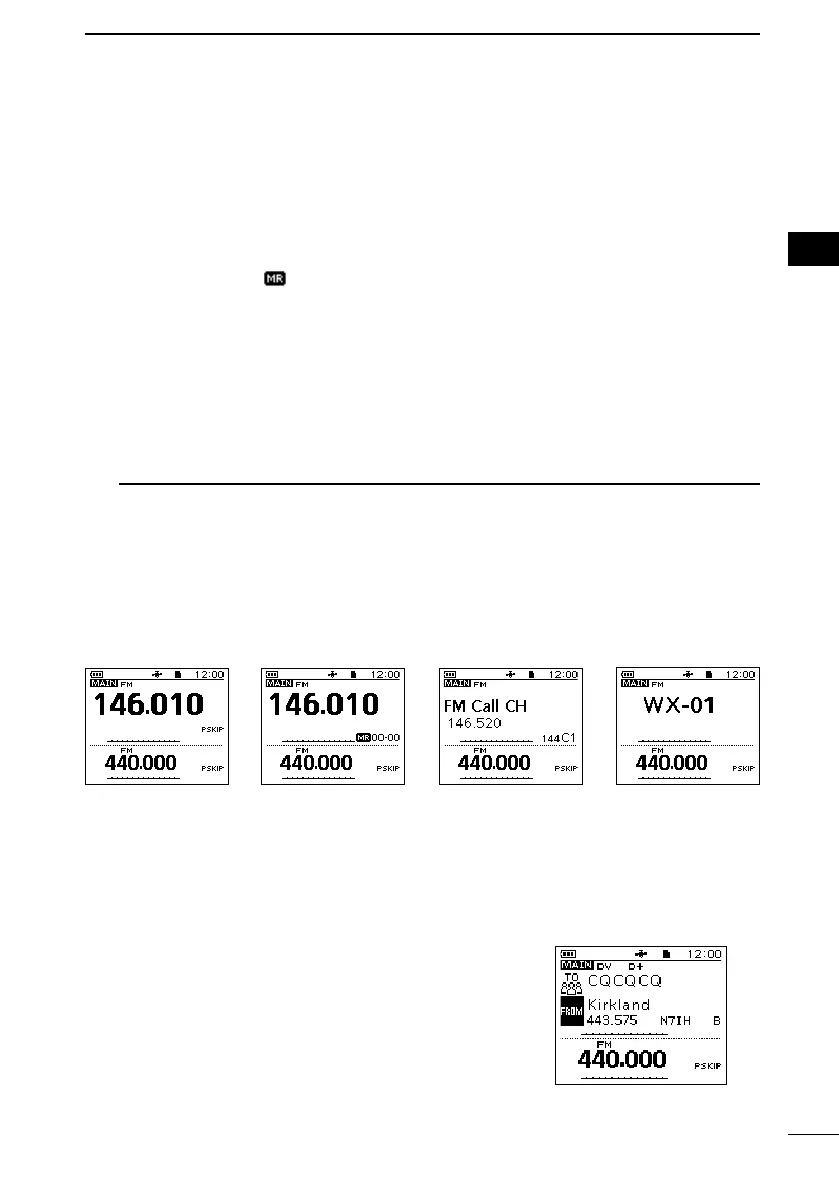
VFO mode Call Channel
mode
Weather Channel
mode
Memory mode
■ DR function operation
Using the D-STAR Repeater (DR) function, you can easily
select the entered repeaters and Your call signs by rotating
[DIAL]. You can make not only a repeater call but also a
simplex call.
Hold down [DR] for 1 second.
• Displays the DR screen.
L Hold down [DR] again to cancel the DR function.
L See D-STAR GUIDE (p. 41) for the DR function details.



 To Next Page