What to do if iData 50 Digital Camera fails to connect to an AP?
- AAngela DavenportSep 13, 2025
If your iData 50 Digital Camera displays an 'Authentication failed' message when connecting to an AP, the password for the WLAN device is incorrect.
What to do if iData 50 Digital Camera fails to connect to an AP?
If your iData 50 Digital Camera displays an 'Authentication failed' message when connecting to an AP, the password for the WLAN device is incorrect.
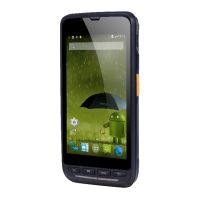
Describes the front and rear views of the iData 50 device.
Instructions on how to insert and lock the battery into the device.
Instructions for removing the battery cover and the battery.
Steps for inserting a SIM card into the iData 50.
Guidance on inserting and closing the TF card cover.
Details on charging methods and charging indicator status.
Instructions for powering the iData 50 on and off.
Steps to lock and unlock the device screen.
Description of the physical keypad keys and their functions.
Overview of the home screen, adding screens, and opening applications.
Explains status icons and indicators in the status bar.
Introduction to basic settings configuration on the device.
Steps to change the date and time settings on the iData 50.
Instructions for configuring display settings like brightness and sleep.
How to set ringtones for different audio profiles.
Steps to perform a factory data reset for security.
Guide to changing language and input method preferences.
How to add shortcut icons to the home screen.
Instructions for adding widgets to the home screen.
Steps for making and terminating a phone call.
How to manage contacts, add, import, export, edit, or delete.
Instructions for sending SMS and MMS messages.
Guidance on setting up and using the email function.
Steps to configure GPRS data connection for internet access.
Instructions for connecting to Wi-Fi networks.
Steps to enable and pair Bluetooth devices.
Information on the device's GPS capabilities and usage.
Guide to connecting the device to a PC via USB for file transfer.
Steps to set up and manage account synchronization.
Instructions to launch and use the iScan program for barcode scanning.
Steps to enable and use the NFC function.
Methods for installing applications on the iData 50.
Steps to uninstall applications to improve device performance.
How to view and manage application status and information.
General safety precautions for using the iData 50 and its battery.
Table of common faults, their causes, and solutions.
Lists accessories included with the iData 50.
Details the technical specifications of the iData 50 device.
Specifications for the iData 50 power adapter.
Specifications for the iData 50 battery.
Information regarding the CE marking of the device.
Warning about battery replacement risks and disposal.
Legal statements regarding modifications and compliance.
Information on FCC compliance and radio frequency exposure limits.
Details copyright information and usage restrictions for the document.
Contact information for Wuxi iData Technology Company Ltd.
| Brand | iData |
|---|---|
| Model | 50 |
| Category | Digital Camera |
| Language | English |