iDirect Satellite Router Installation and Commissioning Guide 19
iDX Release 3.3
Retrieving the IP Address using the Console Port
12. Press Enter to generate a response from the Satellite Router. If communication is
established, the console prompt is displayed. If not, re-examine the settings to be sure
they are correct.
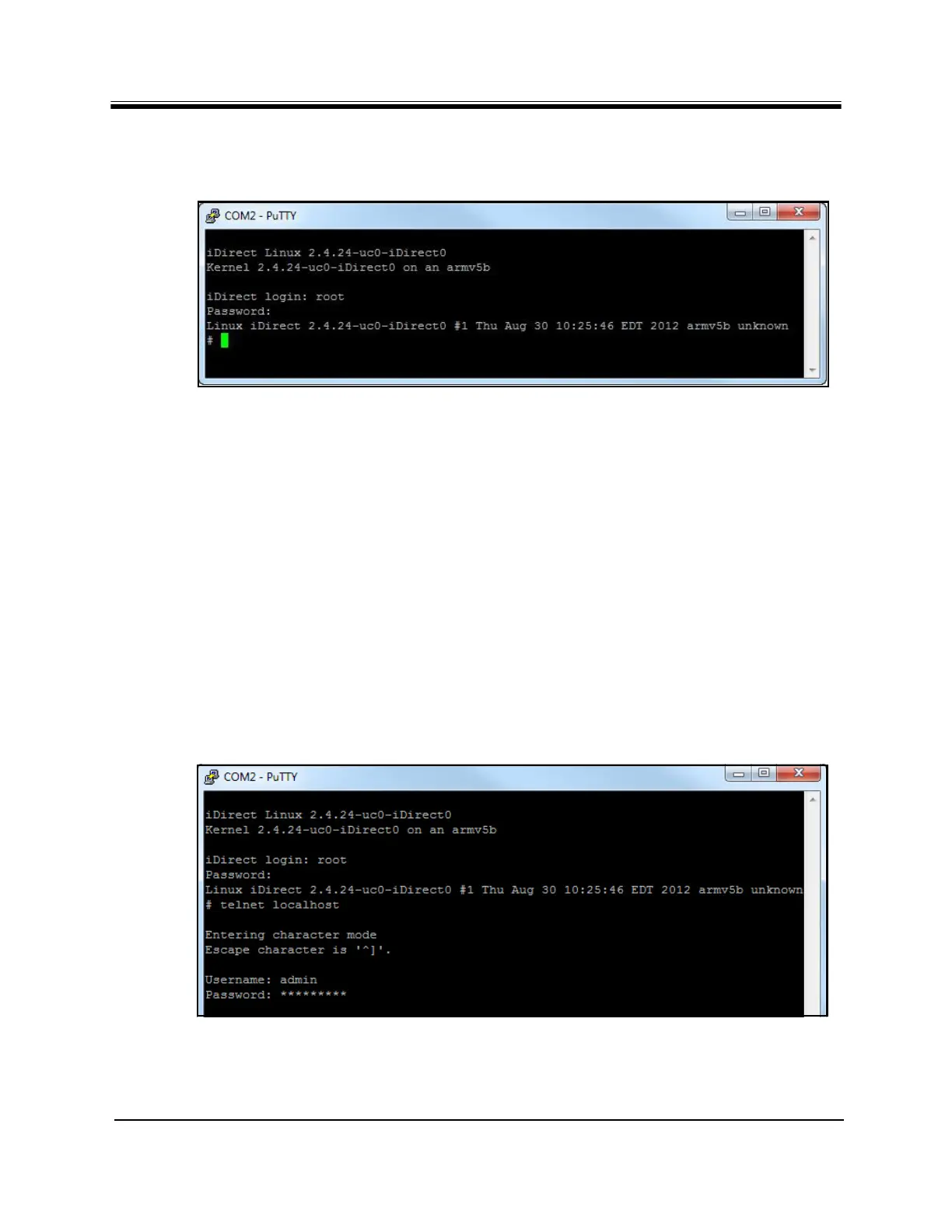
Figure 9. Root Login and Linux Prompt
13. At the iD
irect login prompt, enter root.
14. At the Pas
sword prompt, enter the default password iDirect (in some cases, the
default password may be P@55w0rd!).
Successful login to the
root-level Linux OS is indicated by the # prompt (Figure 9).
3.3.2 Logging In to the iDirect Application
To retrieve IP and subnet information from the Satellite Router, it is necessary to query the
iDirect Application. Refer to Figure 10 for the following steps.
To Log In:
1. At the Linux prompt
(#), enter telnet localhost.
2. At the Username prompt, enter
, admin.
3. At the Pas
sword prompt, enter the default password, iDirect. (In some cases, the
default password may be P@55w0rd!.)
Figure 10. Telnet and Login to iDirect Application
Successful login to the iDirect appli
c
ation is indicated the > prompt.



 To Next Page