iDirect Satellite Router Installation and Commissioning Guide 81
iDX Release 3.3
Satellite Access
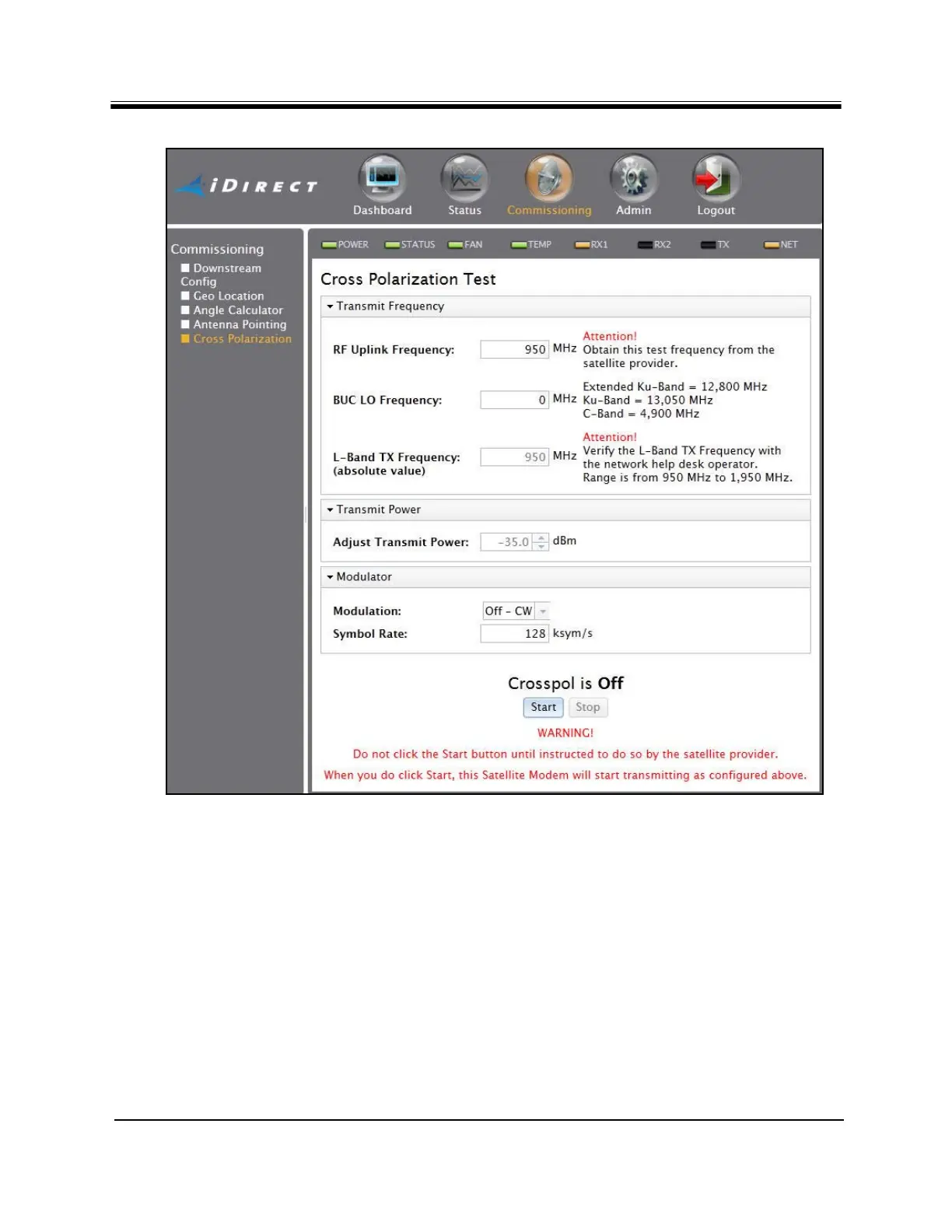
Figure 47. Web iSite Cross Polarization Page
14.2 Satellite Access
WARNING! Do not click the Start button until instructed to do so by the satellite access
control center. Clicking the button causes the Satellite Router to transmit a
continuous-wave (CW) signal to the satellite.
While still connected to the Satellite Router
, call
the Network Operator. The Network
Operator will establish a conference call with the satellite access control center. The access
controller will assign an uplink frequency for performing the cross-pol isolation adjustment.
For a Satellite Router that transmits an SCPC return channel, the assigned test frequency may
be the same as the final operating frequency. For TDMA terminals, cross-pol must be
measured at a test frequency different from the traffic-carrying channel.



 To Next Page