EasyManua.ls Logo

idp SMART-21S - 3.3 Other Settings and Service

idp SMART-21S
63 pages
Print Icon
To Next Page IconTo Next Page
To Previous Page IconTo Previous Page
Loading...
30
3.3. Other settings
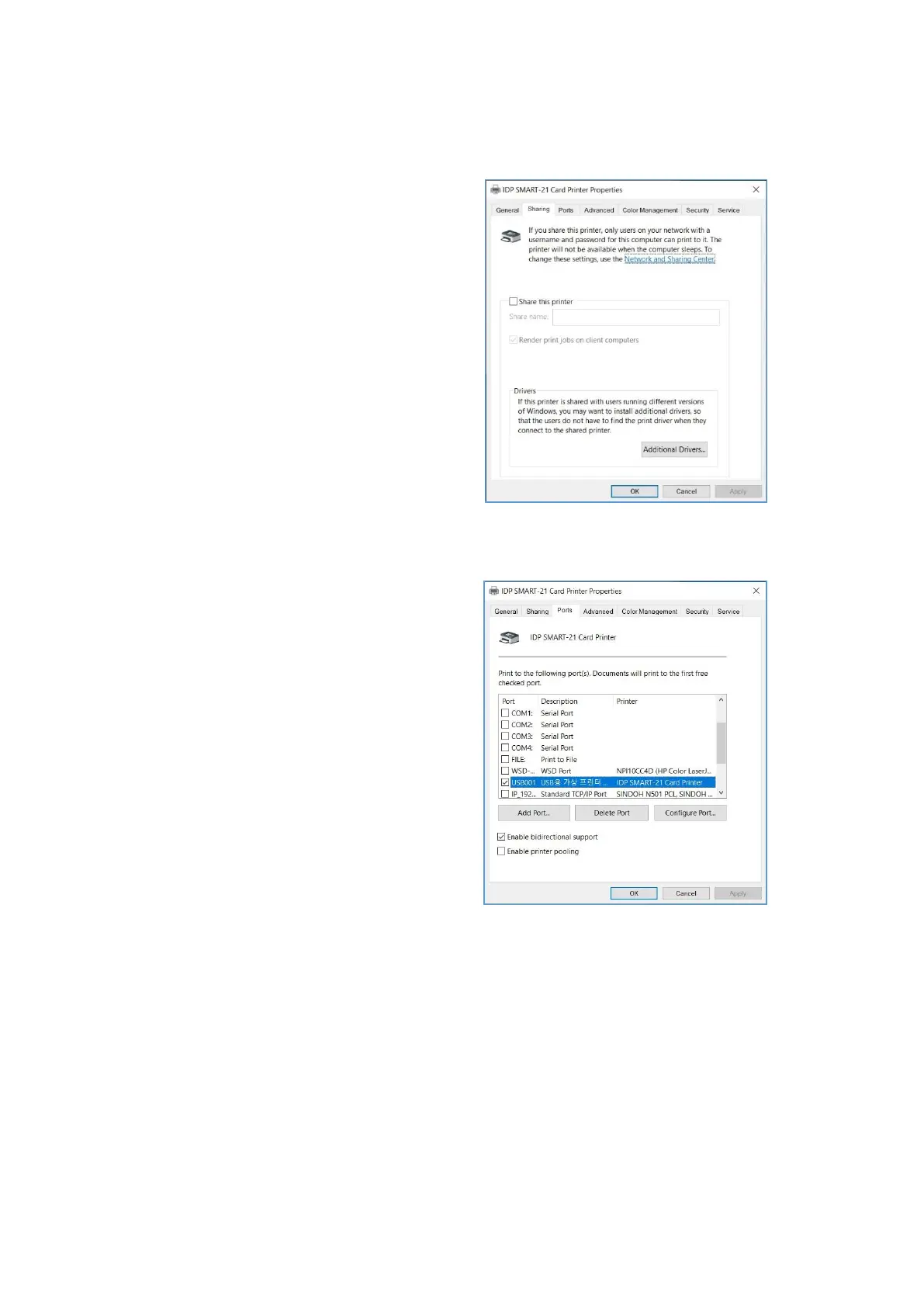
(1) Sharing
You can share a printer with Sharing tab
via Network.
Default is unchecked “Share this printer”.
Figure 40 Printer sharing
(2) Ports
Port tab shows which port is connected
with SMART-21. SMART-21 has
connection with USB Virtual printer port as
left picture because SMART-21 uses USB
connected to PC.
(Caution! This port is selected
automatically. It is recommended to
maintain default.)

Figure 41 Ports

Table of Contents